
⇄
Already have the PGN?
Sync PGN to Video (Android app only) matches it to your recording and exports a timed overlay.
Use cases · October 2026
Creators, organisers and families face different situations, but all of them lose time to the same repetitive work around a physical game. Here is how ChessZCam fits each one today — and where SwissMax, beside Swiss-Manager, takes care of the rest of the tournament day.
Three workflows · current builds
Each workflow below works in the current public beta of ChessZCam Studio, the Android app and ChessZCam Live for vMix & OBS.
Viewers see a clean digital board. Creators often spent the night rebuilding it from video, move by move. ChessZCam is built to take over that repetitive step, so more energy stays on explanation and storytelling.
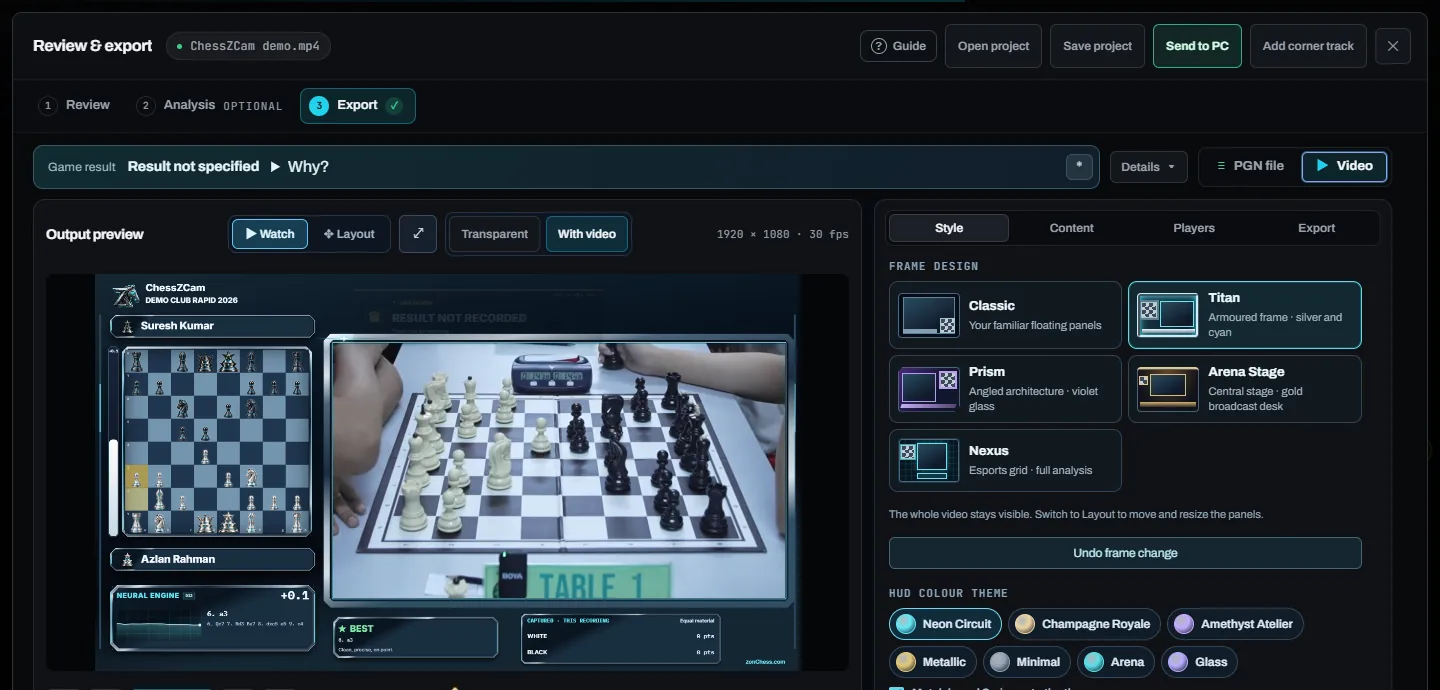
Sync PGN to Video (Android app only) matches it to your recording and exports a timed overlay.
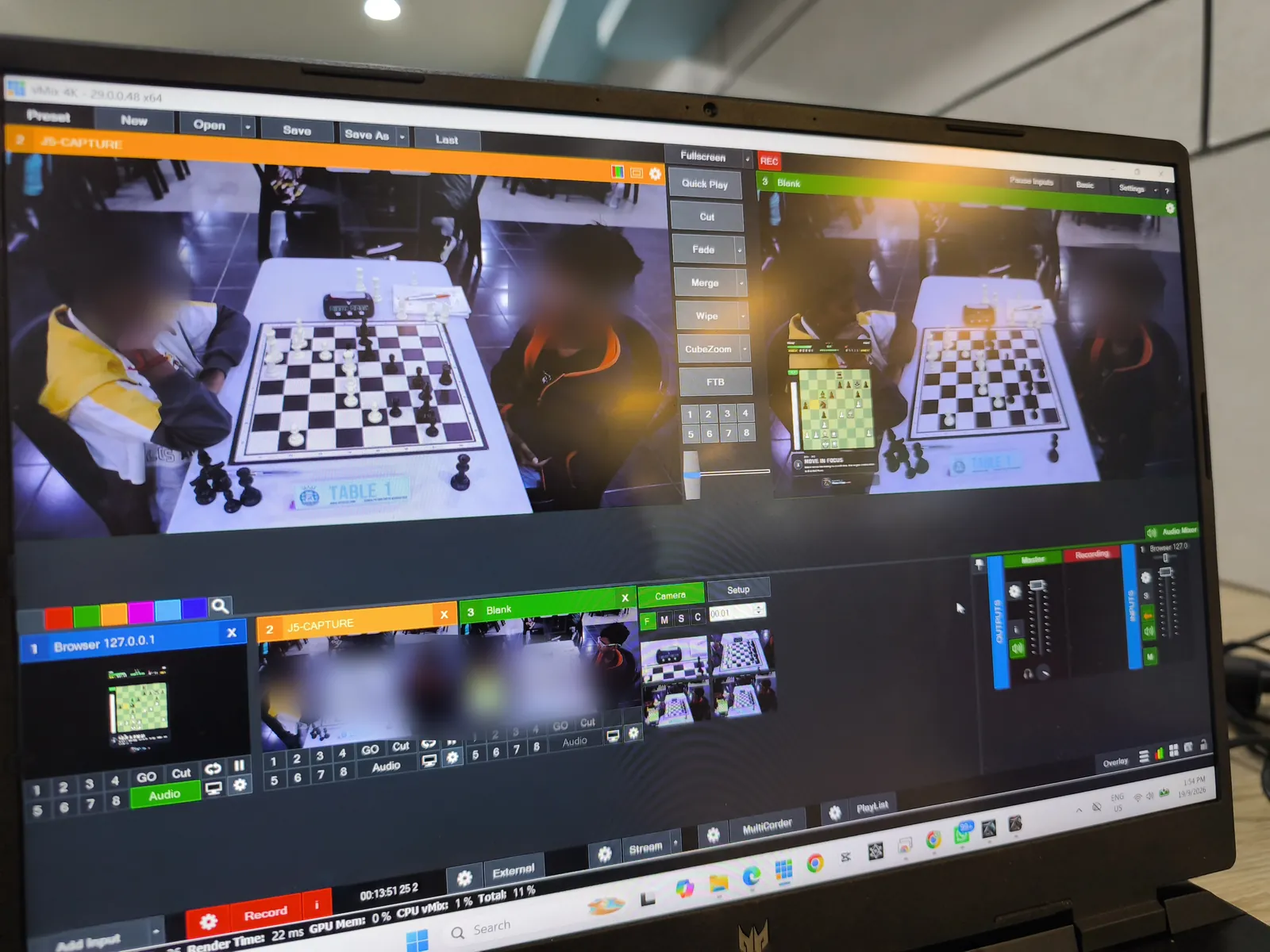
Broadcast Live sends the board state to ChessZCam Live, ready for OBS or vMix as a Browser Source.
A portrait 1080×1920 layout re-flows the overlay for vertical video.
Open Project continues a saved review with its corrections, analysis and layout.
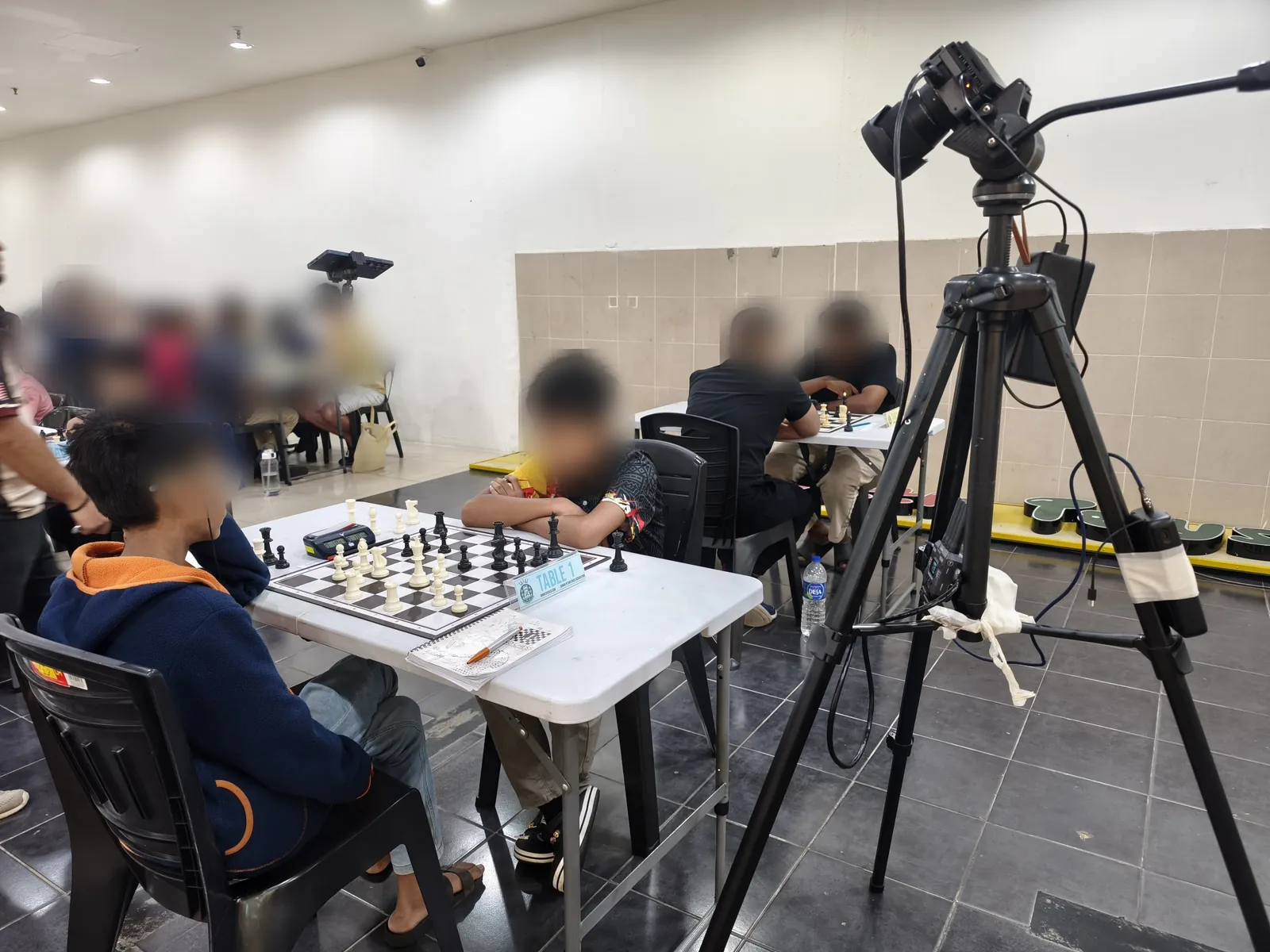
Electronic boards remain excellent for many official installs. For a school event or club open that needs one featured board, a phone-camera bridge can be the difference between “no stream” and “a careful stream”.
Good light, all four corners in frame, a stand players will not nudge — and one person watching the console.
Many halls isolate guest devices. A dedicated router or phone hotspot is the reliable setup for live broadcast.
Pair phone and PC, add the Browser Source to your vMix or OBS scene, and run a test game before round one.
Respect the rules for cameras and delayed boards. ChessZCam is for broadcast and review — the arbiter decides at the board.
Honest limits: one camera phone and one board per PC; vMix or OBS runs on the same PC as ChessZCam Live, on the same local network; it needs an operator; there is no chess clock data.
 SWISSMAX · FOR THE REST OF THE DAY
SwissMax is a companion beside Swiss-Manager: clean registrations, pairing posters in 14 templates, score entry from helper phones on the venue LAN, winner graphics in 25 styles and certificates in 29 templates. Swiss-Manager and the arbiter keep the pairings and the official ranking.
See SwissMax →Parents often cannot stand over the boards, and coaches rarely see the game their student has just played. ChessZCam now helps during the round with Viewer Mode, on the organiser's broadcast, and after the round.
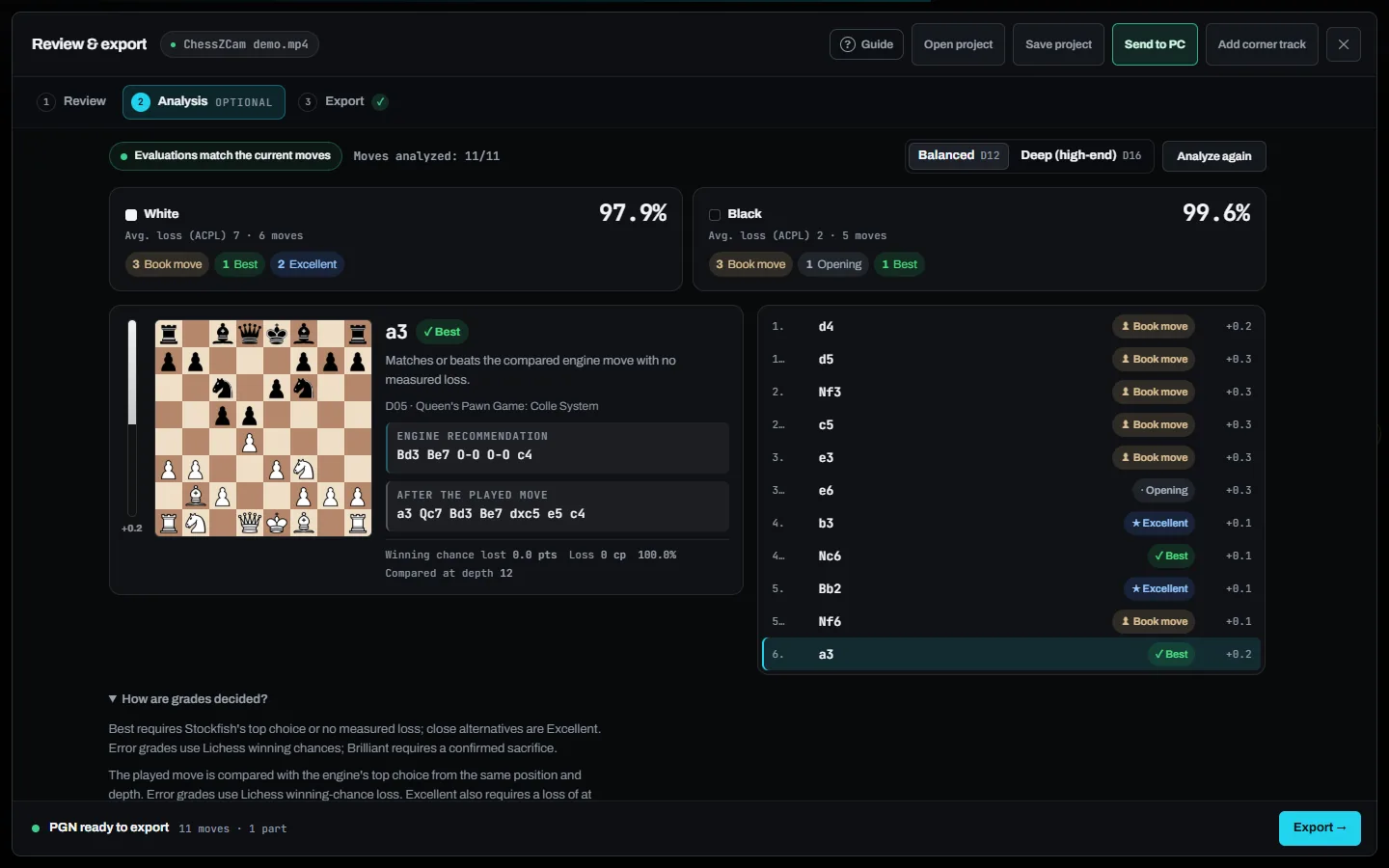
Organisers and arbiters set the rules for cameras in the hall — only record where they allow it. Detection runs on the device, with no account and no upload.
Technology should support a young player's independence. Watch from a distance, then talk the game through together afterwards.
Readable pairing posters on the wall or in the WhatsApp group, winner graphics and certificates made from the official final ranking.
One app, six operations
Start from what you want to end up with. A phone alone can record, detect, review and export; a Windows PC adds a big screen, speed and the live console.
| You want to… | Start with | What you need |
|---|---|---|
| Turn a filmed game into a PGN and an overlay video | Record Game Video, then Analyze Video | An Android phone; ChessZCam Studio on Windows adds a big screen and speed |
| Get a PGN during the game, without storing video | Detect Live Game | An Android phone on a stable stand |
| Put a featured board on a stream | Broadcast Live + ChessZCam Live | Phone and a Windows PC with vMix or OBS on the same local network |
| Let parents and coaches follow a board from outside the hall | Viewer Mode (in trial builds) | Two Android phones on the same Wi-Fi or hotspot; a PC is optional |
| Add an overlay to a game you already have as PGN | Sync PGN to Video | The PGN and the recording |
| Finish a review you started earlier | Open Project | The saved project |
| Registrations, pairing posters, scores, winners and certificates | SwissMax, beside Swiss-Manager | A Windows 10/11 PC; helper phones on the venue LAN |
These are the operation names in the current builds. See all six operations on the ChessZCam page →
Made with ChessZCam Studio · real tournaments
Two real games from our field tests, turned into overlay videos with minimal human intervention.
Honest limits. Detection accuracy depends on the setup and the quality of the video: camera position, a steady stand, good light and focus matter most. ChessZCam is for recording, review and broadcast — never for settling a dispute at the board; that belongs to the arbiter. Viewer Mode is in trial builds: same Wi-Fi or hotspot only, and Android app only. It has been tested on real phones in both set-ups, and used at two tournaments in October 2026.
zonChess is built by one independent developer and chess parent in Malaysia, and tried at real tournaments as it is built. If something gets in the way of your workflow, constructive feedback is very welcome. Read the known limitations →