
Steady
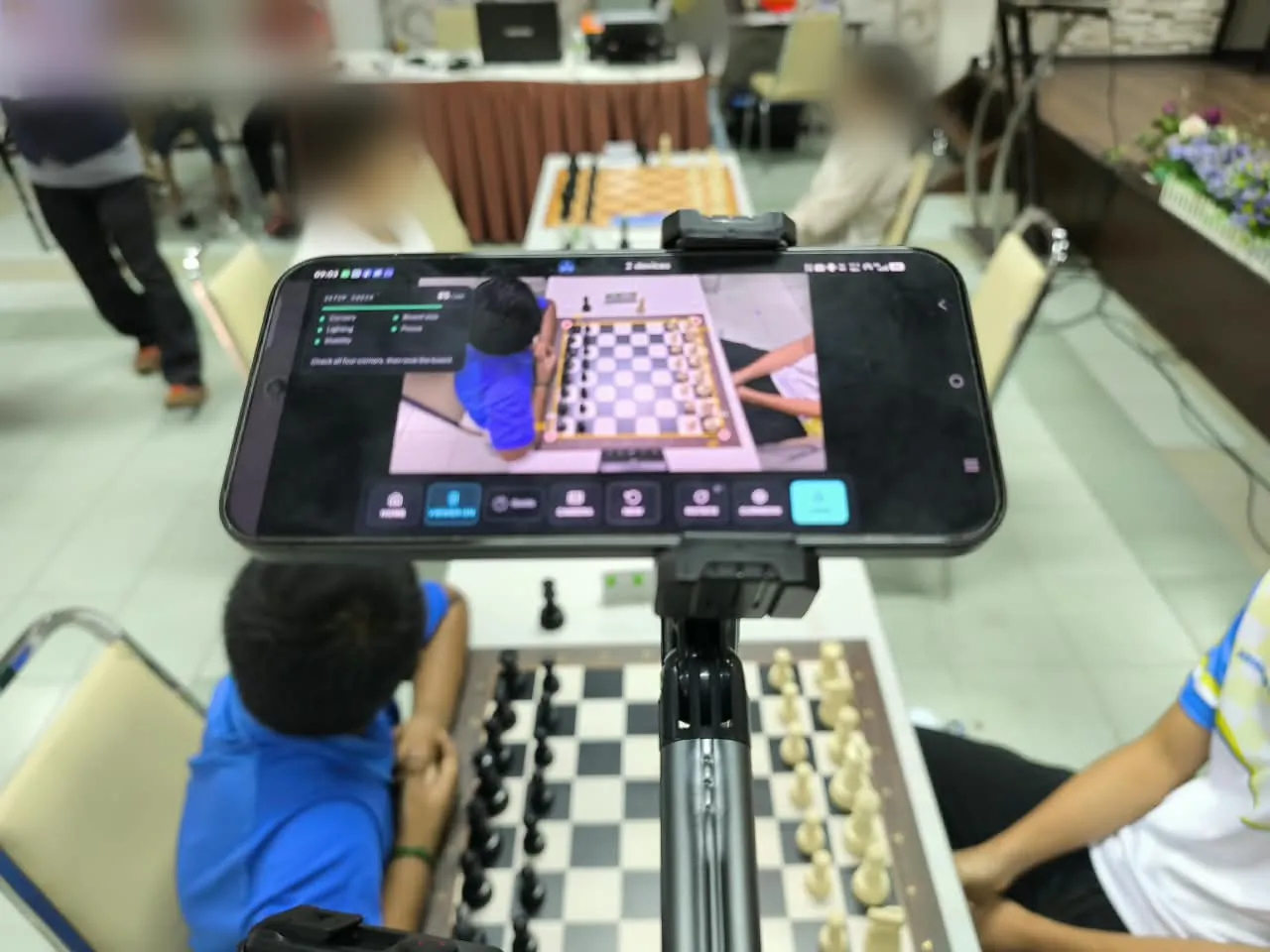
The same view from move 1 to the result. A stand that cannot be bumped is worth more than a better camera.
Recording guide · illustrated
ChessZCam reads the moves from what the camera sees. These pictures show the setup that gives the best result — the same advice the app's own setup check gives. It takes about five minutes before round one.
If you remember three things
The same view from move 1 to the result. A stand that cannot be bumped is worth more than a better camera.
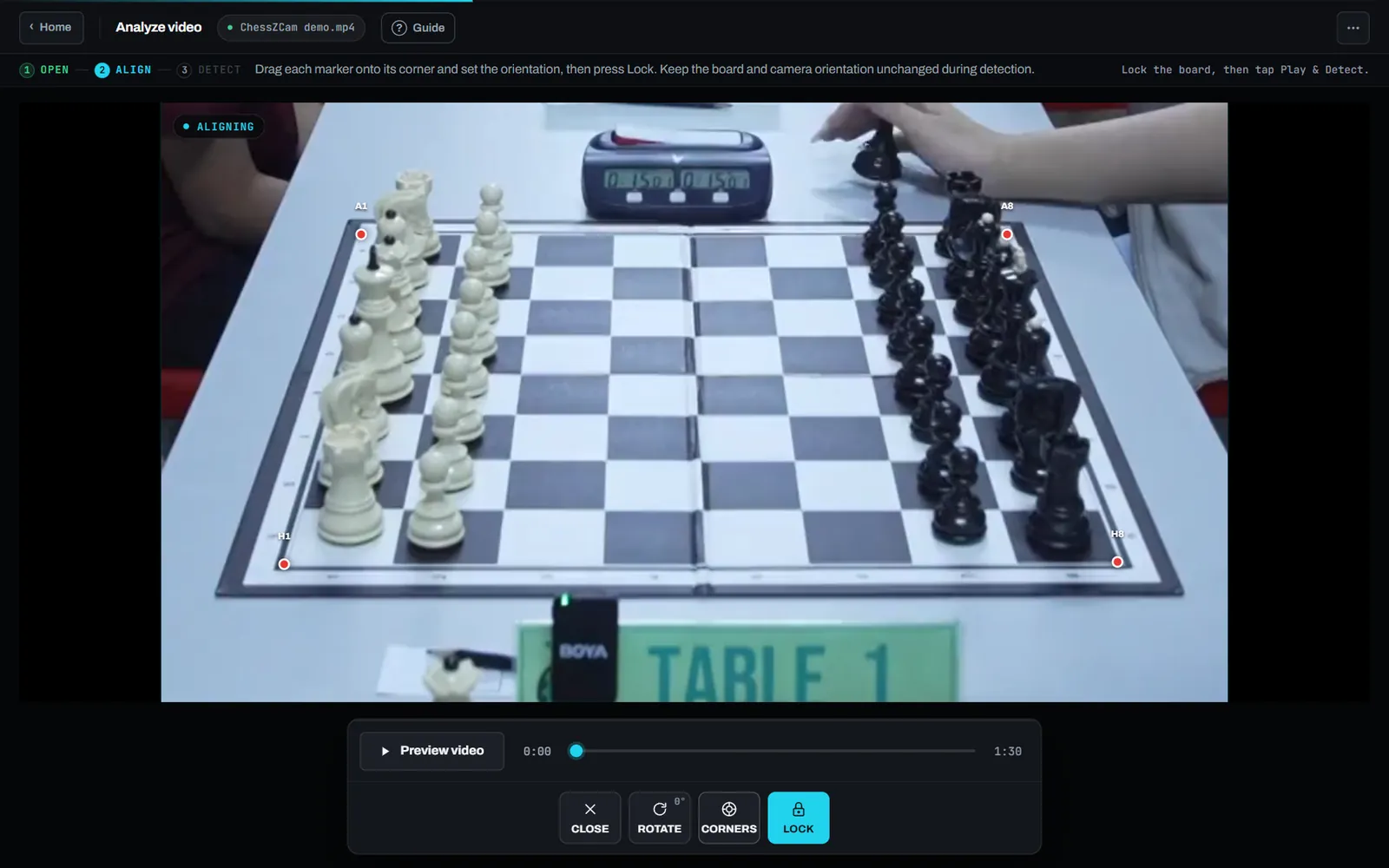
Four corners and a margin in the picture, nothing cut off, the far pieces fully visible.
Even light, sharp focus, and nothing resting over the board once a move is made.
Nine rules, in pictures
Green is what works; rose is what makes detection harder. Click nothing: each picture is self-explanatory.
Built into the app
Before you lock the board, ChessZCam checks the picture and gives a plain hint for each reading — for example “Raise the camera or reduce the viewing angle”, “Add diffuse light” or “Keep the camera still and secure the stand or tripod”.
Settings
| Preset | Video | Storage per hour | Use it for |
|---|---|---|---|
| Balanced | 1080p | about 4.5 GB | Recommended for most games |
| Creator | 1080p | about 7.2 GB | Footage you will publish |
| Efficient | 720p | about 2.7 GB | Saving space |
| Tournament | 720p | about 1.8 GB | Long games or low storage |
Presets of the Record Game Video screen in the ChessZCam app. With ChessZCam Studio on Windows you can also use a webcam, a capture card or OBS Virtual Camera; Studio keeps the source's own aspect ratio. More resolution alone cannot fix a blurred or blocked view.
Before round one
After the game
Open the recording, Corners → Lock, then Play & Detect or Adaptive.
Check the flagged moves against their video frames; connect any gap with legal moves.
Save the PGN, add Stockfish if you like, and render the overlay video.
FAQ
Either works if the view is steady and the whole board is in frame. A phone on a stand is the simplest; a camera or capture card into ChessZCam Studio suits a fixed production setup.
Yes. Anything from 45° to 90° (straight down) works; steeper views hide fewer pieces.
Not on its own. A steady, sharp, evenly lit 1080p recording is better than a shaky or blurred 4K one.
Small shifts can be realigned: in Analyze Video use Tools → Realign board; in the live modes the board realigns itself after a small bump. A turned board or camera needs correcting by hand.
Yes, if it shows the whole board steadily. Analyse the original file rather than the edited video: crops, zooms, jump cuts and graphics over the board make detection harder.
Ready to try it
ChessZCam Studio comes first, with a free 14-day trial on one PC. Trial invitations go to the waitlist first; joining is free and is not an order.