
Rebuilding by hand
- Scrub the footage to find each move
- Set up every position on an analysis board
- Type the PGN and hope it matches the video
- Build a board graphic frame by frame — or skip it
For OTB chess content creators
You love real boards, real clocks and real nerves at the table. ChessZCam turns that footage into a move list you check instead of type, Stockfish grades and a finished overlay video — so your evening goes into the story, not into rebuilding the game square by square.
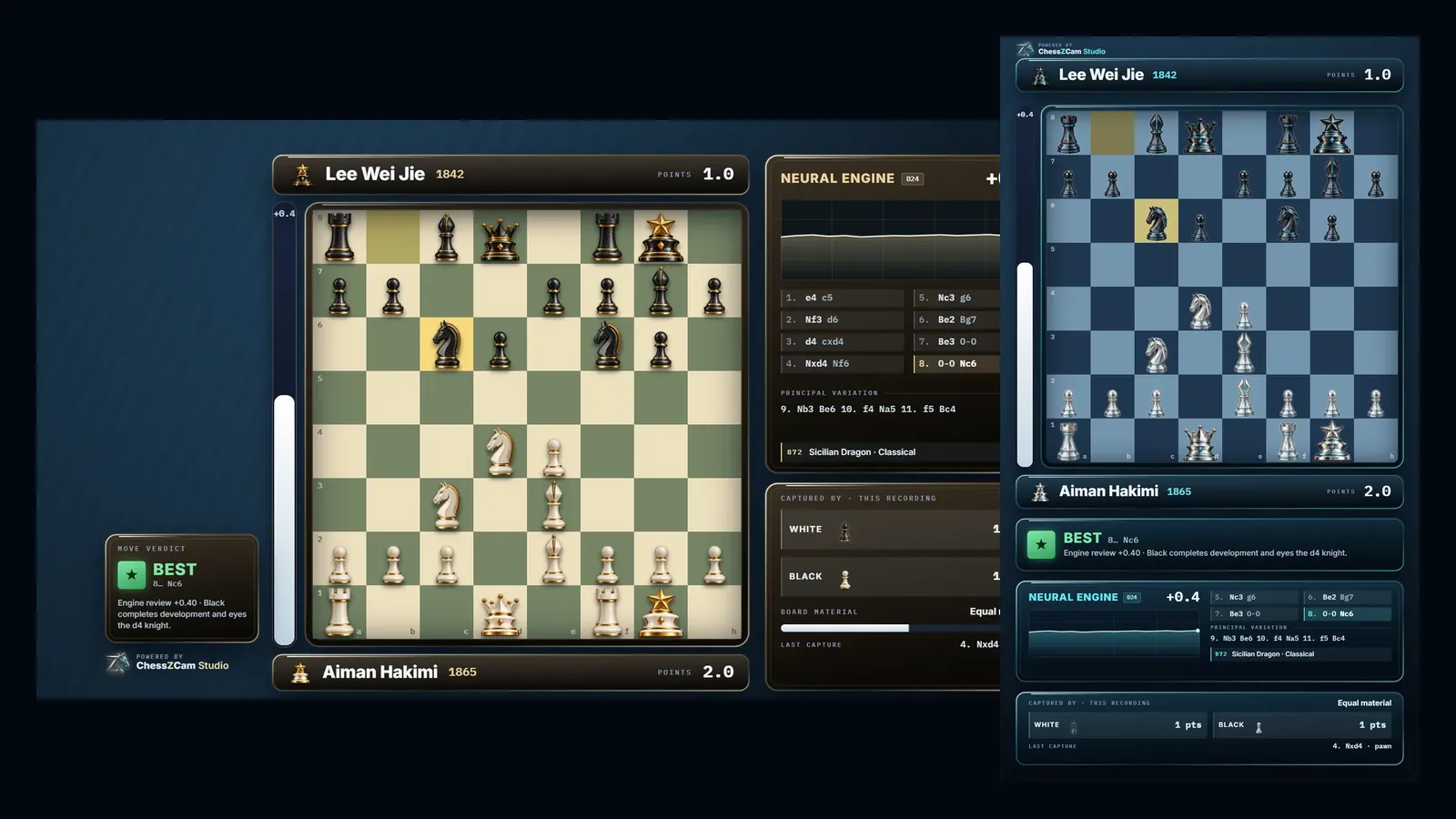
How it works · six steps
Every scene below is a real ChessZCam screen or a real tournament photo. It plays by itself; click a step to jump to it.
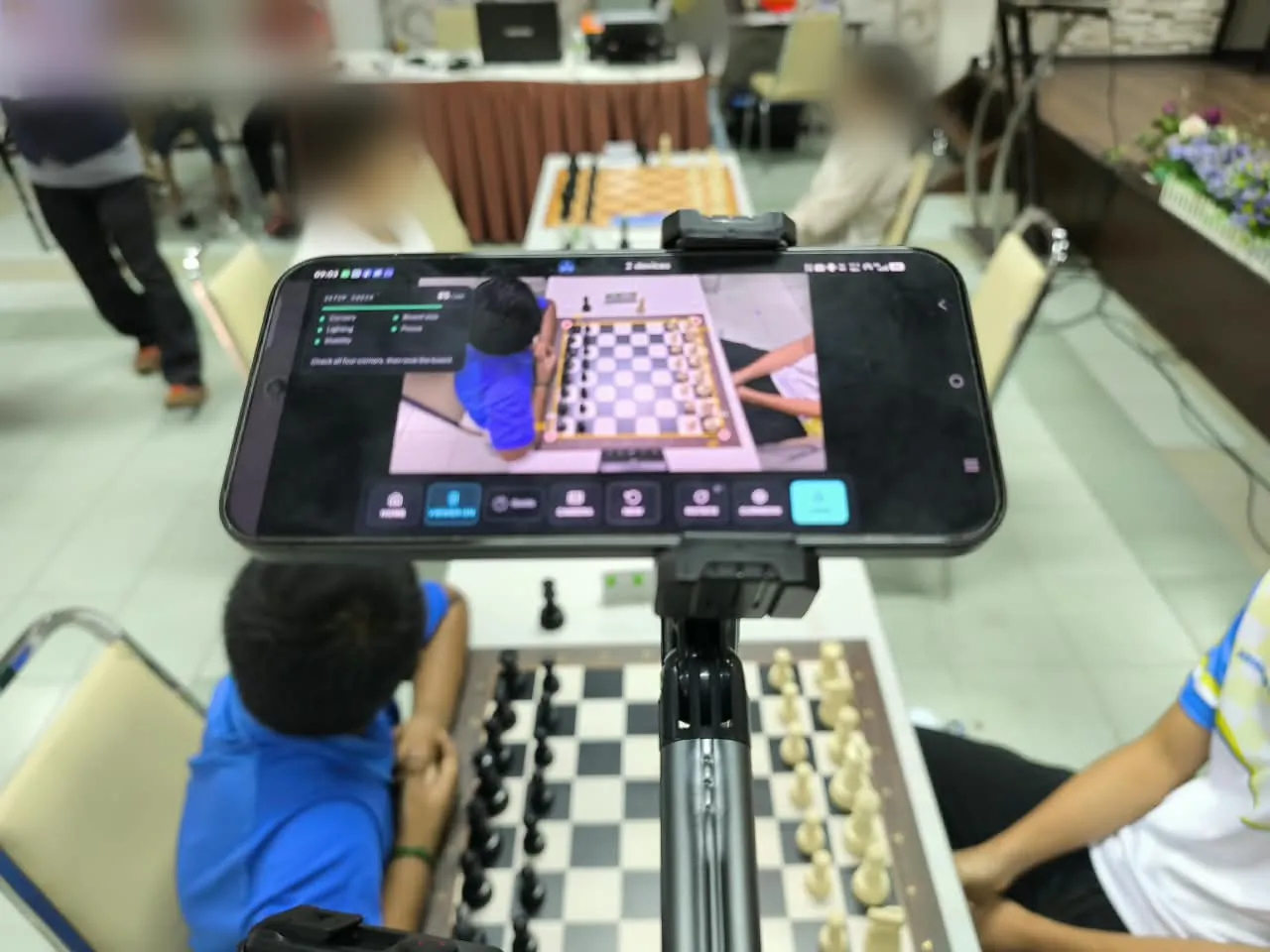
1Film the gameA phone or camera on a firm stand, 45°–90° down at the board, with all four corners in view. The setup check reads corners, board size, light, focus and stability before you start.Santai Catur SPS 2026 · 3 Oct 2026
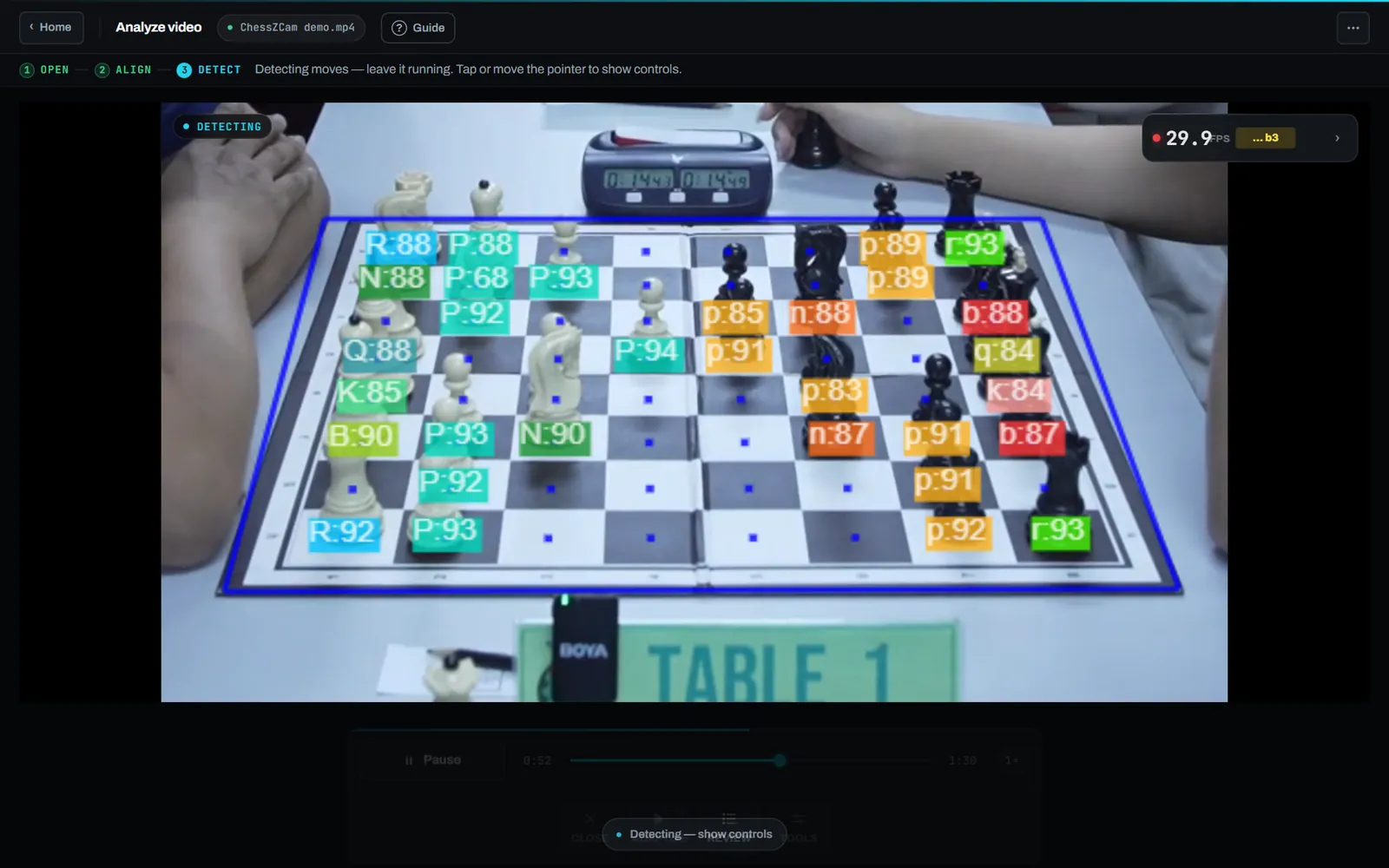
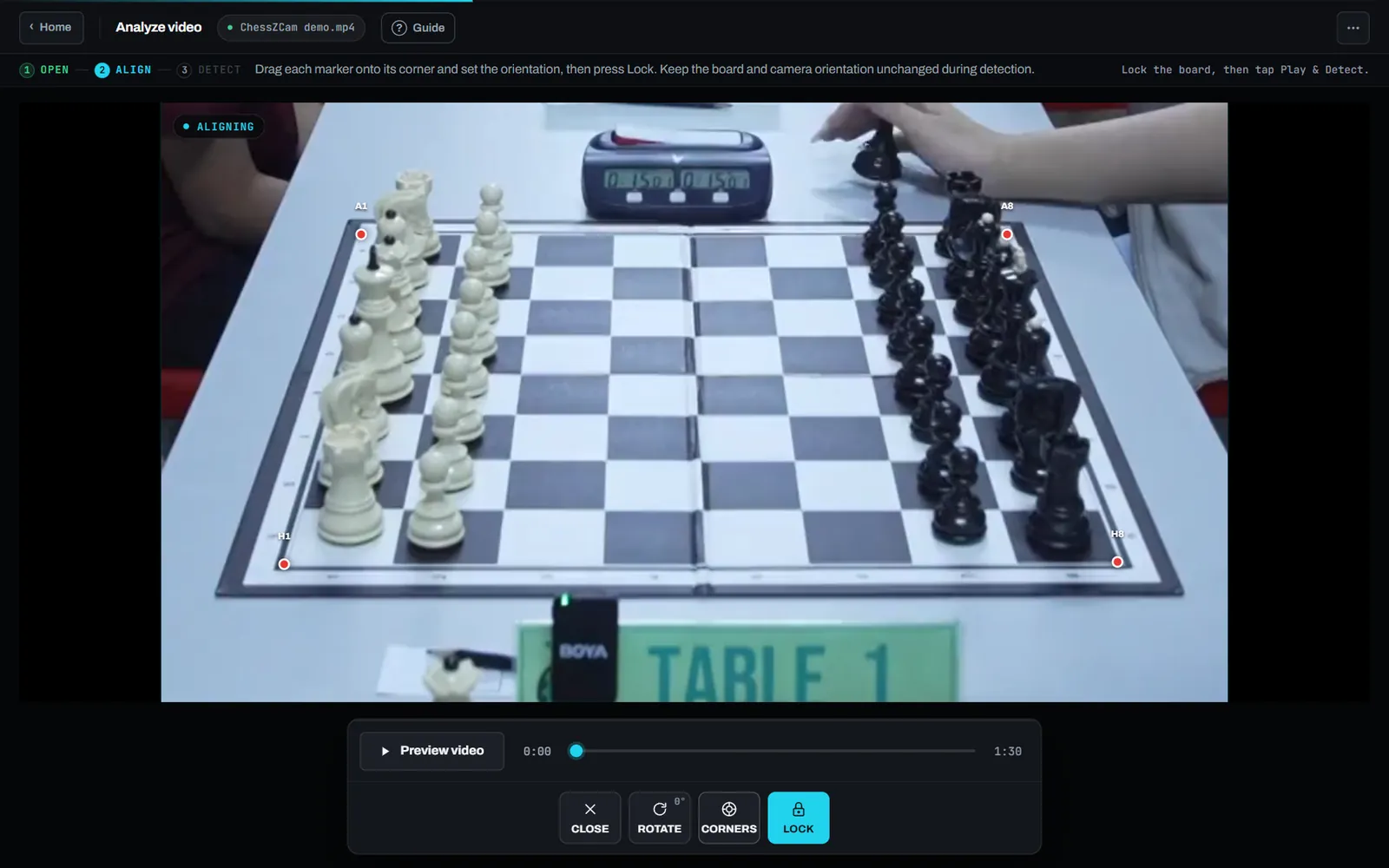
2Detect the movesAnalyze Video reads every move from the recording on your own device, and keeps its time and video frame. Nothing is uploaded.Bundled demo clip · hands only
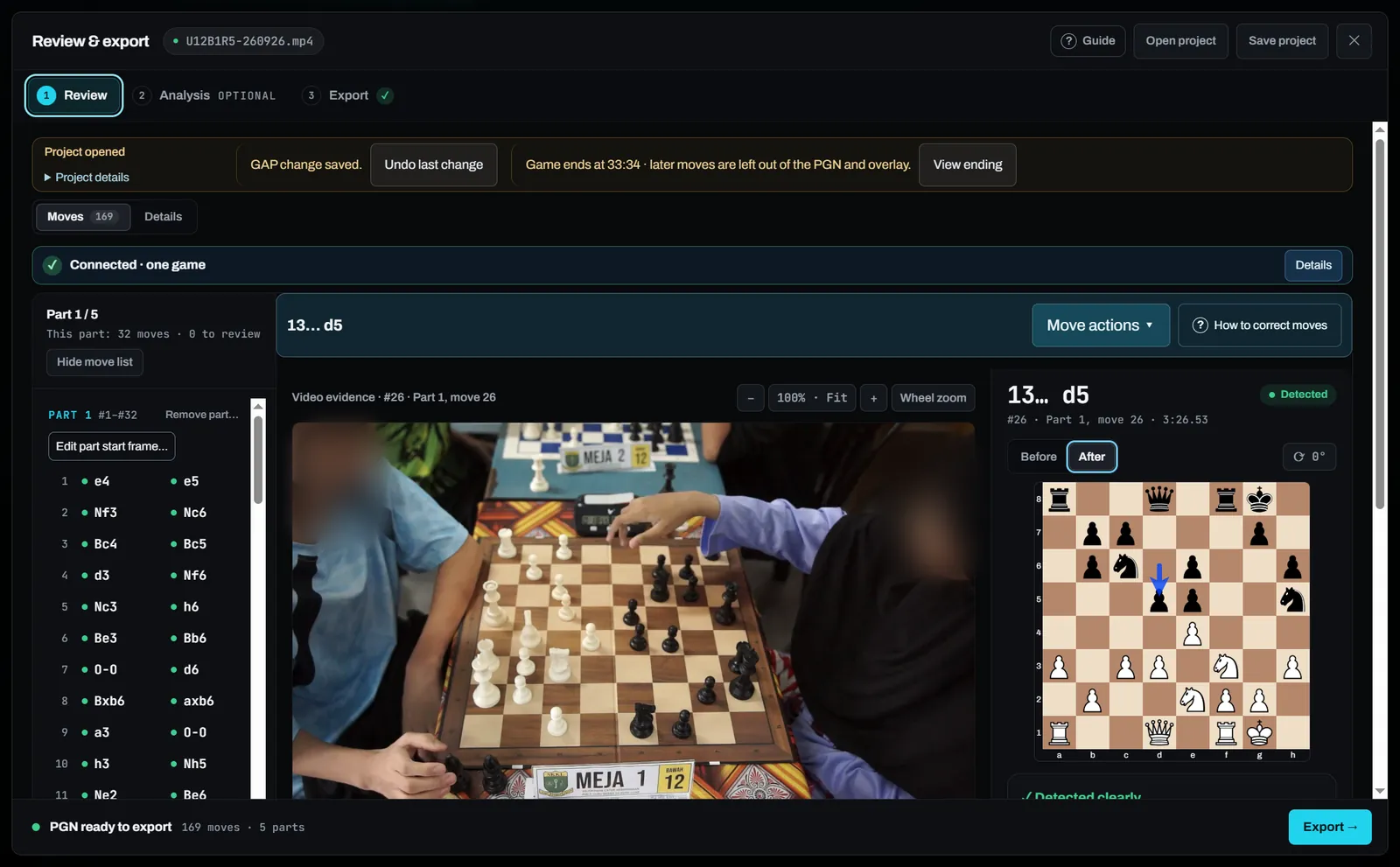
3Check only what is flaggedEach move sits beside its video frame. Confirm, replace or retime a move, connect a gap with legal moves and keep everything after it — until it reads “Connected · one game”.Studio 0.29.2 · a 169-move tournament game
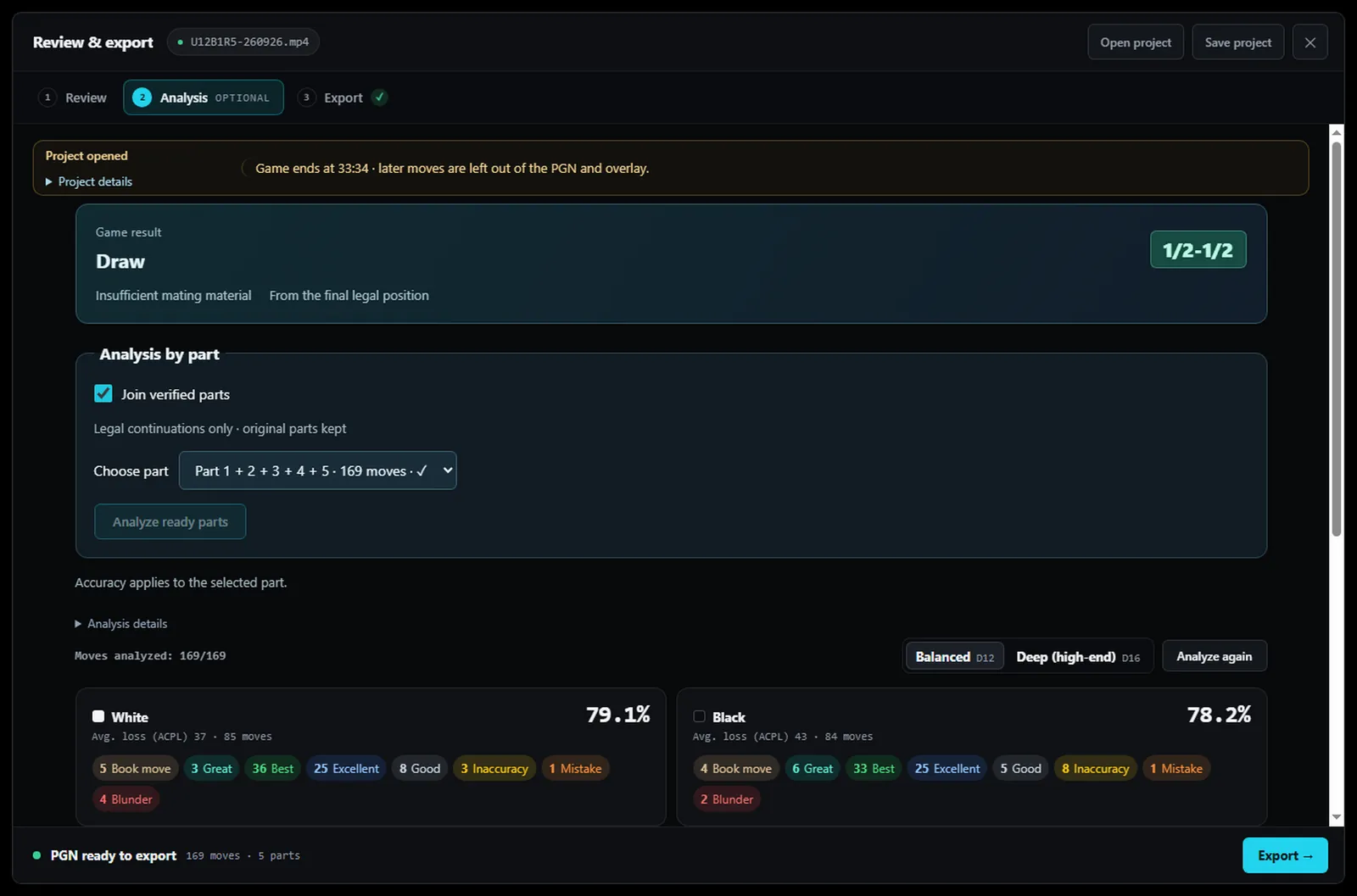
4Add StockfishOptional engine analysis on the device: grades from Book move to Blunder, accuracy for each player and opening names.Same game · Balanced depth
5Render the overlayMP4 with the overlay burned in, transparent WebM or PNG sequence — landscape 1920×1080 or portrait 1080×1920, up to 4K.ChessZCam renderer · names invented
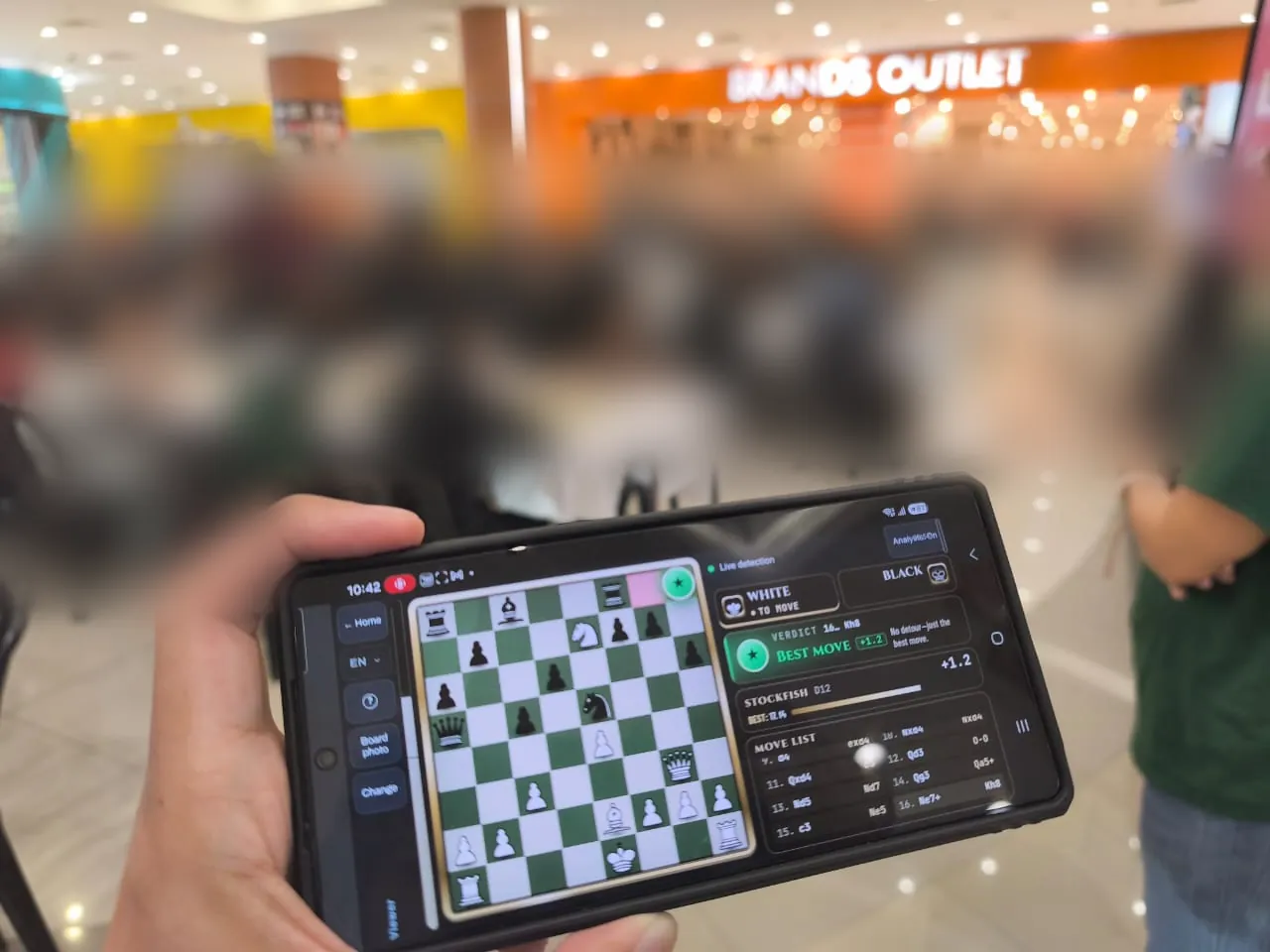
6Go live or shareFor a live show, Broadcast sends the board to ChessZCam Live for vMix or OBS, and spectators can follow on their own phone with Viewer Mode.Tournament Cikgu Chess X Aeon Mall Taiping · 10 Oct 2026
Studio for Windows comes first, with a free 14-day trial; the Android app and the Live module follow in their own phases. Some scenes are from the phone app.
Your week
A full game with a live-looking board and eval bar.
Portrait 1080×1920, re-flowed for a phone screen.
Several boards, each with a clean PGN and key moments.
vMix or OBS with ChessZCam Live (third phase).
What it does not do. It does not write your story, and detection depends on the footage. Commentary, selection and the final edit stay yours; check the flagged moves before you publish.
Tournament proof · October 2026
Two tournaments in October 2026 — one in a shopping mall, one in a hall. Photos and clip by the developer; players and visitors are blurred.
Rounds 5–7 on three boards: live detection on a Samsung and a vivo phone, Viewer Mode for spectators, and Studio on a laptop with a capture card. The response to the graphics, Viewer Mode and the analysis was positive.
Phone to phone: a camera phone on a stand ran live detection at the board while parents and coaches followed on their own phones with Viewer Mode. What the day taught went straight into the next builds: the board realigns by itself after a small bump to the stand, and live detection gained the same focus and exposure locks as Broadcast.
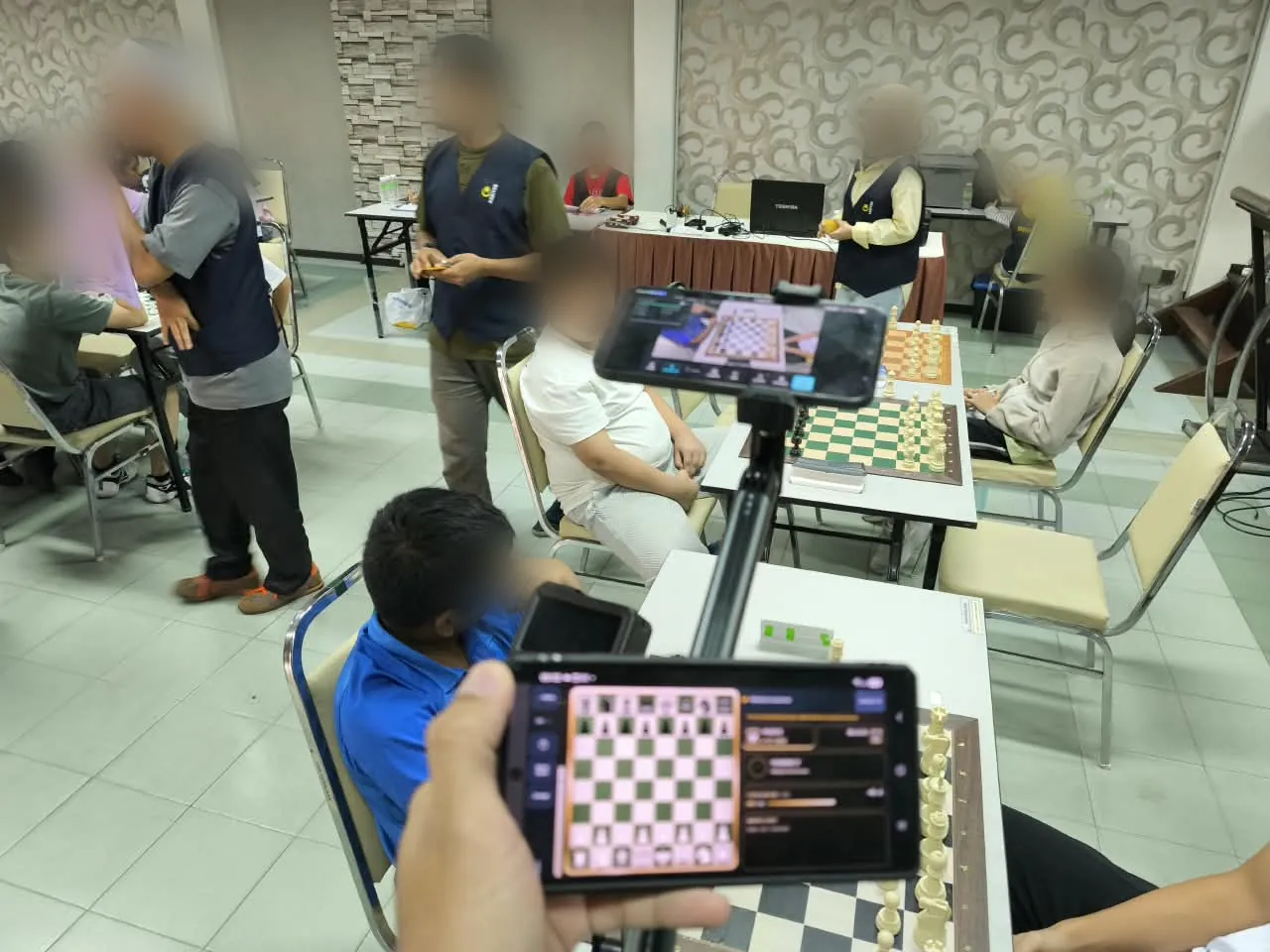
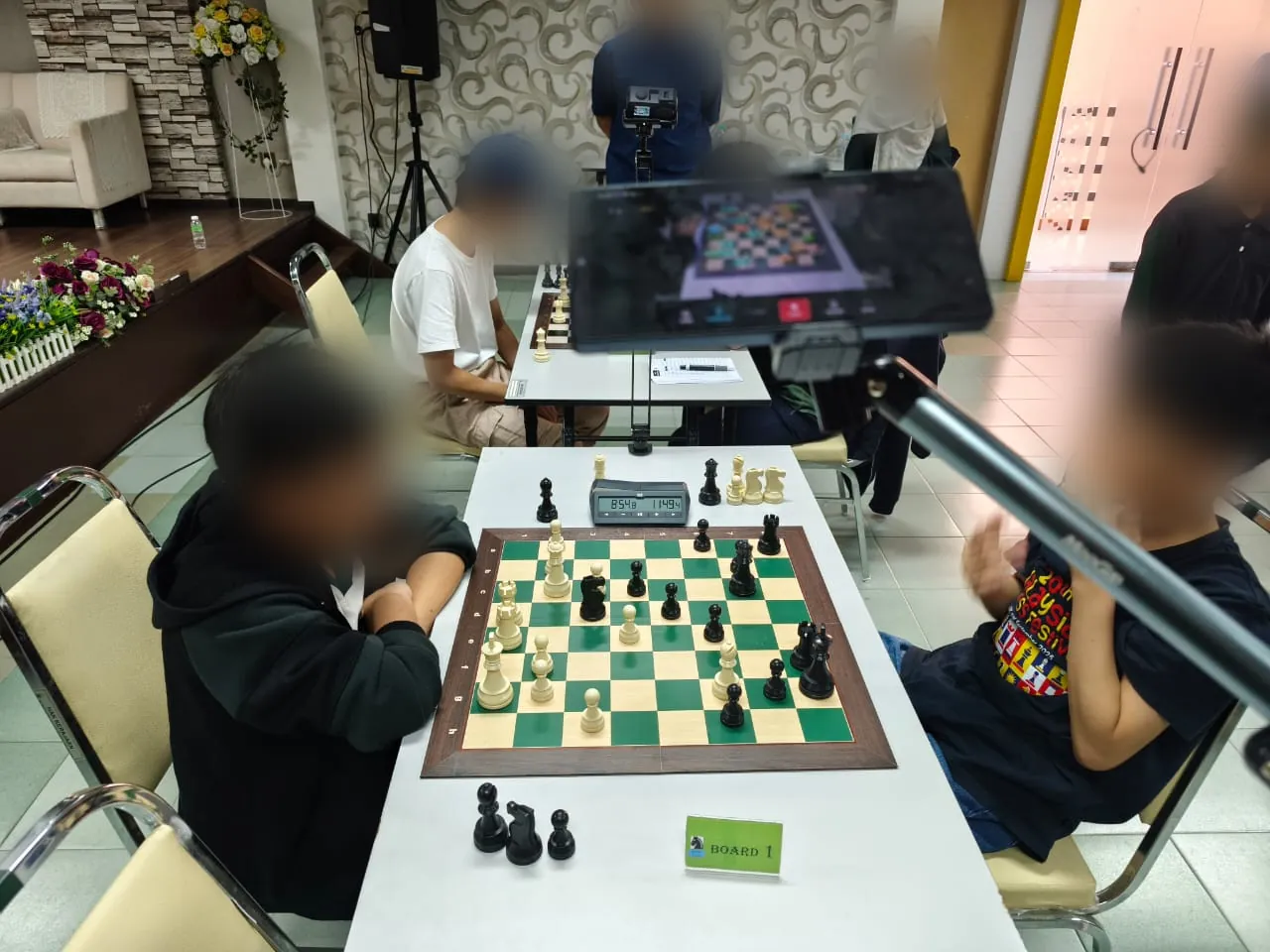
The whole story of all six tournament tests: project journey.
Part of the chess community
We respect the work of established tools such as idChess and DGT. ChessZCam is a small, independent project offering another option for recording and creating content, with room to complement the equipment and workflow you already enjoy.
idChess offers a phone-camera approach to recording and broadcasting over-the-board games. If it already suits your needs, there is no reason to change your setup for ChessZCam.
Explore idChess on its official website →DGT e-Boards record moves using board and piece sensing, with established tools for recording and live broadcasts. They remain a valuable part of many chess setups.
Explore DGT e-Boards on their official website →Our focus is reviewing camera footage, correcting moves and creating PGN records and overlay videos. You might use it for extra camera coverage or recorded content alongside an existing event setup. A stable, clear recording and human review still matter.
Explore the ChessZCam workflow →Choose what works for your games, budget and team. Here, “complement” means an additional workflow; it does not promise automatic PGN import, device pairing or a direct integration with idChess or DGT. Product names belong to their respective owners; zonChess is independent and is not affiliated with or endorsed by them. Please check each official website for current features.
Ideas, requests or a question? Until we have a better place for community discussions, email admin@zonchess.com. I will do my best to give you a helpful reply.
Recording
FAQ
It is an independent option that also reads moves from a camera. Its focus is creator work: a checked PGN where every move is linked to its video frame, overlay videos up to 4K, and a live overlay for vMix or OBS. idChess is a trademark of its owner; zonChess is not affiliated with it.
No. ChessZCam works with ordinary tournament boards and sets and a camera on a stand. If you already use electronic boards, keep them where sensor-level certainty matters; ChessZCam can cover the other boards or your recorded footage.
Any phone or camera that records the whole board steadily. With ChessZCam Studio on a Windows PC you analyse the video file, or use a webcam or capture card. The Android app (Android 7 or later; recording needs Android 10 or later) follows Studio.
Yes, if the whole board is visible and the camera is steady: Analyze Video reads a saved recording. Low angles, cut-off corners or heavily edited videos give weaker results — see the recording guide.
It depends mostly on the footage. Uncertain moves are flagged instead of guessed, every move can be checked and corrected against its video frame, and gaps are connected with legal moves only. Always check before you publish.
Yes. The portrait 1080×1920 layout re-flows the overlay for a phone screen, from the same checked game as your landscape video.
No. Detection, review and Stockfish run on your own device. Studio needs the internet once to activate the trial; video processing stays local.
Studio comes first, with a free 14-day trial on one PC that starts only when you agree to the terms and start it in Studio (no code needed). Package prices are on the ChessZCam page; waitlist members get 50% off their first package when sales open.
No. ChessZCam is for recording, review and content. Anything at the board is the arbiter's decision.
Your next OTB video
Join the waitlist: trial invitations go to the waitlist first, and members get 50% off their first ChessZCam package when sales open. Joining is free and is not an order.