
⌖
Reading moves from a phone camera
Detect Live Game turns the camera straight into a PGN; Analyze Video reads every move from a recording — under reasonable light.
Honest limits · October 2026 trial builds
ChessZCam performs best with a steady camera, even light, clear contrast between board and pieces, and a reliable local network. This page says plainly where it still struggles — and how the current recovery tools help you put the position right. Accuracy depends on your setup and the quality of the video.
What it already aims to help with
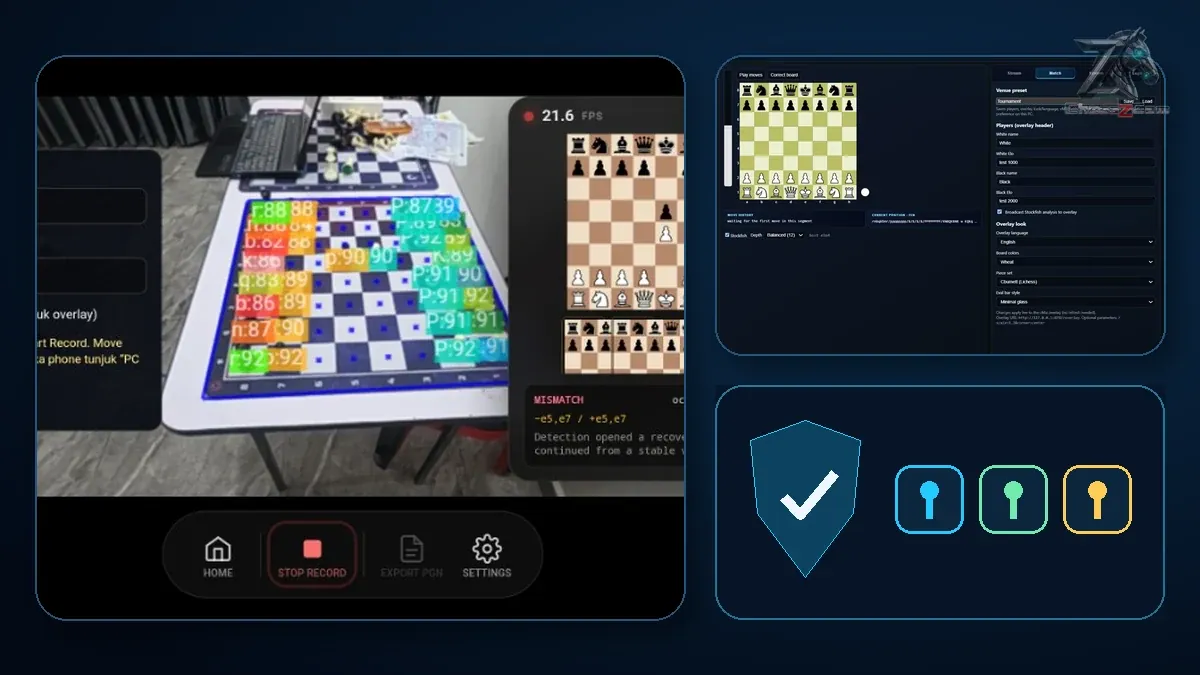
Under reasonable conditions, the current builds (Studio 1.1.2 (trial candidate) · Phone app 1.22 · Live 1.12) do these jobs. Builds of the same workflow have been tried at six real tournaments.
Detect Live Game turns the camera straight into a PGN; Analyze Video reads every move from a recording — under reasonable light.
Uncertain moves are flagged for review, with the video frame beside every move, then optional Stockfish analysis on the device.
Broadcast Live sends the board state to ChessZCam Live on the PC, which drives a Browser Source in vMix or OBS.
No electronic board and no re-entering moves on a digital board for streams, PGN work or overlay videos up to 4K.
What still depends on conditions
Each one is a lesson from a real tournament hall. Pick a topic to see what goes wrong — and what helps.
Poor light, glare on a glossy board, hard shadows or a board that is only partly in view all reduce accuracy. A tall piece on the far rank that slips out of the frame is easy to miss.
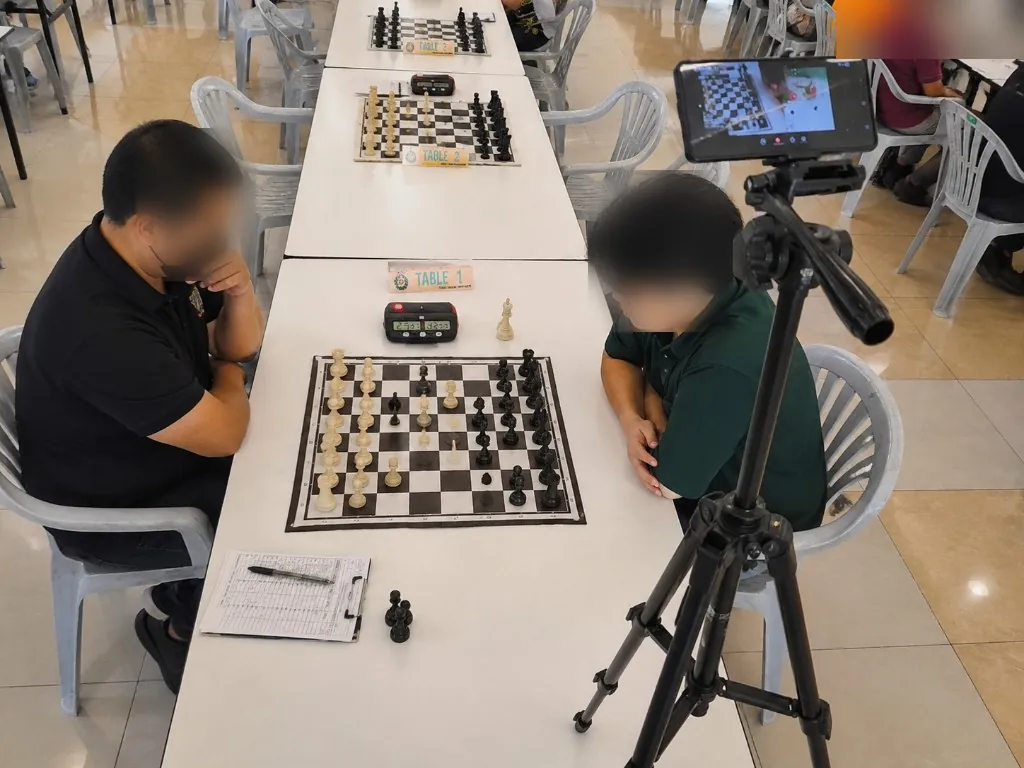
ChessZCam reads every square and piece from the picture, so clear contrast between pieces and squares helps most. Decorative or unusual sets, pieces close in colour to the squares, or a very reflective board may need more care.
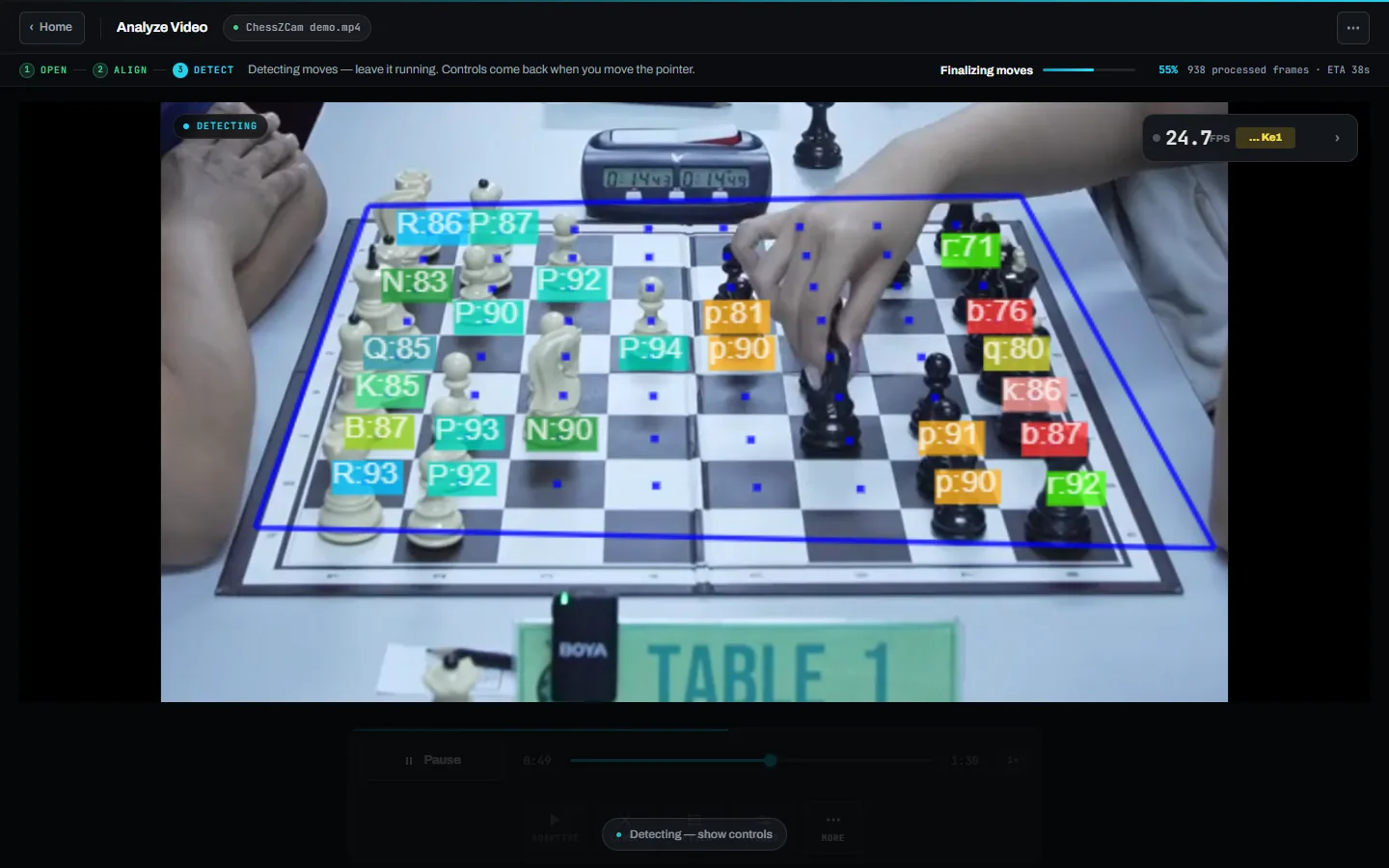
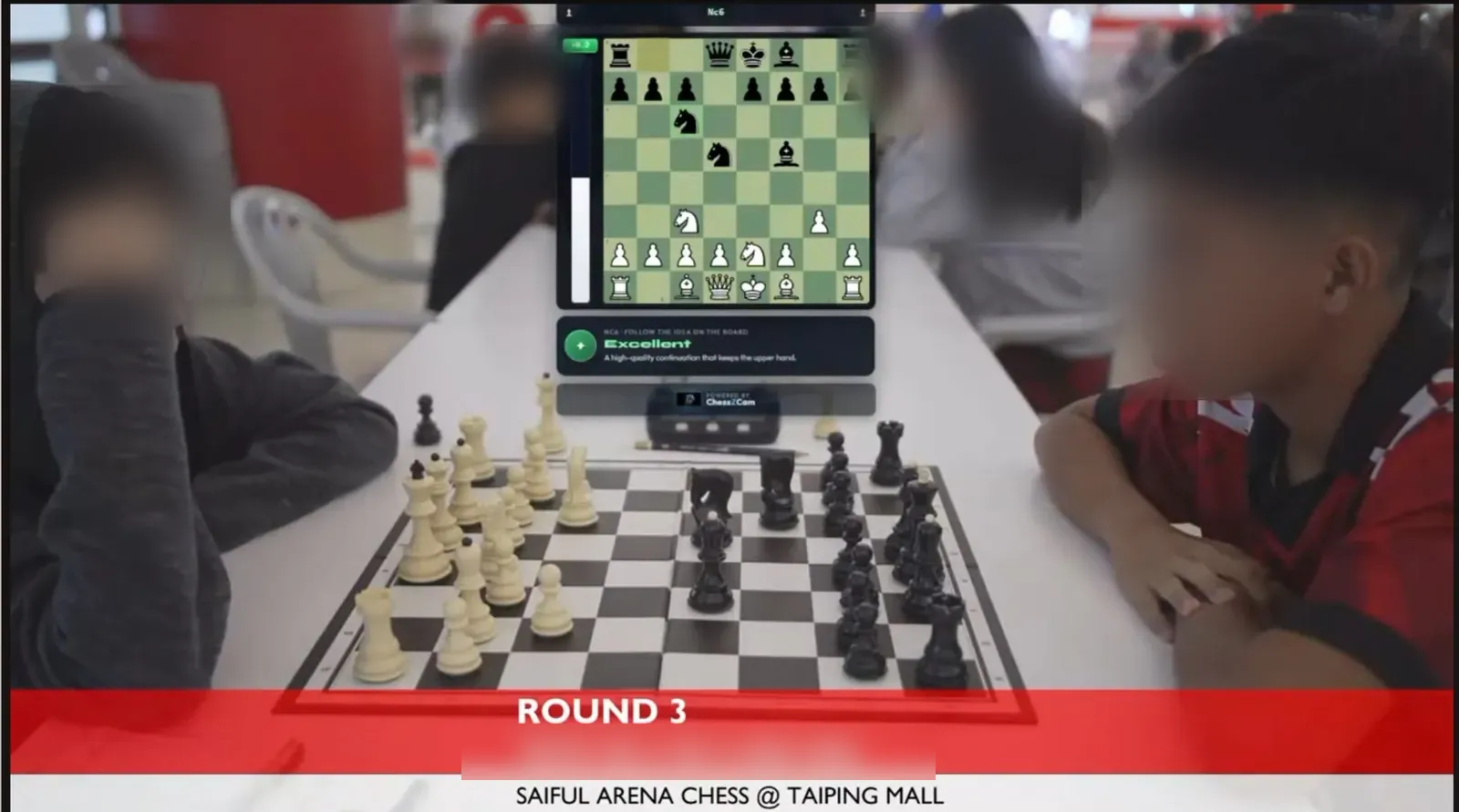
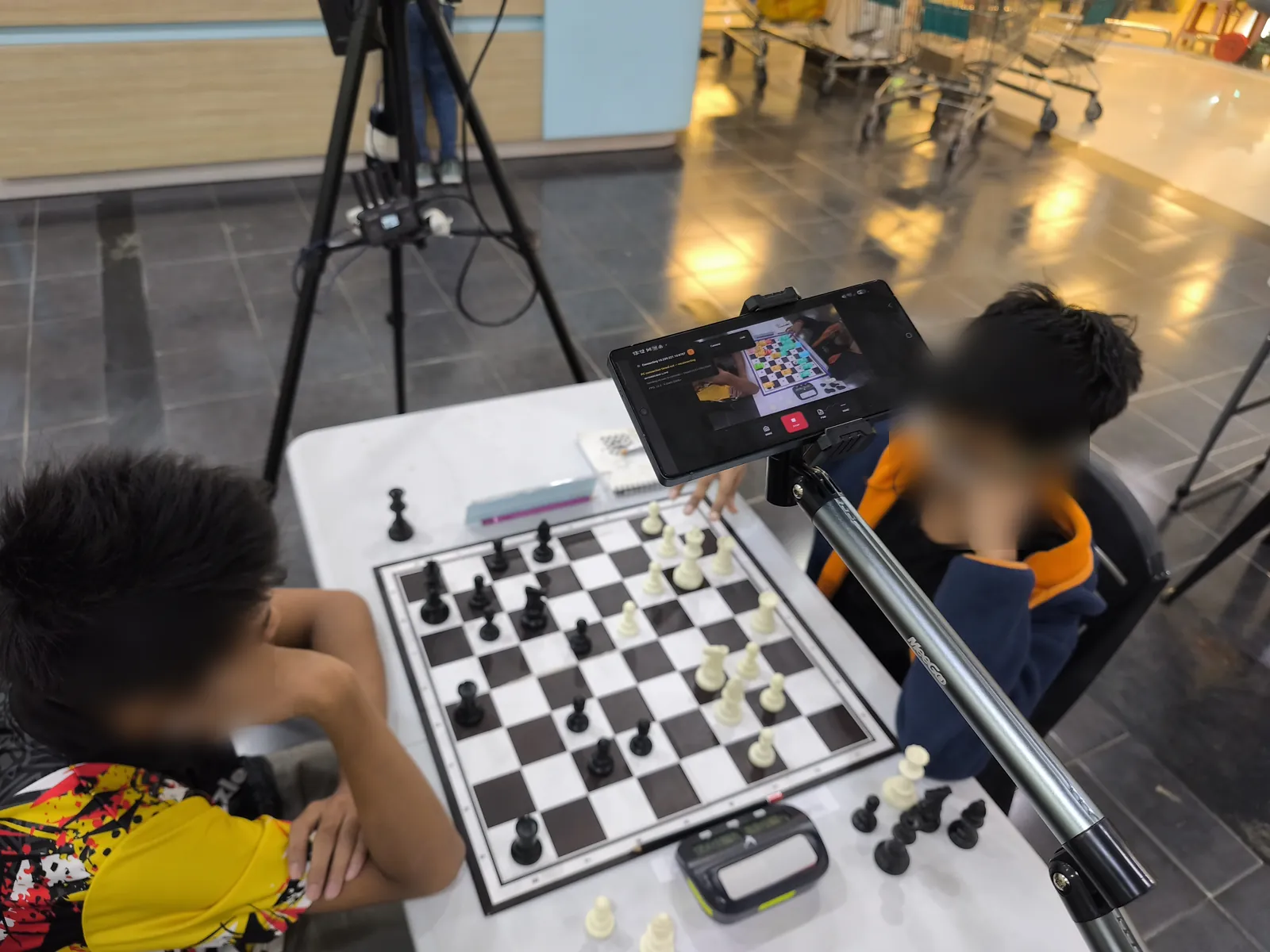
Hands cover the board, pieces get adjusted messily, and one bump moves the camera. At the Saiful Arena Chess Tournament @ Taiping Mall on 18 July 2026, a player accidentally touched the tripod mid-game; the framing shift caused drift, and the recovery tools were built the very next day because of it.
Captive login pages, weak public Wi-Fi and networks that isolate guest devices can break the link between phone and PC, or between the camera phone and a viewer's phone. This only affects live broadcast and Viewer Mode: recording, detecting, reviewing and exporting work offline on the phone.
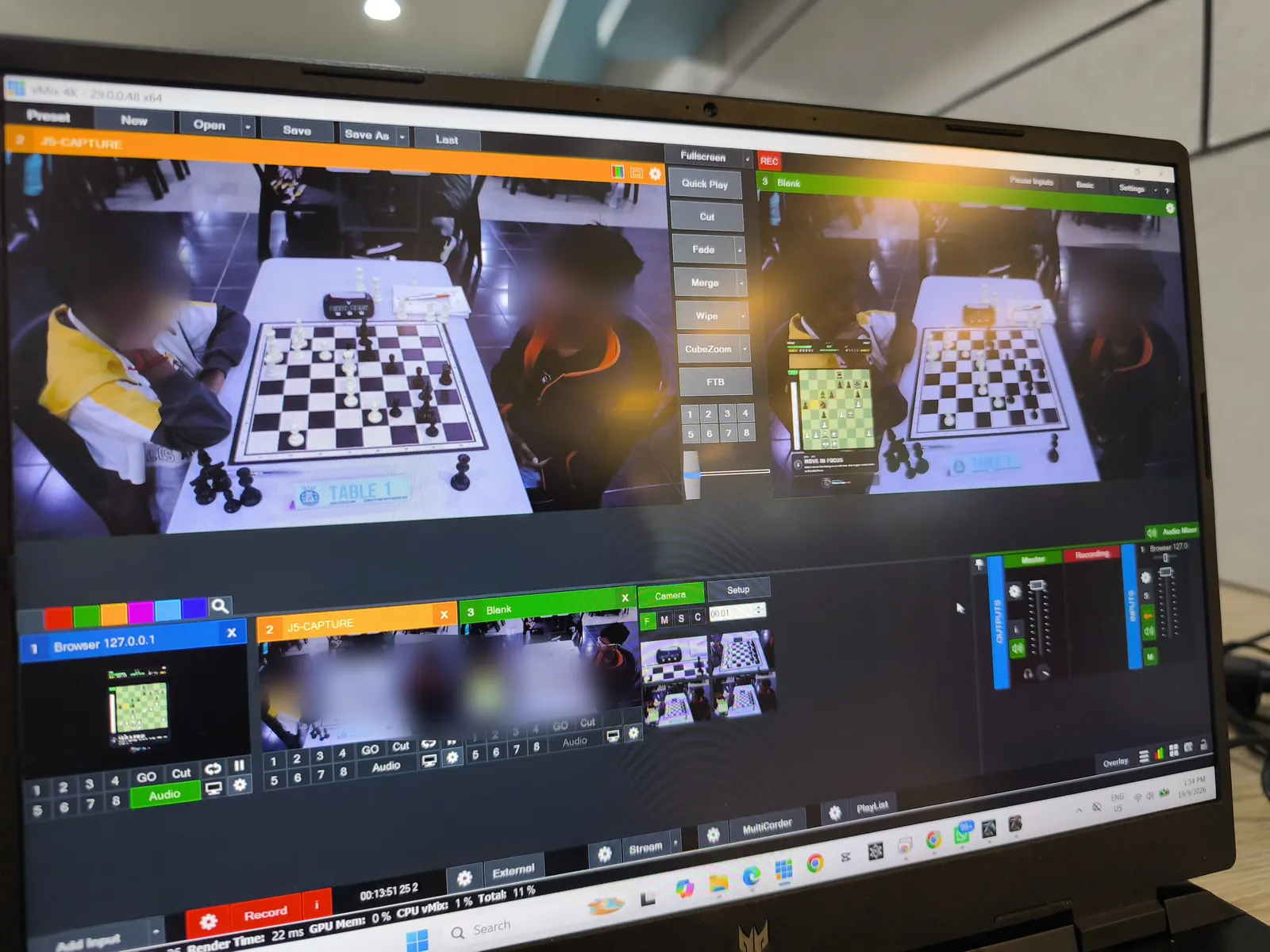
Detection runs on your own device, so speed depends on its hardware. ChessZCam works best at 4 FPS or higher, which most modern phones handle comfortably; older phones may need more patience and a calmer setup.
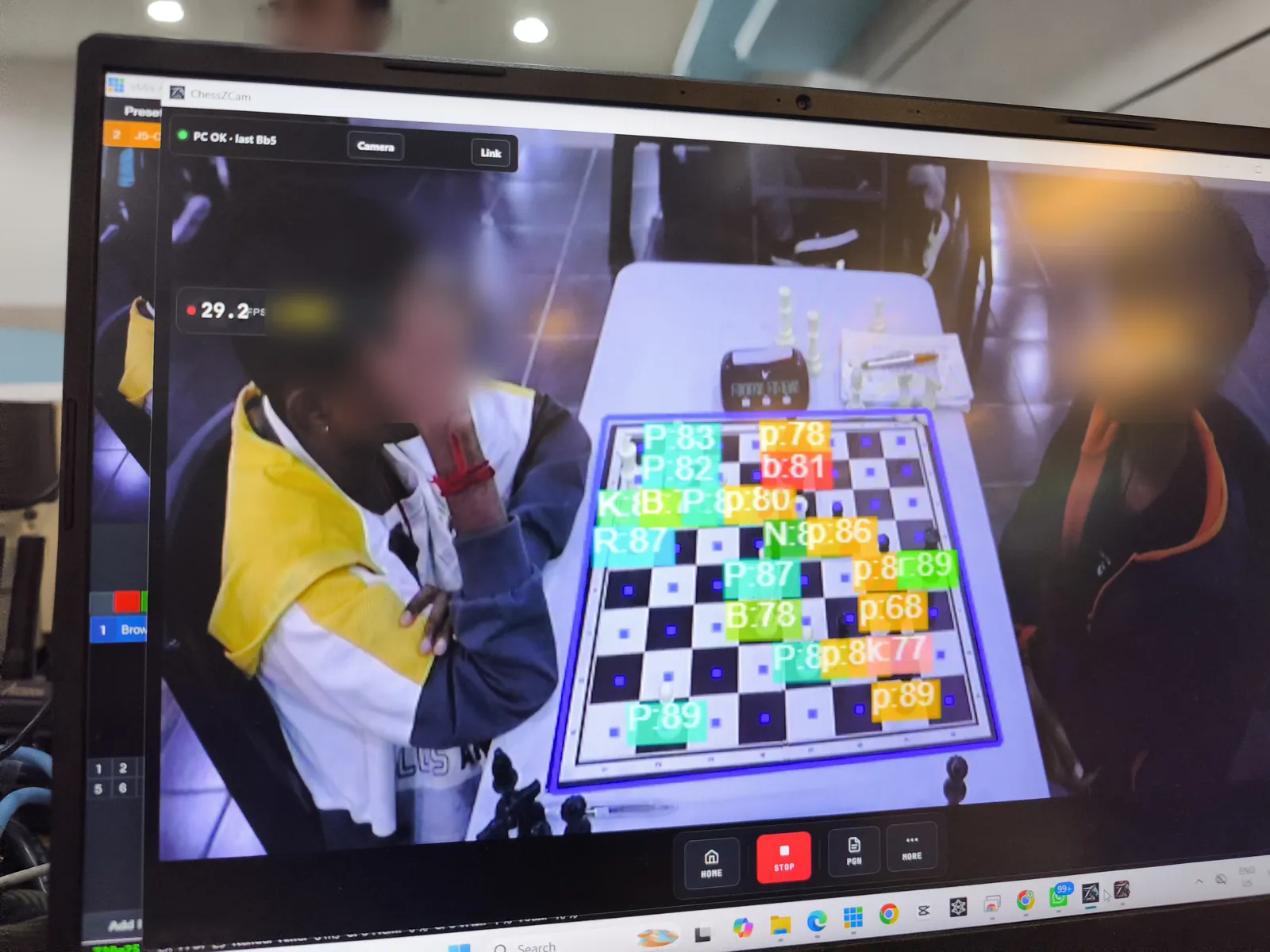
Current recovery tools · September 2026
The rule underneath: detect what can be detected confidently, say so when confidence drops, and never let an uncertain guess enter the record silently.
Uncertain moves are marked for review instead of being filled in quietly.
The exact video frame and the board after the move, with first-seen, landed and confirmed times.
Click or drag to add a move, castling and promotion included. Repair several missed moves, then rescan once.
End the game at the last real move, analyse long recordings part by part, and save the review as a project.
Which squares to empty, which to fill, and with which piece — a checkable list, not a vague warning.
A legal sequence of up to four plies connecting the two positions, scored against the camera evidence — or an honest “not found”.
Origin, then target, on squares big enough to hit standing up. Promotion is asked, never assumed.
Ask the phone for a fresh look: the captured frame first, then the position read from it.
Pause the overlay for a replay; tracking continues underneath and Resume jumps to the true position.
The correction screen blocks illegal positions, and nothing reaches air until you press Push to overlay.
The full story of how these tools came about: Staying in control of the board.
Outside the current scope
Being clear about this now saves you a bad day in a hall later.
No camera system reads every move perfectly. Results depend on setup and video quality, so plan for a quick review.
ChessZCam is for recording, review and broadcast. It must never settle a dispute at the board — that belongs to the arbiter.
It is not a drop-in replacement for a federation's electronic-board installation — it is a camera-based option for boards that have none.
The camera app runs on Android; the PC side runs on Windows 10/11. There is no iPhone or Mac version — other platforms only when demand and capacity are clear.
Viewer Mode is in trial builds and works on the same Wi-Fi or hotspot only, not from home or over mobile data. Android app only (no iPhone, no browser), one board per link, with the viewer's phone held sideways and the app kept open.
One phone follows one board, and the live console takes one active source at a time. ChessZCam does not read chess clocks.
On the digital board, pieces sometimes move slightly out of step with the video. We are still refining the timing.
ChessZCam is built by one independent developer. Support is personal, through Contact — honest replies, not a service contract.
More on Viewer Mode. It follows the detector: if detection is paused, late or wrong, viewers see that, and a phone call on the camera phone pauses it. It is not an official record and not an arbiter's tool. It has been tested on real phones in both set-ups, and it runs smoothly. It has not yet been used through a full tournament day.
Judge it for yourself. The two tournament videos on the ChessZCam page were made with human intervention kept to a minimum, so they show today's abilities and limits as they really are. If you spot a wrong move, please tell us.
How testing improves the system
Real venue tests and your feedback steer the roadmap. Four tournament tests so far — KawanCatur 1st Edition Tournament (5 July), Saiful Arena Chess Tournament @ Taiping Mall (18 July), SJKC Keong Hoe in Penang (26 July) and Lotus's Kulim (19 September 2026) — each fed straight into the next build.
Constructive feedback is always welcome. A specific report helps us reproduce and fix a problem quickly:
Early trial
Join the waitlist now. Trial invitations go to the waitlist first — the best way to see how ChessZCam copes with your lighting, your sets and your hall — and members get 50% off their first ChessZCam package when sales open (packages). Joining is free and is not an order.