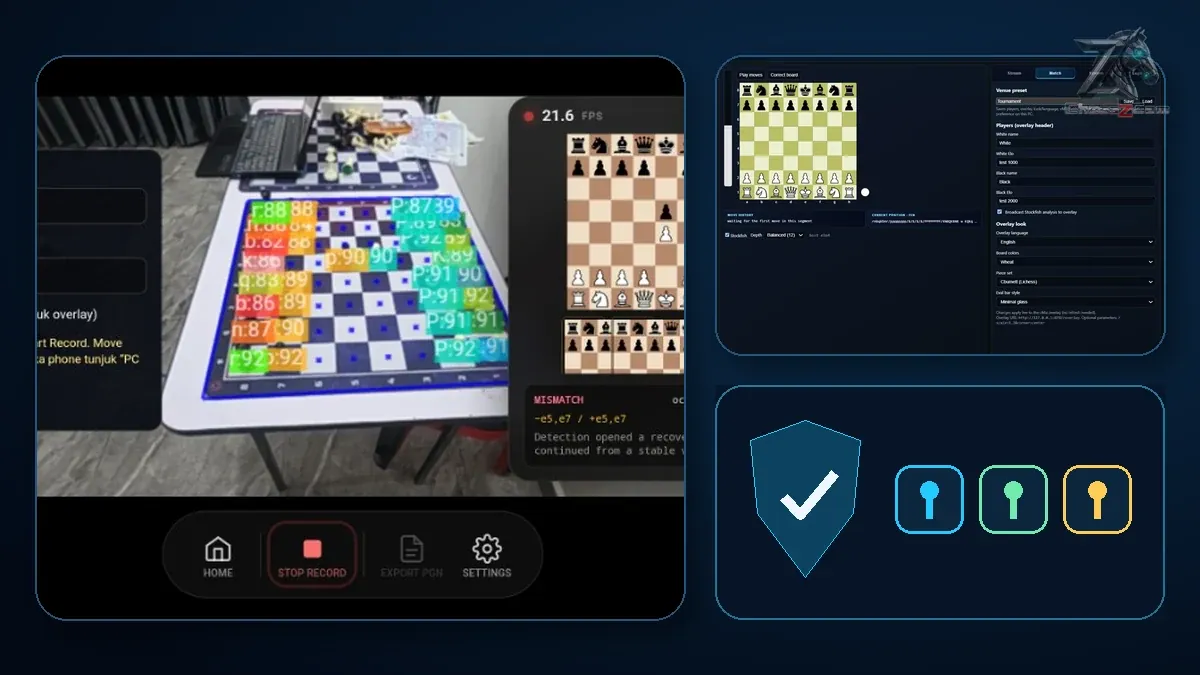
Built at real tournaments, improved after every test.
ChessZCam grew from an early phone-camera experiment into a complete studio and live-broadcast workflow through six tournament tests — with SwissMax, the tournament companion that works beside Swiss-Manager, maturing alongside it. This is the honest record: what each test showed, and what changed because of it.
6 tournament testsOne chess parent · Malaysia Waitlist gets the early trial
Development timeline
From the first field test to the October trial builds.
Each milestone produced a specific lesson and a clearer procedure for the next test. The six tournament tests are outlined in gold. Young players' faces are blurred on this site.
6tournament tests, July → October 2026
2games followed to checkmate at SJKC Keong Hoe
18 Julfirst live YouTube production, at Taiping Mall
3ChessZCam apps today: Phone, Studio and Live
5 Jul 2026 Test 1First field test
Where it started — a small room, real games, many lessons.
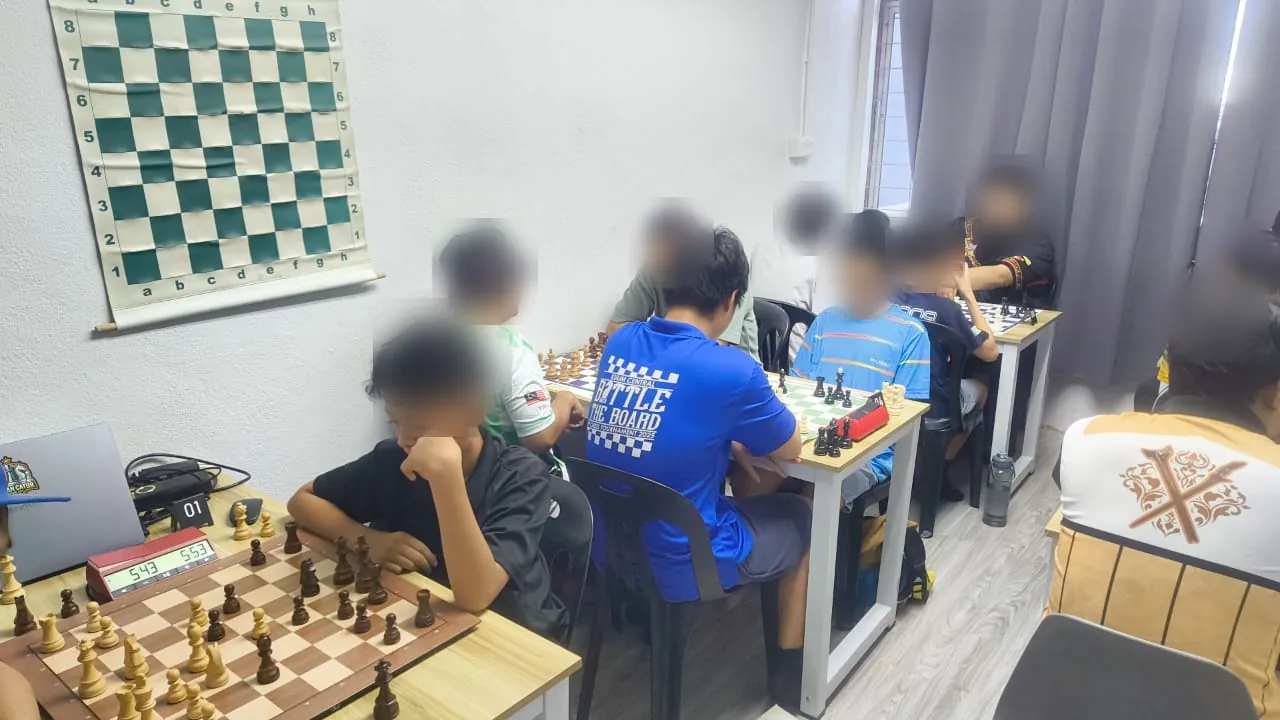
KawanCatur 1st Edition Tournament
The first tournament test exposed the gap between a clean development desk and a working tournament hall. Camera position, operator workflow and recovery steps were reviewed before the architecture was reorganised.
Identified the practical weaknesses in the first workflow.
Separated essential operator actions from experimental controls.
Turned the observations into the structured checklist every later test followed.
7–17 Jul 2026DevelopmentClosed testing
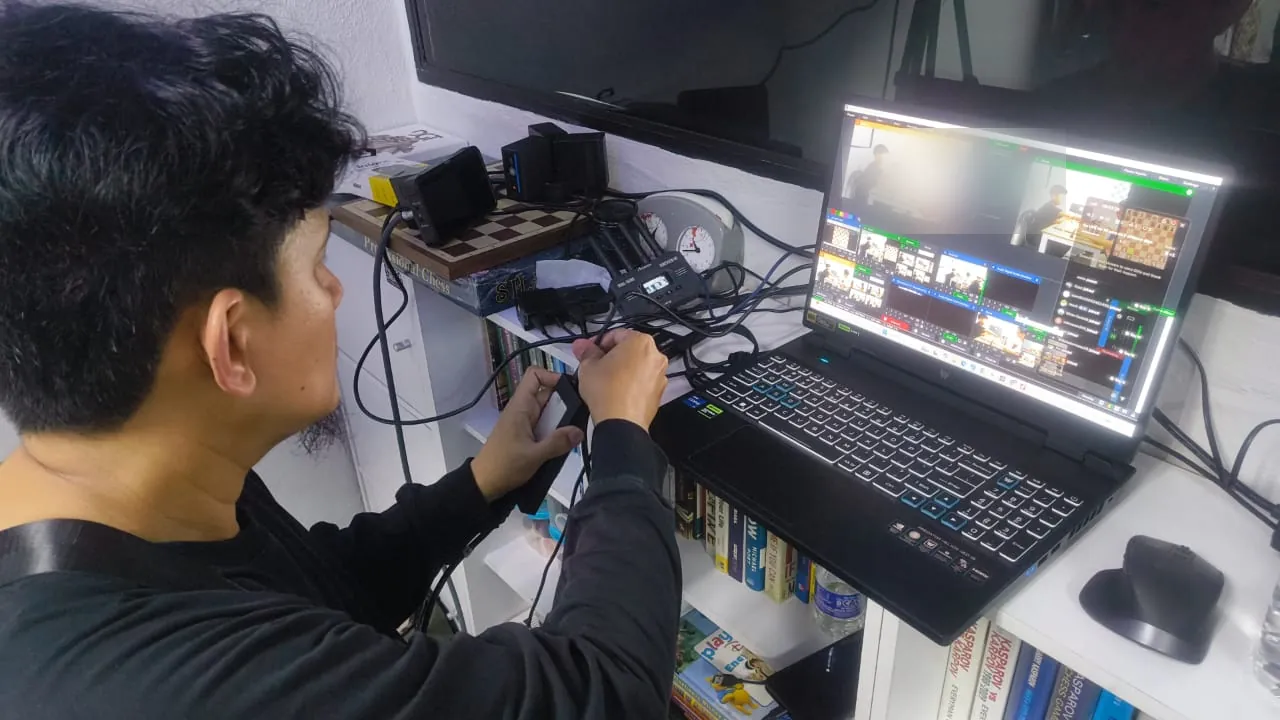
Between tournaments — rehearsing the vMix workflow at home.
Rebuilding the workflow between tournaments
Phone detection, the local-network link and the Windows broadcast workflow were refined through closed trials. The aim was a simpler chain that an operator could understand under tournament pressure.
Reworked detection and the data flow behind it.
Improved the phone-to-PC local-network workflow.
Prepared the live overlay and the Stockfish analysis pipeline.
18 Jul 2026 Test 2First live broadcast
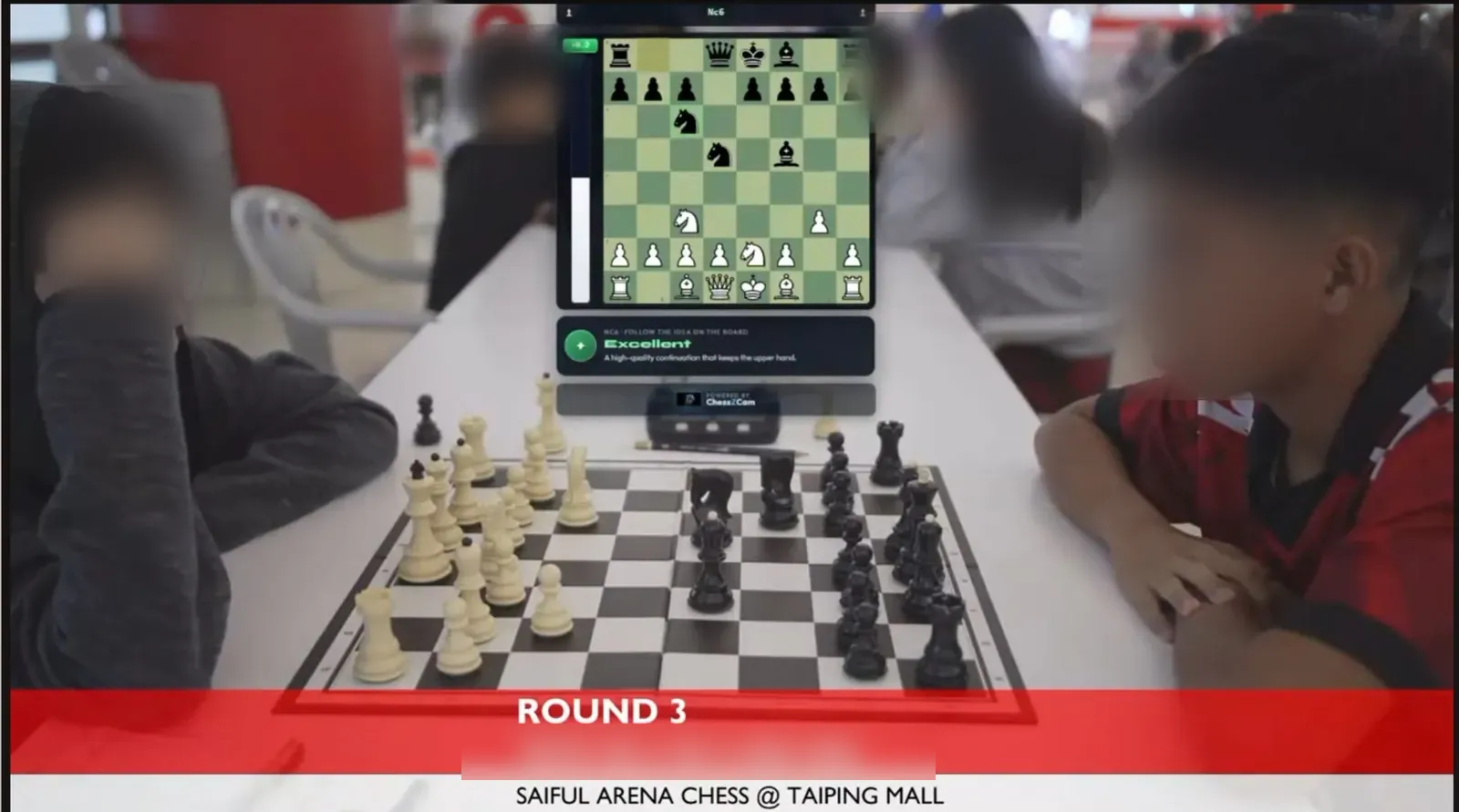
On air at Taiping Mall — board, eval bar and an “Excellent” verdict.
Saiful Arena Chess Tournament @ Taiping Mall
ChessZCam's first live YouTube production: real-time move detection feeding a digital board overlay, PGN/FEN updates, Stockfish analysis and move-classification markers.
It broadly worked. Then a player accidentally touched the tripod. The small framing change caused ghost-piece detections, and the digital position sent to the broadcast drifted away from the physical board.
Confirmed that live camera footage and a digital board overlay can run together.
Identified tripod movement as a critical recovery scenario.
Confirmed that stronger contrast between squares and pieces makes detection steadier.
19 Jul 2026Safety rebuildThe next day
Detection and recovery — evidence, correction and checks in one place.
Recovery tools and stronger position checks
The system was rebuilt around safer operator controls, so that a framing change or an uncertain detection would no longer have to become a broadcast failure.
Hold, correct, sync and rebuild-position controls.
Better handling of ghost pieces and inconsistent FEN/PGN states.
The website launched on World Chess Day to share the working idea, document the development openly and find the creators, organisers, coaches and families who face the same practical problems.
Opened the waitlist.
Published compatibility and limitation guidance.
Started collecting structured community feedback.
26 Jul 2026 Test 3Two games to checkmate
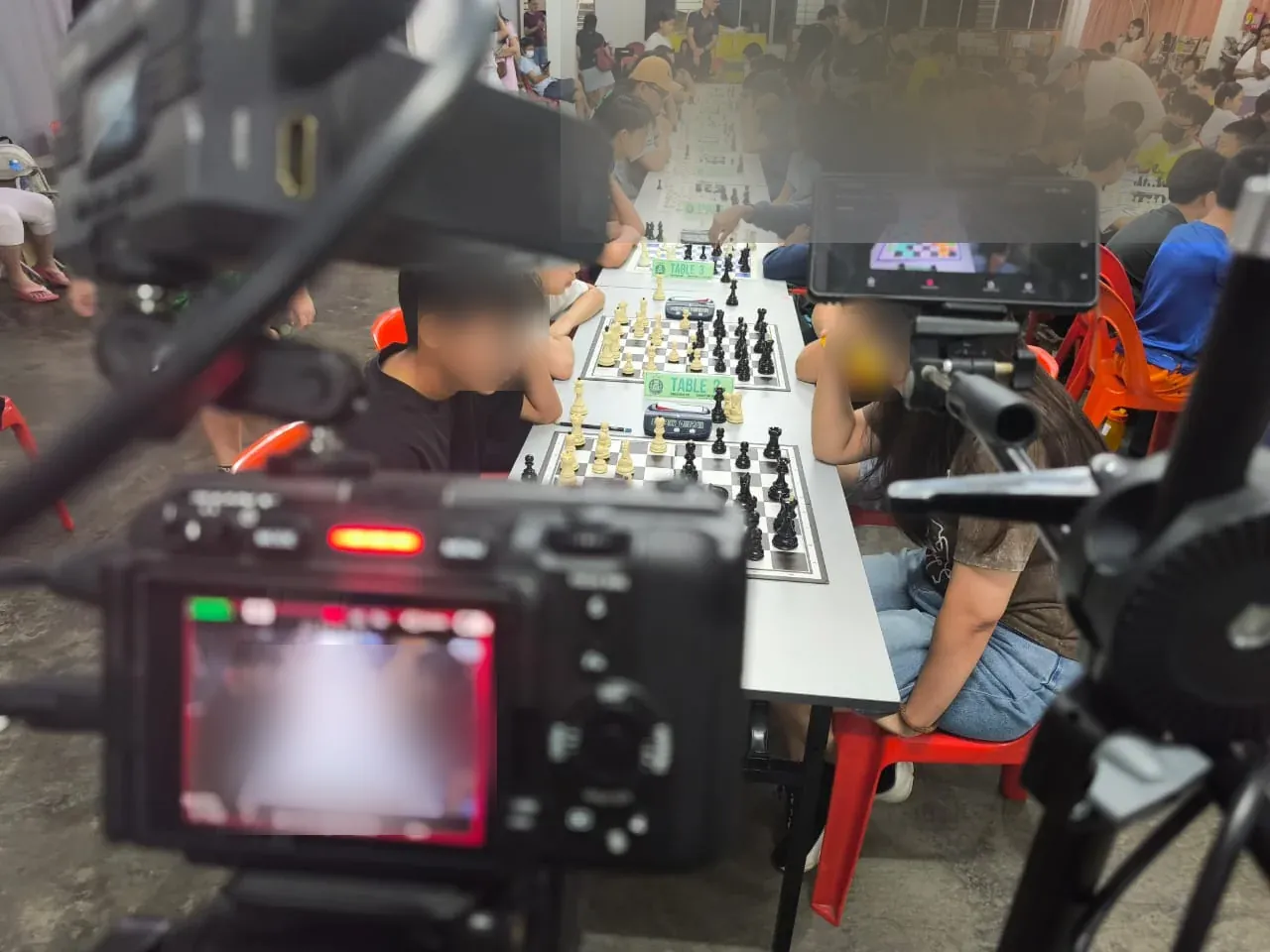
Tournament rig — broadcast camera and detection phone side by side.
Running the Fast Scan and operator-tools build finished the day before, ChessZCam followed two monitored games through the endgame all the way to checkmate, in real venue conditions.
The clearest lesson: setup — camera position, a steady stand, good light and focus — is the biggest factor in capture quality. It went straight into the in-app setup guidance.
Two complete games followed from the opening to checkmate.
Broadcast camera and detection phone working side by side.
Round 2, Board 1 became one of the two videos below, made with ChessZCam Studio.
Aug → Sep 2026DevelopmentBetween tests 3 and 4
ChessZCam becomes a studio; SwissMax grows up
Between Keong Hoe and Kulim the work went back to the desk, turning everything the July tests had taught into two much more complete products.
CHESSZCAM
A private, paired link. Phone and PC console pair with a code; every move is acknowledged, and a Wi-Fi drop ends in one clean resync.
Review & repair. Analyze Video finds the moves in a recording and keeps the video frame beside each one, with tools to add, repair and rescan.
Stockfish and export. Move grades and accuracy on the device, then a clean PGN or an overlay video up to 4K.
Studio and Live. ChessZCam Studio for Windows, and ChessZCam Live for vMix & OBS with a Tally-style console and an Overlay Designer.
SWISSMAX
Estimated Ratings and Player Lookup. Likely FIDE and MCF rating changes before results are official, and one card for a player's FIDE and MCF record. MCF is the Malaysian Chess Federation's national list — organising elsewhere? Ask about your own federation or club rating.
1.0 release candidates. E-Certificate Studio, the Regular Players library, the 4–2–1–3–5 winner podium, and licensing that keeps working in a hall with no signal.
The September build. Seven numbered areas, a rebuilt E-Certificate Studio with 29 templates, backups that carry certificates, and a safer results hand-off to Swiss-Manager.
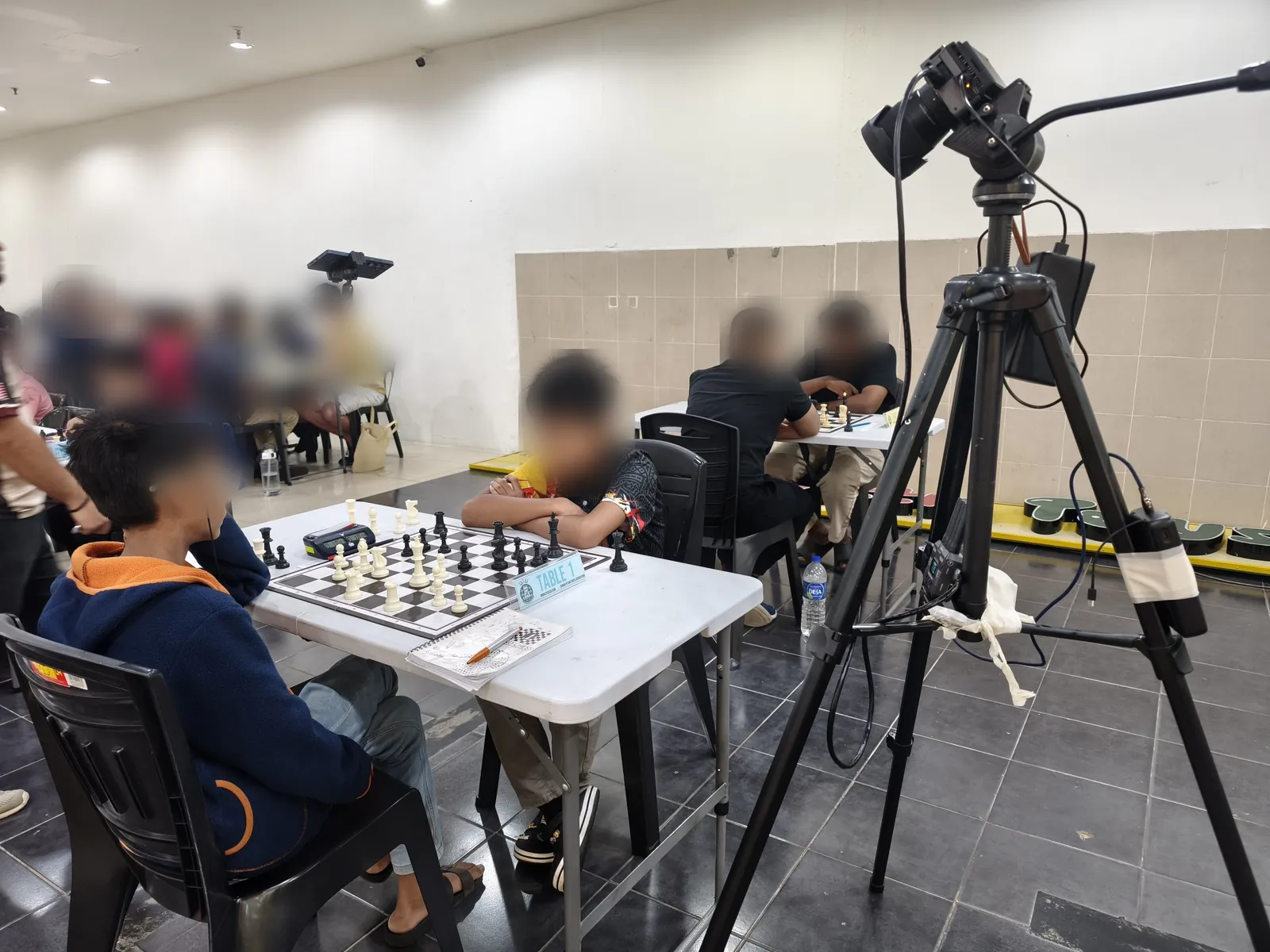
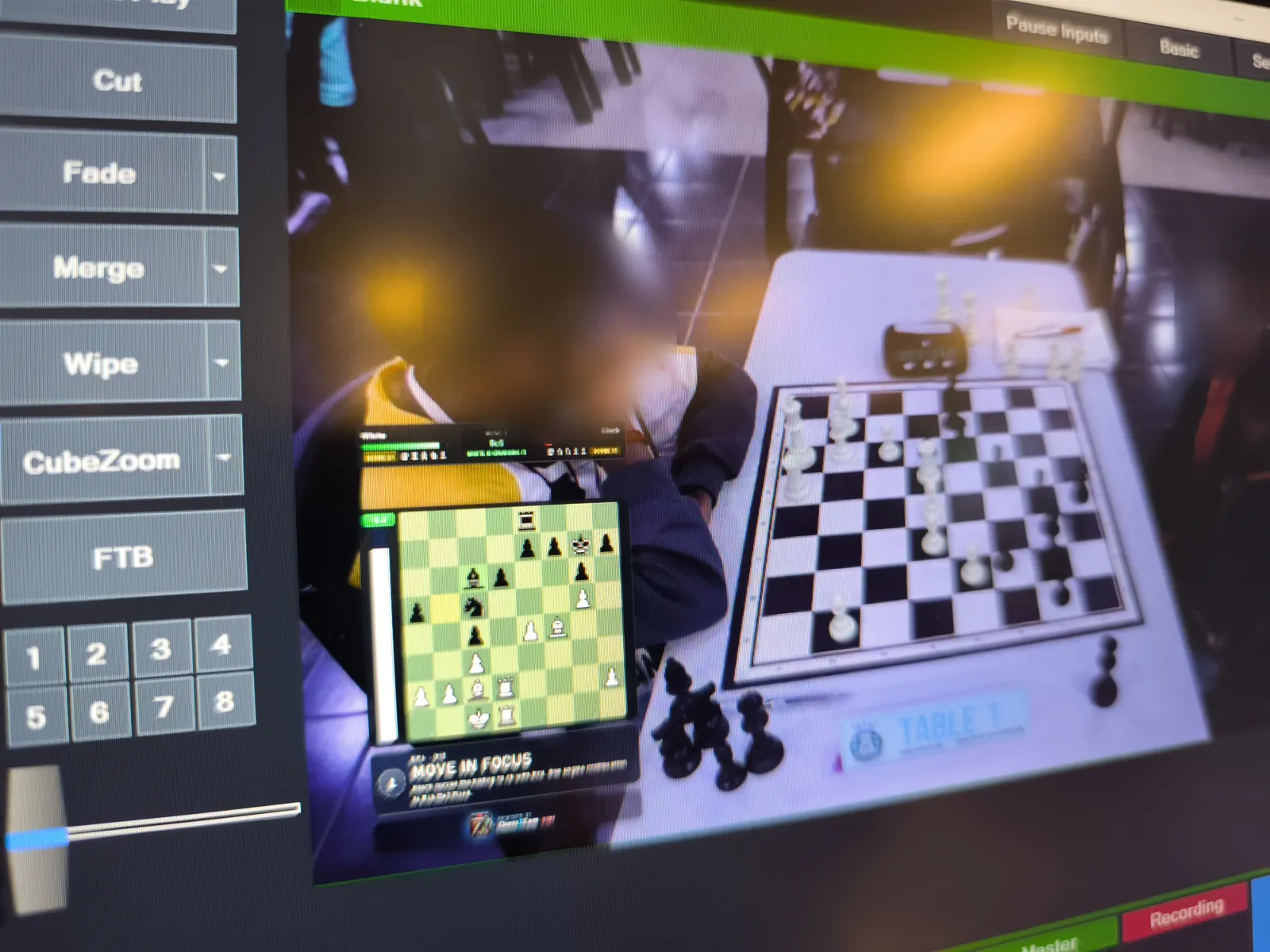
On air — digital board and “Move in focus” over the Table 1 picture.
Junior tournament at Lotus's Kulim
A phone on a boom arm watched Table 1, ChessZCam detected the moves on the spot, and the position went live into a vMix production — in a busy hall, on the venue's own network.
Builds on the day: Phone app 1.14 · Studio 0.18 · Live 1.5.
ChessZCam Studio ran live detection on a laptop at about 29 FPS.
Four days after Kulim, the September development builds of ChessZCam Phone, Studio and Live were ready, alongside the SwissMax September build. All of them were pre-release.
2 Oct 2026Trial buildsViewer Mode
Viewer Mode arrives
The October trial builds (Phone app 1.18 · Studio 0.23 · Live 1.8) add Viewer Mode: parents and coaches outside the playing hall follow the live digital board on their own Android phone, on the same Wi-Fi or hotspot. The next day it went to a tournament.
3 Oct 2026 Test 5Viewer Mode's first tournament
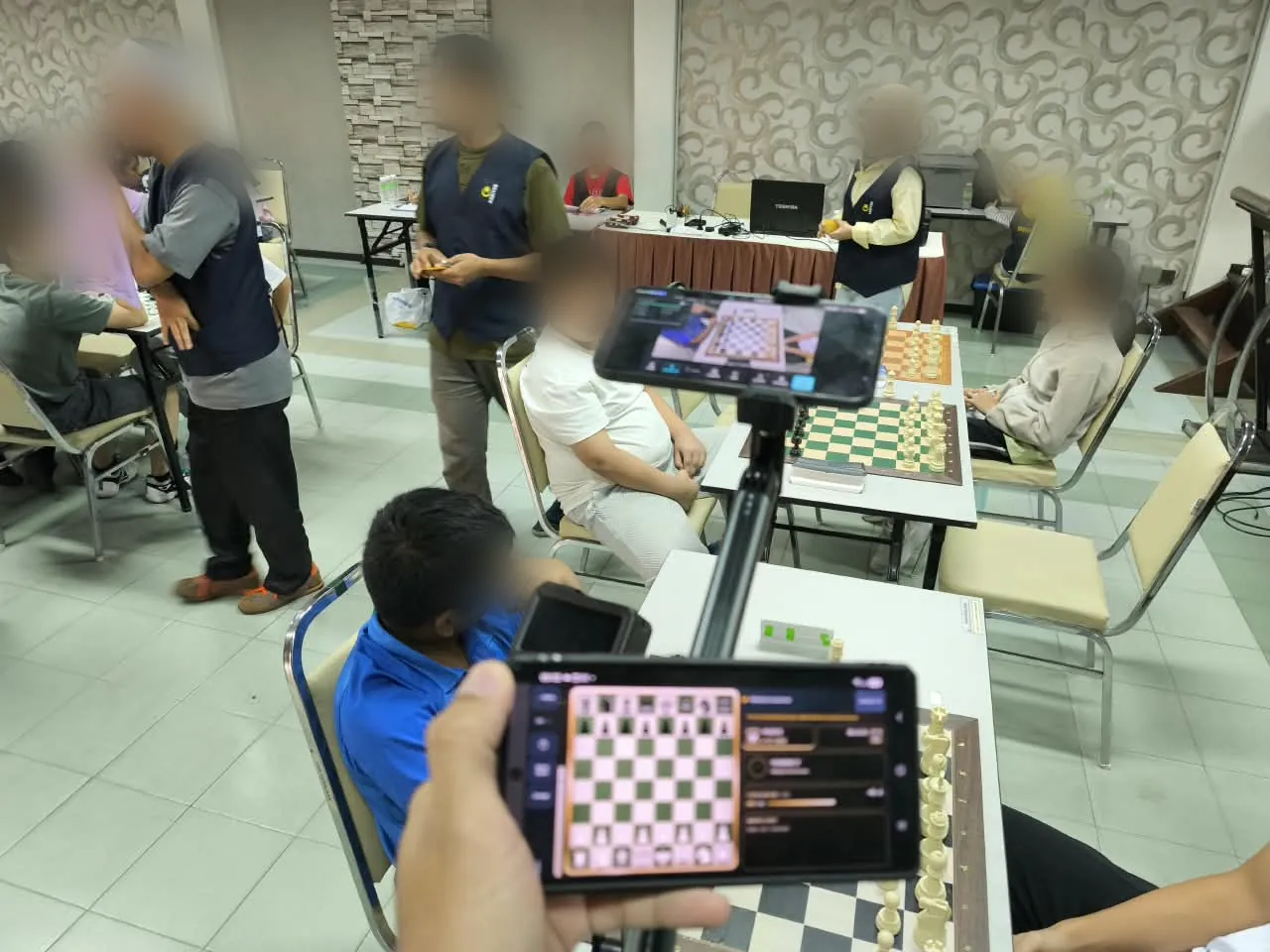
Two phones, one board — a Viewer phone in the hand, the camera phone on its stand.
Santai Catur SPS 2026
Phone to phone, with no PC: a camera phone on a stand ran live detection at the board, and parents and coaches followed the same game on their own phones with Viewer Mode.
It showed where live work had to become sturdier. A small bump to a stand could cancel the board lock and leave viewers waiting, exposure kept adjusting in live detection, and quick moves on a slower phone were harder to read.
Viewer Mode's first tournament: two devices on one board, in a real hall.
Now the board realigns by itself after a small bump; a bigger move pauses and asks, and the moves are kept.
Live detection gained the focus and exposure locks of Broadcast, and every live game is saved as its own record.
4–9 Oct 2026DevelopmentBetween tests 5 and 6
From field notes to field fixes
A week of changes driven by the hall: phone panels that fit a sideways screen, a 13-minute game exported as a video on the phone itself, markers in Analyze Video where the board was moved — with “realign and rescan from here” — and a camera view for viewers while the record catches up.
10 Oct 2026 Test 6Three boards at the mall
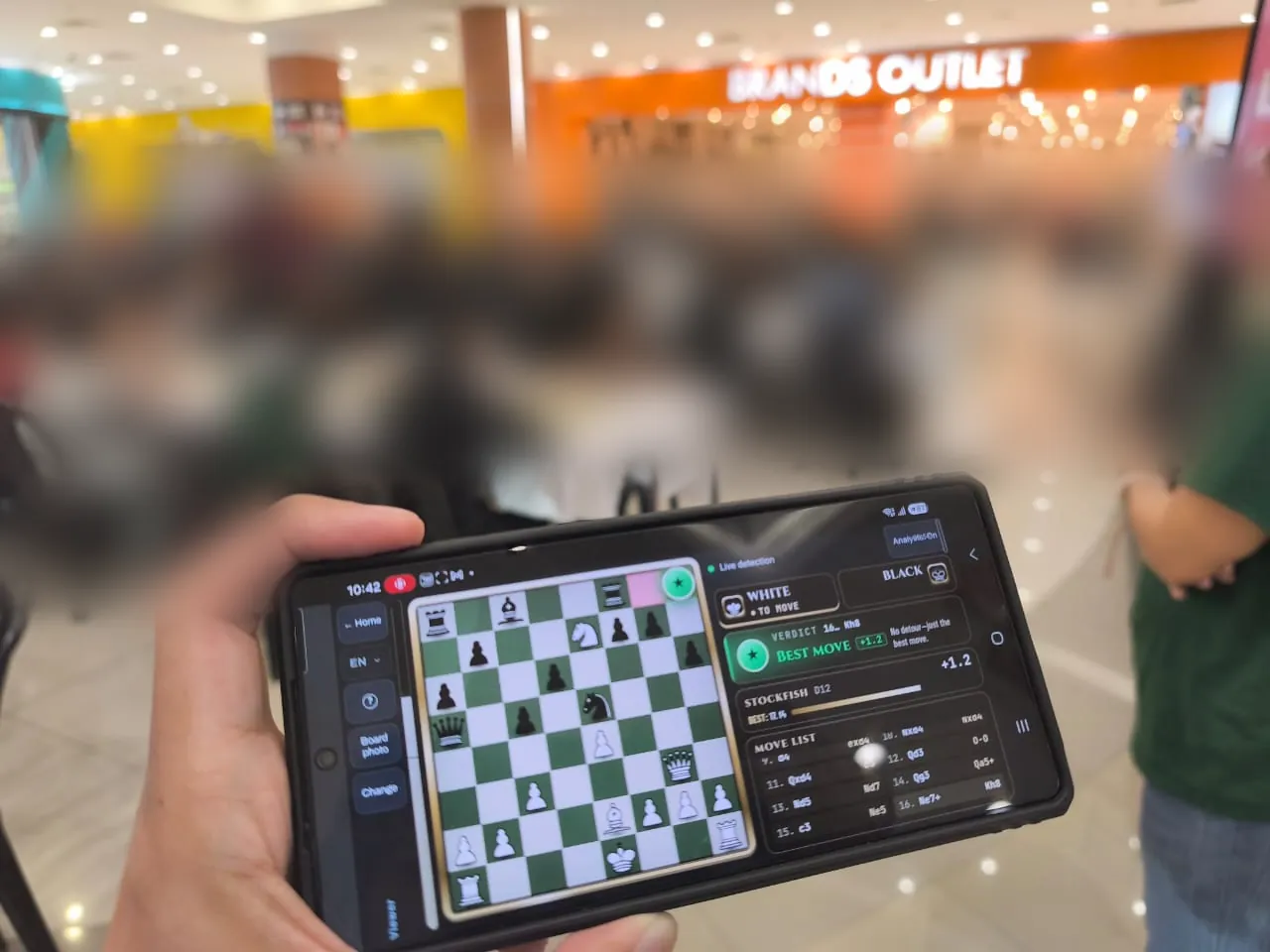
At Aeon Mall Taiping — the live board, a “Best move” verdict and Stockfish on a spectator's phone.
Tournament Cikgu Chess X Aeon Mall Taiping
Back in Taiping, this time in a shopping mall: rounds 5–7 on three boards, with live detection on a Samsung Galaxy S25 Ultra and a vivo V70, Viewer Mode for spectators, and ChessZCam Studio on a laptop with a capture card.
The response to the graphics, Viewer Mode and the analysis was positive. The day also left a clear list, finished the next day:
Builds on the day: Phone app 1.21 · Studio 0.26 · Live 1.11.
Scan QR & connect pairs the phone with the PC console in one step.
Studio keeps a capture card's own picture shape instead of forcing 16:9.
Promotions are read from the real piece on the square, and Viewer lists the captured pieces of both players.
16 Oct 2026 NowStudio trial candidate
Studio first — and easier corrections
ChessZCam Studio 1.1.4 is the trial candidate, awaiting the initial friends test before waitlist invitations. It concentrates on what recorded-game users need most: correcting a game is clearer, with frame timing fixed in place, gaps connected with legal moves, one status line that says “Connected · one game”, and a recovery copy if saving ever fails.
Studio → Android → Live. A free 14-day Studio trial on one PC that starts only when you agree to the terms and start it in Studio (no code needed); the Android app and the Live module follow in their own phases.
Prices are announced. Packages are on the ChessZCam page; waitlist members get 50% off their first package when sales open.
Two real tournament games from the tests above, turned into overlay videos with as little human intervention as possible.
19 September 2026 · Round 7 · Under 12Lotus's Kulim — test 4.
26 July 2026 · Round 2 · Board 1SJKC Keong Hoe, Penang — test 3.
A quick note on accuracy. Human intervention was kept to a minimum so that these videos show ChessZCam's current abilities and limitations honestly — if you spot a wrong move, please tell us. Almost every move was read correctly, including checks and castling; the pieces on the digital board sometimes move slightly out of step with the video, which we are still refining. Detection accuracy depends on the setup and on the quality of the source video.
They guide the setup advice, the operator controls and the way the early trial is released.
01
Setup comes first
A stable stand, all four corners in view, good light and focus — Keong Hoe showed setup is the biggest factor in capture quality. If the camera is nudged, re-align with the correction tools before carrying on.
02
Prioritise contrast
Pieces should stand out from both light and dark squares. Matte, high-contrast tournament sets are easier for cameras — and people — to read.
03
Keep an operator in control
Hold, correct, sync and Match camera keep a person in charge when a hand blocks the board or a piece is adjusted. Anything at the board is for the arbiter to decide, never the app.
04
Validate before display
Each position is checked against the game so far before it reaches the overlay or a published PGN, and uncertain moves are flagged for review instead of guessed.
05
Rehearse the whole chain
Phone, light, board, network, console and vMix or OBS are tested together. Many halls isolate guest devices, so a dedicated router or phone hotspot is the reliable choice.
06
Release gradually
The waitlist gets the early trial first, so every user can be supported properly while we learn from a manageable range of devices and venues.
Equipment note. ChessZCam testing has benefited from matte equipment with clear contrast. FIDE's current equipment standards likewise emphasise sufficient contrast between light and dark squares, distinguishable piece colours and non-reflective finishes. Read the FIDE equipment standard.
What's next
Be first to try what the tests produced.
Join the waitlist: trial invitations go to the waitlist first, starting with ChessZCam Studio and its free 14-day trial, and members get 50% off their first ChessZCam package when sales open. Built by one independent developer and chess parent — constructive feedback from real halls is always welcome.