
Staying in control of the board
A hand covers the position. Someone leans on the tripod. Any camera-based system meets those moments — and what matters is that the operator can put the position right in seconds, without restarting the game.
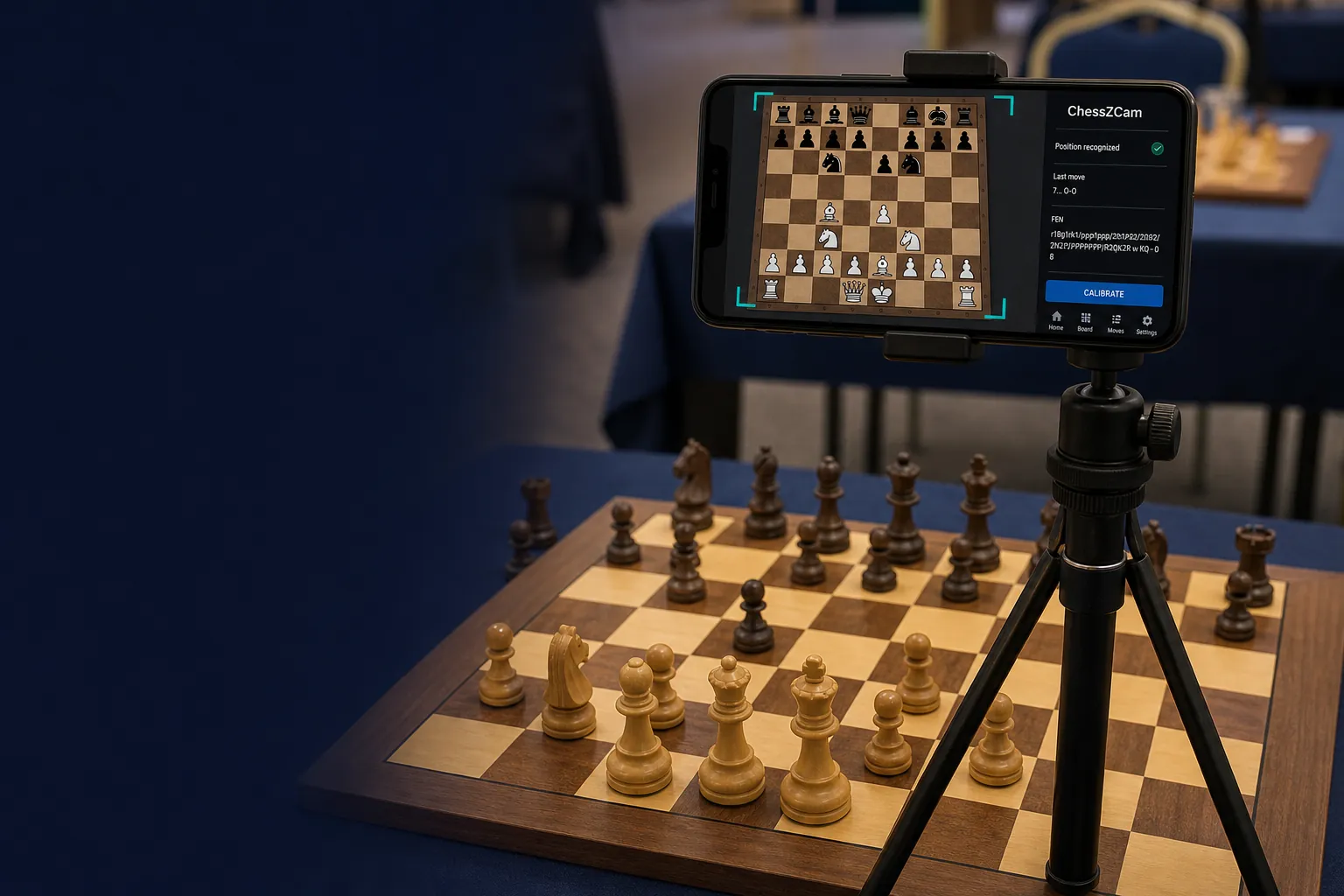
A status is not a task
It is easy to build a system that tells you something is off. It is much more useful to build one that tells you precisely what to do about it.
"Something is wrong" is a status. "These three squares must be emptied and this one filled with a knight" is a task. Only one of those can be completed during a tournament round.
ChessZCam is built around the second. Every correction tool below exists to turn a moment of uncertainty into a specific, finishable action.
Step one: show the actual differences
The review panel computes a real square-by-square difference between the confirmed position and what the camera sees: which squares need to be emptied, which need to be filled, and with what piece. A concrete, checkable list.
It also names the case where every square matches but the side to move does not — which usually means a move was made and taken back. That gets its own clear message rather than looking like a mystery.
Step two: let the app propose the moves
Given a start position and a target position, ChessZCam searches for a legal sequence of up to four plies that connects them. Candidates are scored twice: against the camera evidence — does this sequence match what was actually seen? — and against chess sense. When it finds a good one, you simply accept it.
Two deliberate constraints. It runs inside a phone-safe search budget, because a search that drains the battery or heats the device during a live round is not a feature. And when nothing convincing is found within that budget, it says so plainly rather than presenting a low-confidence guess as an answer — an uncertain move must never enter the record silently.
Step three: make the board usable by a human under pressure
When automation cannot help, you fix it yourself — and the interface has to survive being used by someone standing in a hall with one hand free.
- Tap origin, then target. Not drag. Not a text box expecting algebraic notation. Squares are at least 40 pixels across, which is the difference between fixing a position and fighting a touchscreen.
- Promotion is explicit. You are asked which piece, rather than the app assuming a queen.
- Illegal attempts get a reason. "That source and destination are not a legal move" — not a silent rejection that leaves you wondering whether the tap registered.
- Gaps are a queue. They are counted, they are skippable, and an earlier gap must be repaired before a later one is committed — because repairing gap three while gap one is still wrong produces a position that is confidently incorrect.
Step four: the video, right next to the board
In Analyze Video, the footage plays beside the correction board, together with the framing corners, board rotation and metadata from the recording session. You scrub to the moment, see what happened, and enter the move — all in one place, without hunting for the file.
Each corrected move can also be marked at its real moment in the video rather than spread evenly across the window. That precision is what makes a properly synchronized overlay video possible — and since September 2026 ChessZCam exports exactly that: MP4, transparent WebM or PNG sequence, up to 4K.
The philosophy underneath
A good setup — steady stand, all four corners in frame, decent light — gets you a long way. The design position covers the rest:
- Detect what can be detected confidently.
- When confidence drops, say so immediately and precisely.
- Offer automated help, within a budget and with a stated confidence.
- Always leave a manual path a person can complete in under a minute.
- Never let an uncertain guess enter the record silently.
That last principle is also why ChessZCam is a recording, review and broadcast tool and deliberately not an adjudication device. It should never be used to settle a dispute at the board — that authority belongs to the arbiter, and we intend to keep it there.
Fast Scan, briefly
One related piece: Adaptive Fast Scan processes recorded video far faster than real time by driving the playback rate adaptively while counting stable observations, rather than simply speeding up and skipping past a move. Together with the correction tools, a full tournament game recorded with Record Game Video and opened in Analyze Video becomes a verified PGN in a fraction of the game's length.