
Capture the physical game
A phone on a steady stand beside a selected board records 1080p video with audio, with a framing guide and optional game details. A clear video you already have works too.
ChessZCam · for coaches, academies and clubs
Before a coach can explain the turning point, someone usually has to rebuild the whole game from a scoresheet or a recording. ChessZCam reads the moves from an ordinary phone video, flags anything it is unsure of, adds optional Stockfish grades and exports a PGN — with a person checking the record before it reaches the lesson.
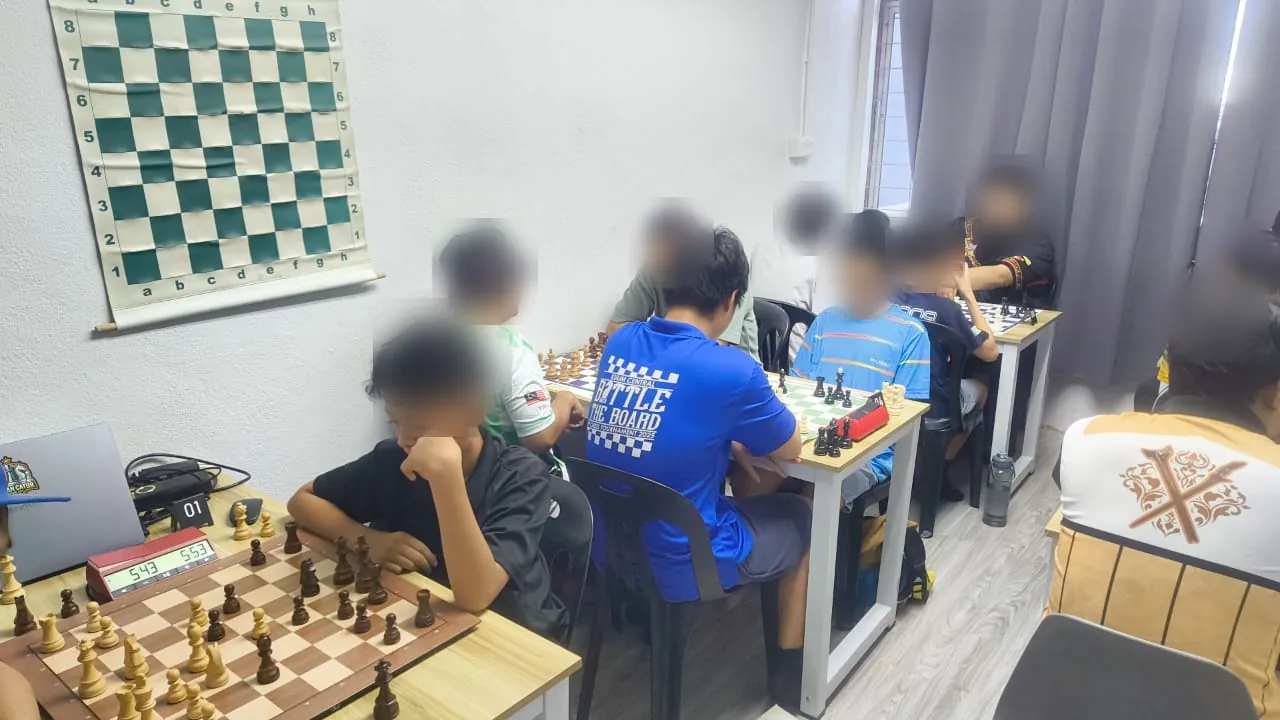
From tournament to lesson
The most valuable coaching time is spent on choices, plans and habits — not on typing every move into an analysis board. Here is how a physical game becomes lesson material with the current build.
A phone on a steady stand beside a selected board records 1080p video with audio, with a framing guide and optional game details. A clear video you already have works too.
ChessZCam finds the board corners, scans the recording at an adaptive 1–4× speed and stores every move with its timestamp and video frame. Uncertain moves are flagged, not guessed.
Check each flagged move beside the exact video frame, or against the scoresheet. Add a missed move by clicking or dragging, and end the game at the last real move.
Player names, event, date, round and result stay with the verified record, so a game can be found again months later.
Offline analysis on the device grades every move, shows each player's accuracy and the move Stockfish preferred — a quick map of where the game turned.
Export a PGN for the analysis tool you already use and focus on the player's thinking. Save the review as a project, keep selected games for progress reviews and club history, or render an overlay video for feedback.
Real screens · built-in demo clip · September 2026 build
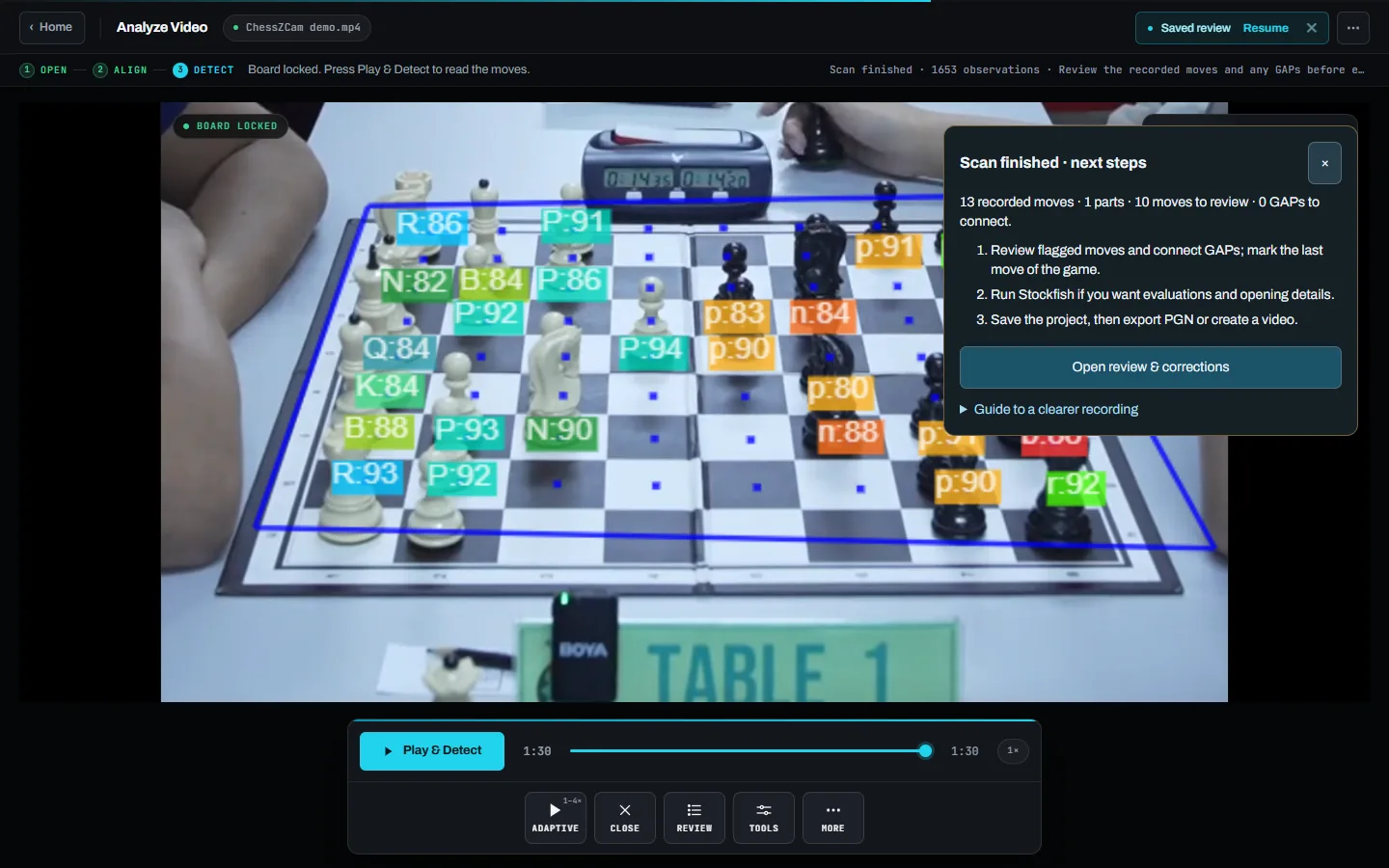
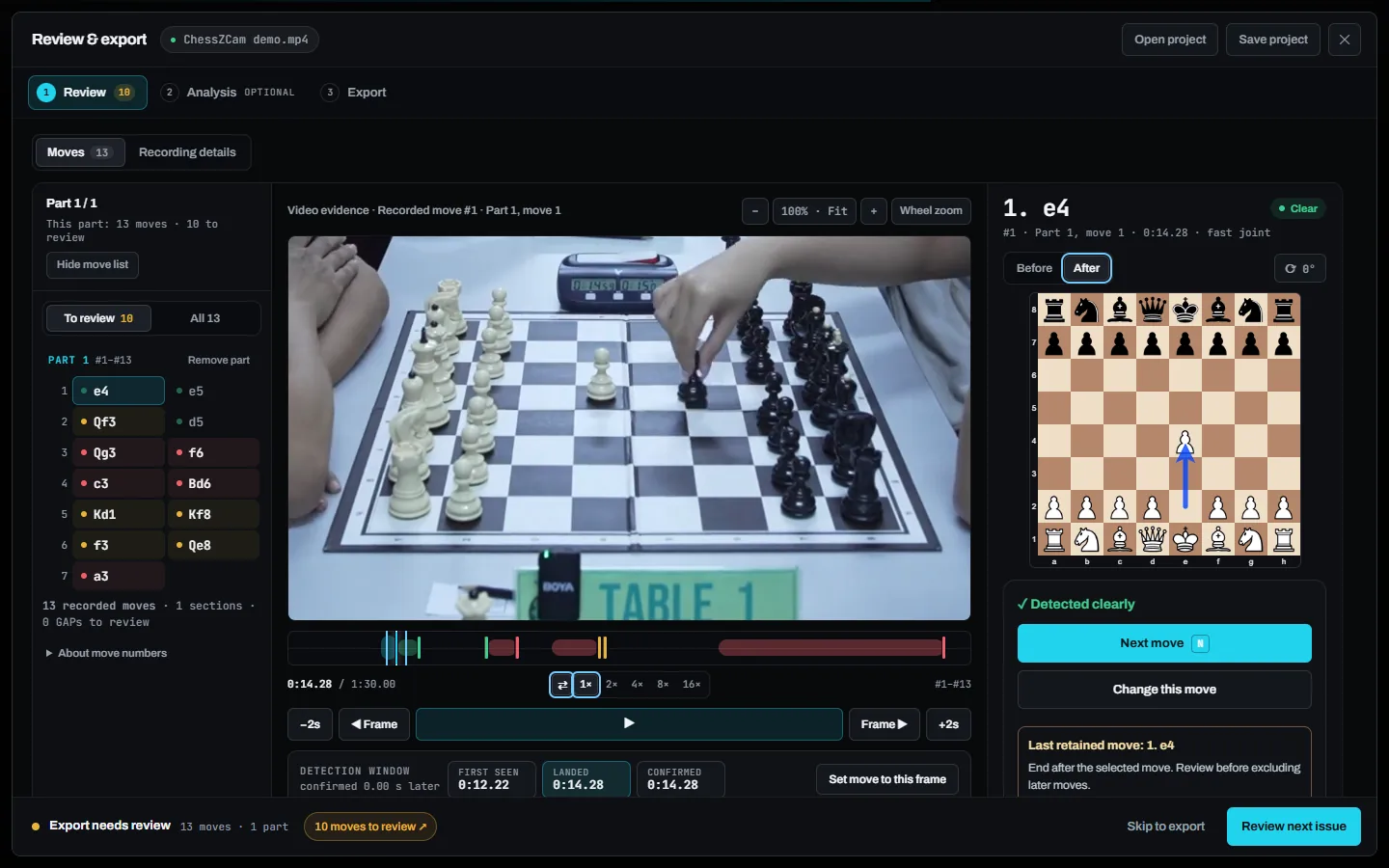
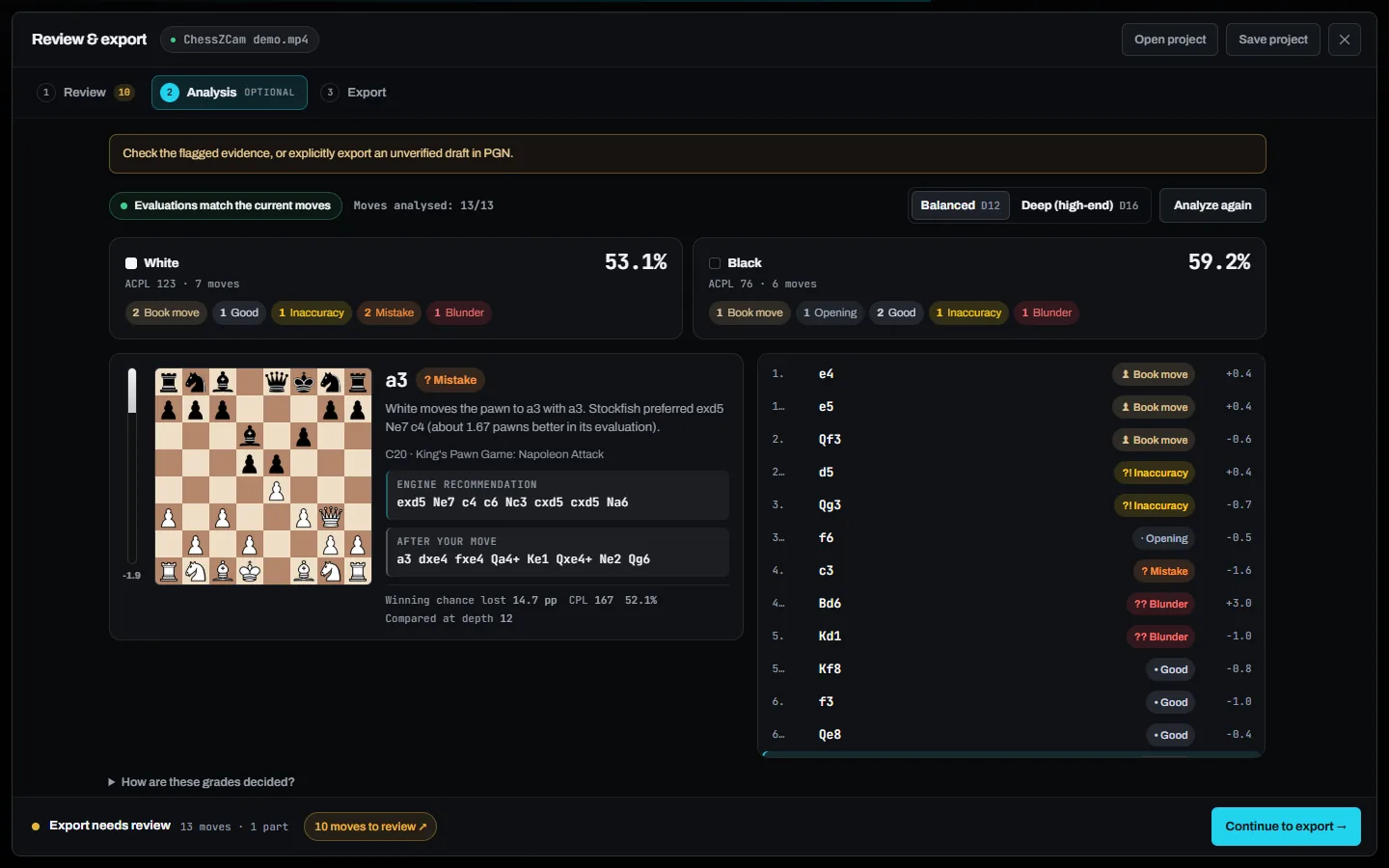
Unedited screenshots from the September 2026 development build. Pick a step; click a screenshot to enlarge it.
Open an MP4 or WebM, lock the board and press Play & Detect. When the scan finishes, ChessZCam says plainly how many moves it recorded and how many need a human look.
The move list, the video frame and the board after the move sit side by side, so a flagged move can be checked without replaying the whole game.
Optional offline analysis at Balanced or Deep depth. The engine points at the moments worth discussing; the coach explains why they matter.
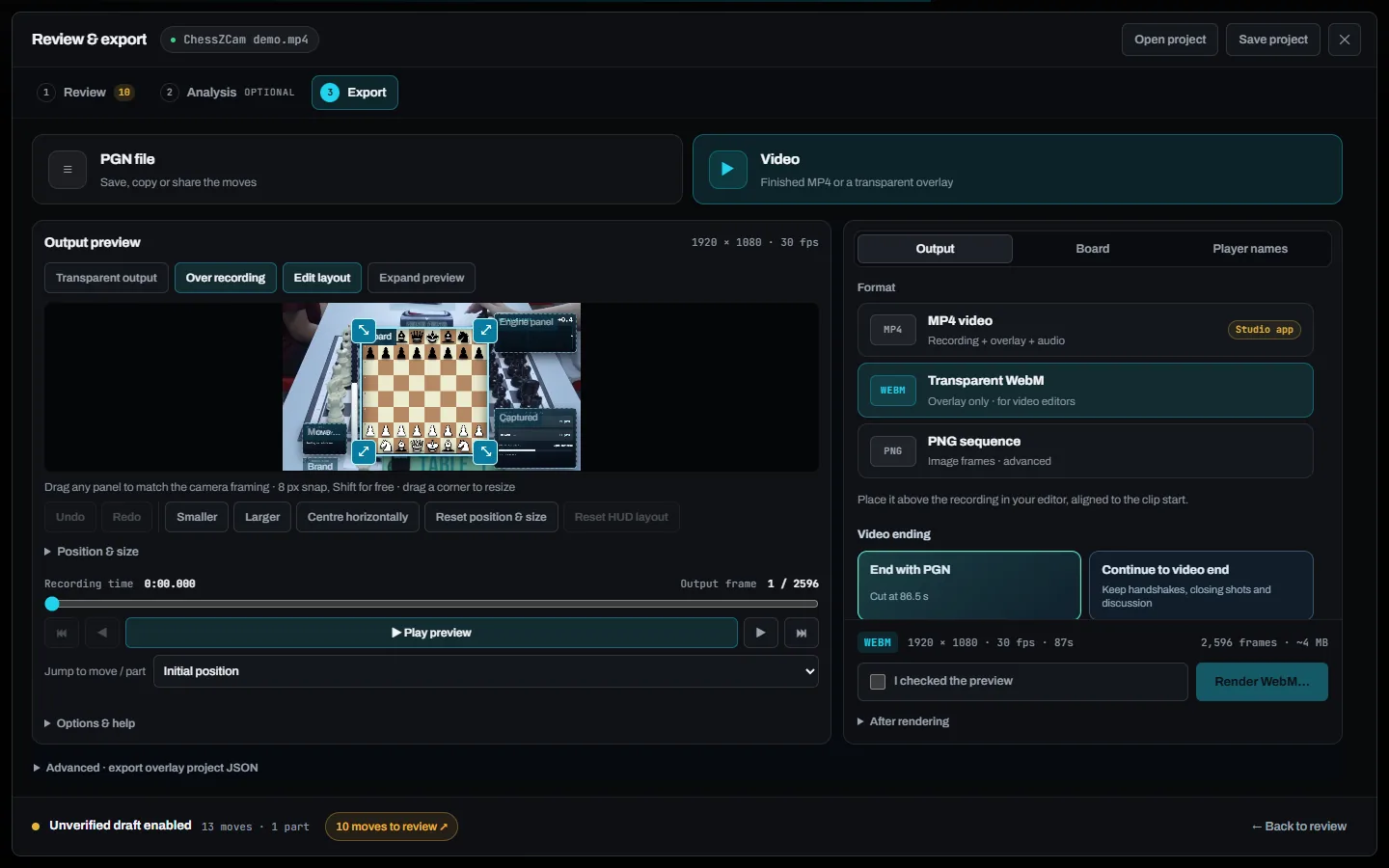
Export a PGN once the flagged moves are checked — or, only if you explicitly choose to, an unverified draft. For video feedback, render the game with a broadcast-style overlay.
A narrow but meaningful fit
A coach who reviews one physical game now and then may not need another tool. An academy handling many games each month feels the repeated preparation cost much more clearly.
Role in the workflow
Preparing a draft move record — with engine grades if you want them — from a physical game before the coaching session begins.
Compare flagged moves with the video frame, the scoresheet or the final position before the PGN is used in a lesson.
Camera stability, lighting, board and piece contrast, hands blocking squares, video quality and how the phone is set up.
Interpretation, feedback, training plans and understanding the player still come from the coach. Stockfish shows where; you explain why.
ChessZCam is for recording, review and broadcast — never for settling a dispute at the board. That belongs to the arbiter. Where the project stands today is on the launch status page and the roadmap.
Real tournament games · made with ChessZCam Studio
Two real games, turned into overlay videos with human intervention kept to a minimum — so they show what ChessZCam can do today, and where it still falls short.
A quick note on accuracy. In both games almost every move was read correctly, including checks and castling, but you may still spot a slip — do tell us. The digital board sometimes moves slightly out of step with the video, timing we are still refining. Detection accuracy depends heavily on the setup and the quality of the video.
An earlier live beta test is still on YouTube. Read what failed and what changed →
Questions before trying it
No. It is a recording and game-record workflow. Stockfish grades can point at the critical moments, but interpretation, feedback, training plans and human judgement still come from the coach.
It can still help when the scoresheet is incomplete, hard to read or needs to be matched with video. A clear scoresheet is also a good way to verify the detected PGN. If the game is already typed in, Sync PGN to Video (Android app; not in the first Studio release) matches that PGN to the recording so you can review the moves on video.
That is a sensible workflow: verify the moves, keep the event details with the game, save the review as a project, and store the exported PGN in whatever archive or database the club already uses.
Not necessarily. One phone watches one board. Begin with selected games where the saved preparation time clearly justifies the setup and the checking.
No electronic boards are needed. A phone alone can record, analyse, review and export. ChessZCam Studio for Windows adds a big screen and more speed if you want them.
Detection runs locally. Videos and games stay on your own phone or PC, and no login or internet connection is needed to record, analyse and export.
No. ChessZCam is for recording, review and broadcast. Decisions at the board belong to the arbiter.
Studio comes first, with a free 14-day trial on one PC that starts only when you agree to the terms and start it in Studio (no code needed); trial invitations go to the waitlist first. Package prices are on the ChessZCam page, and waitlist members get 50% off their first package when sales open. Joining is free and is not an order. Launch details go to the waitlist before anyone else.
The step-by-step path from a recorded board to a verified game record.
Read the workflow → SETUPStand, angle, light and framing — the biggest factors in how many moves need checking.
Open the setup guide → BLOGHow ChessZCam flags uncertainty and how a missed move is repaired.
Read the article →Protect the coach's attention
Join the waitlist now. Trial invitations go to the waitlist first, and members get 50% off their first ChessZCam package when sales open (packages). Joining is free and is not an order. Then try it on a few selected games and compare the full setup-and-review time with your current method. ChessZCam is built by one independent developer and chess parent in Malaysia — feedback from coaches is very welcome.