
Move order and timing
Every move keeps its timestamp and video frame, so the digital sequence stays connected to when the physical move was seen. Small offsets may still need adjusting.
The core ChessZCam job · OTB video to PGN
Record the physical game, or open a recording you already have. ChessZCam reads the moves, keeps each one tied to its moment in the video, lets you fix anything uncertain beside the evidence, and exports a clean PGN or a finished overlay video.
Before and after
A camera preserves the game visually. It does not hand the editor a trusted move list, or tell the overlay when each move happened.
Video and PGN live separately.
Move events built around the game's own timeline.
Real screens · September 2026 build · built-in demo clip
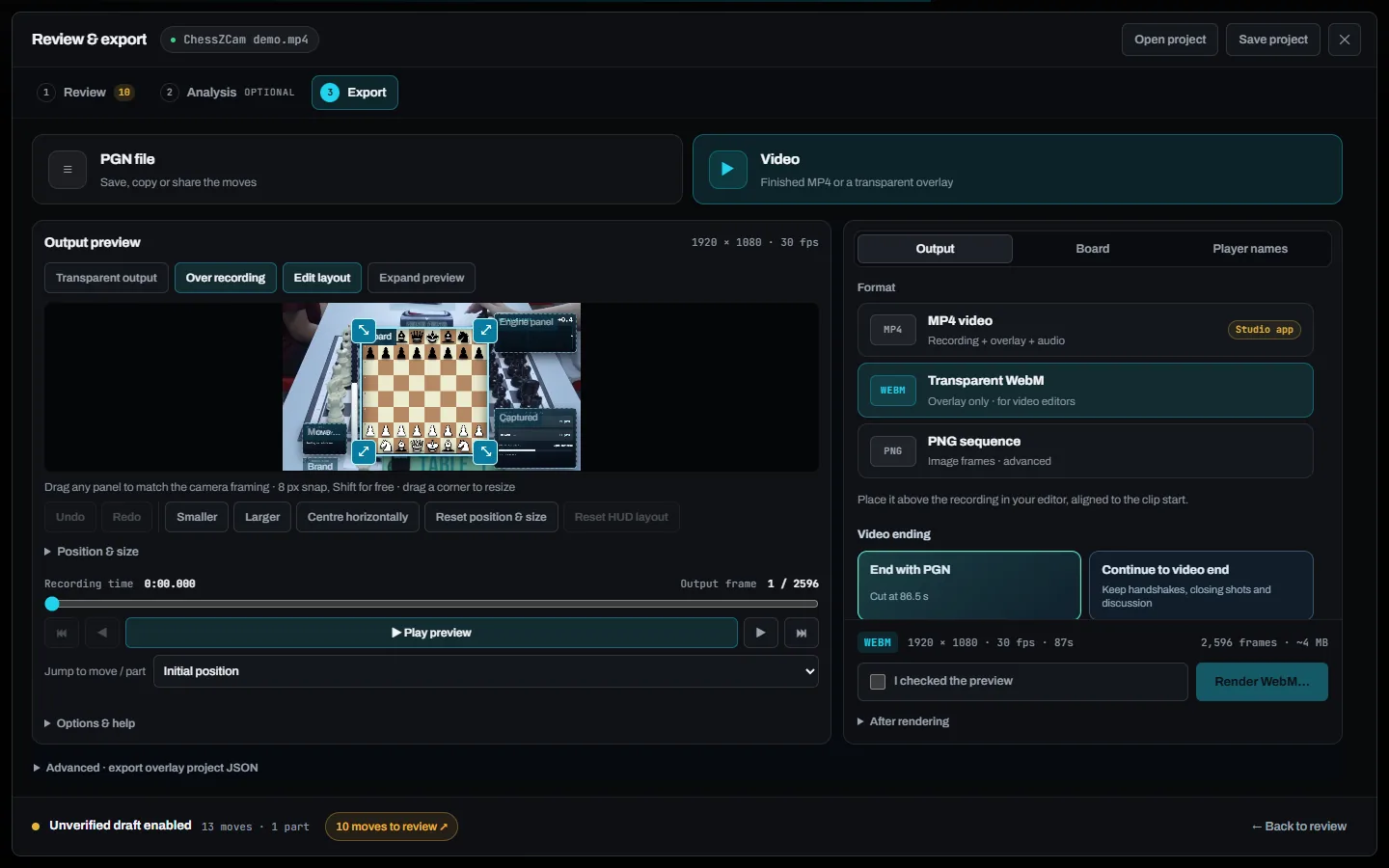
Unedited screenshots from the September 2026 development build. Only hands and pieces are in frame. Pick a step; click a screenshot to enlarge it.
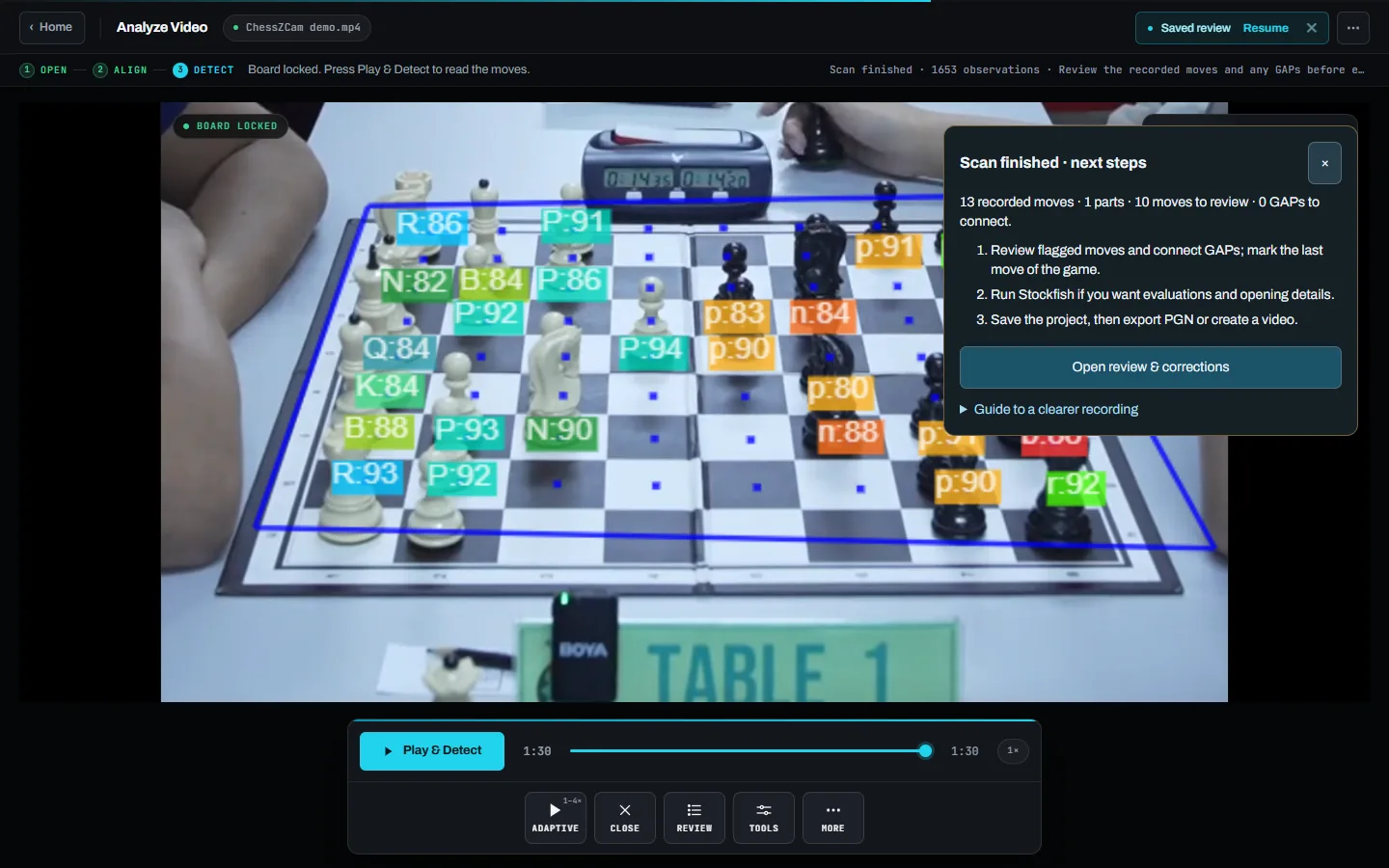
Open a saved recording — one made with Record Game Video, or any MP4 or WebM — let ChessZCam find the board corners, lock the board and press Play & Detect.
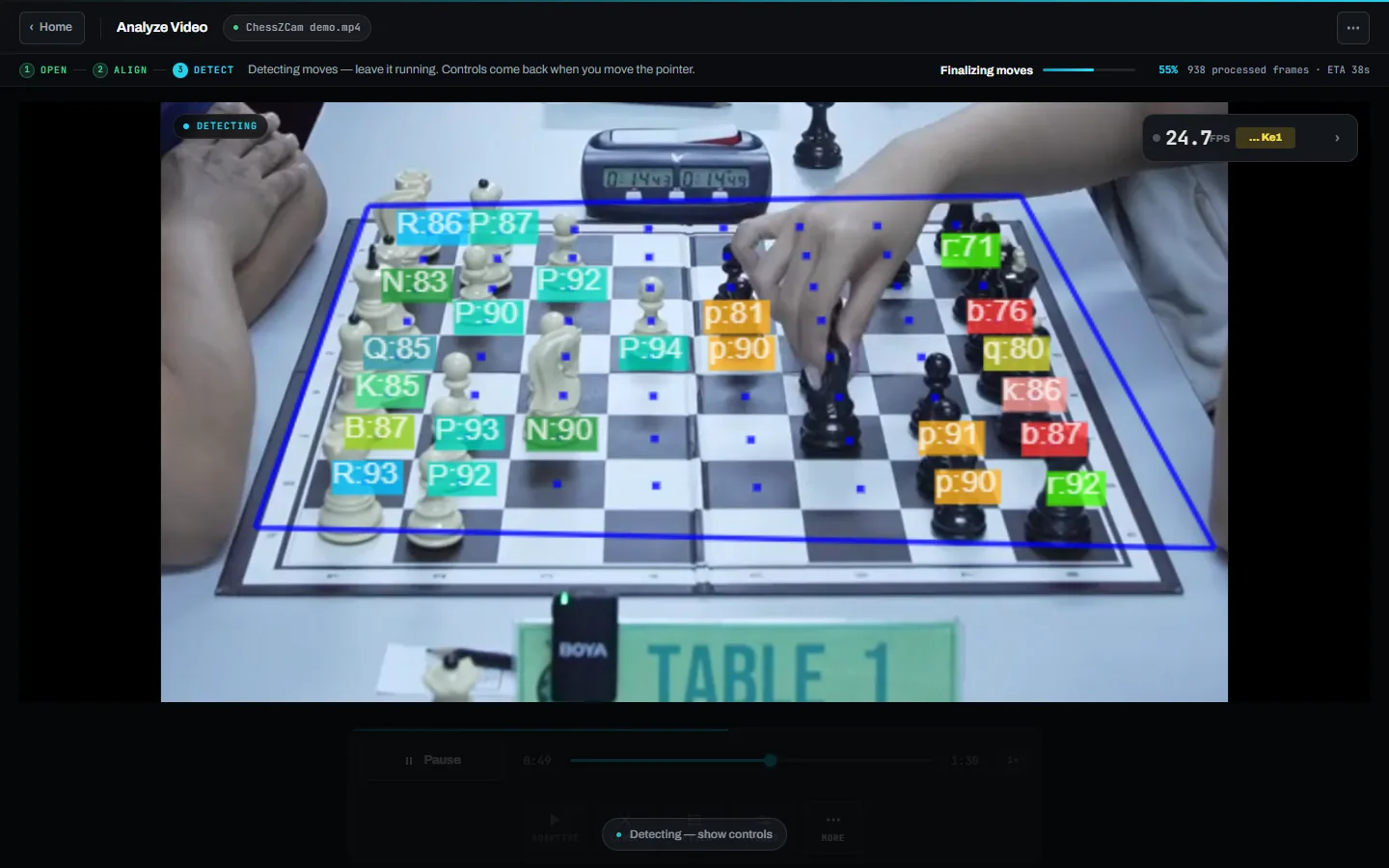
The move list, the exact video frame and the board after the move sit side by side, with first-seen, landed and confirmed times — so you check the move against what the camera actually saw.
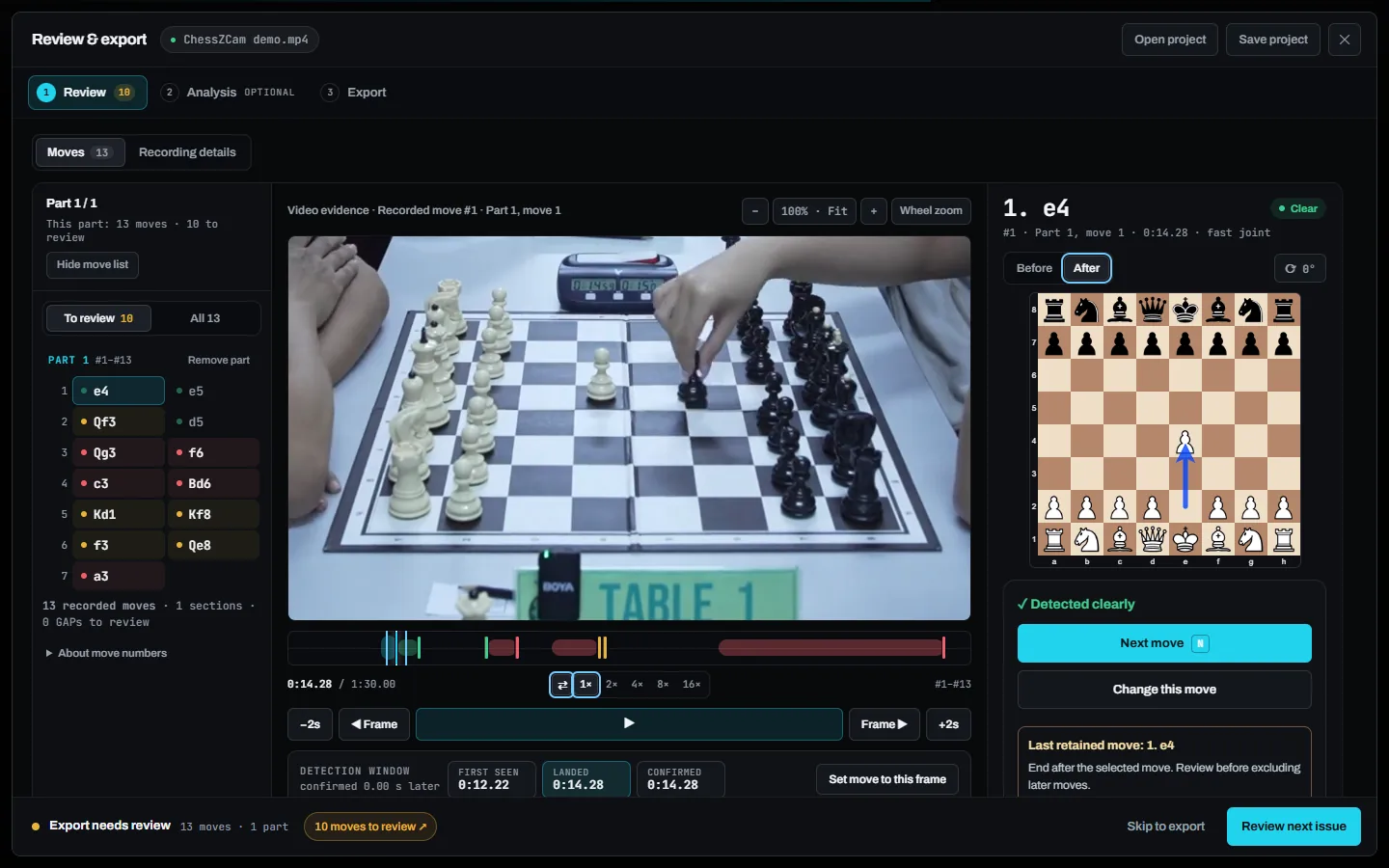
Once the moves are right, add offline analysis at Balanced or Deep depth, explained in plain language. Skip it if you only need the PGN.
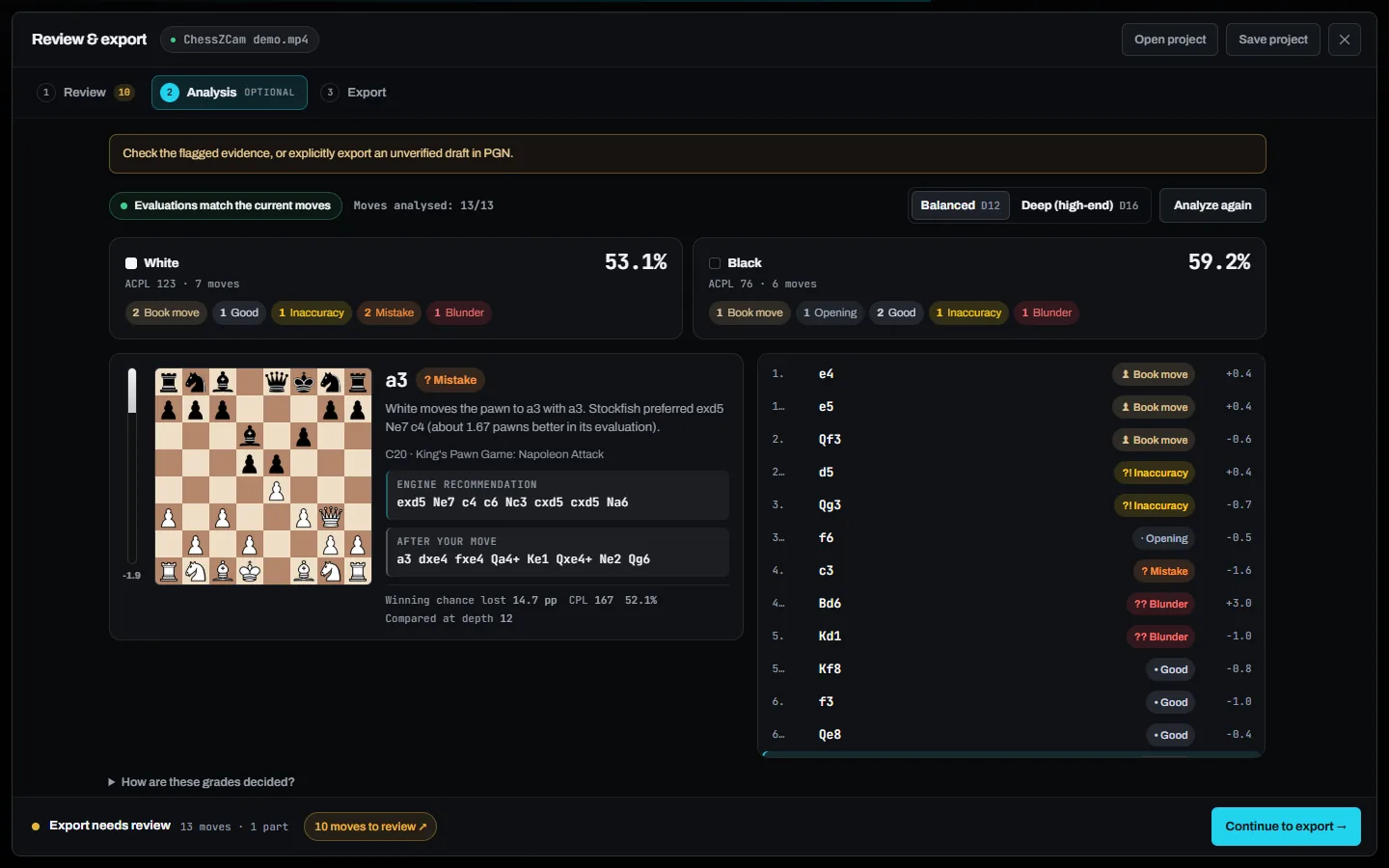
Export the reviewed game as PGN for analysis and sharing, or lay out the overlay over your footage and render it — up to 4K.
If the moves are already written down — typed up from a scoresheet, for example — you do not need to detect them again. Sync PGN to Video (Android app; not in the first Studio release) matches a PGN you already have to a recording and exports a timed overlay.
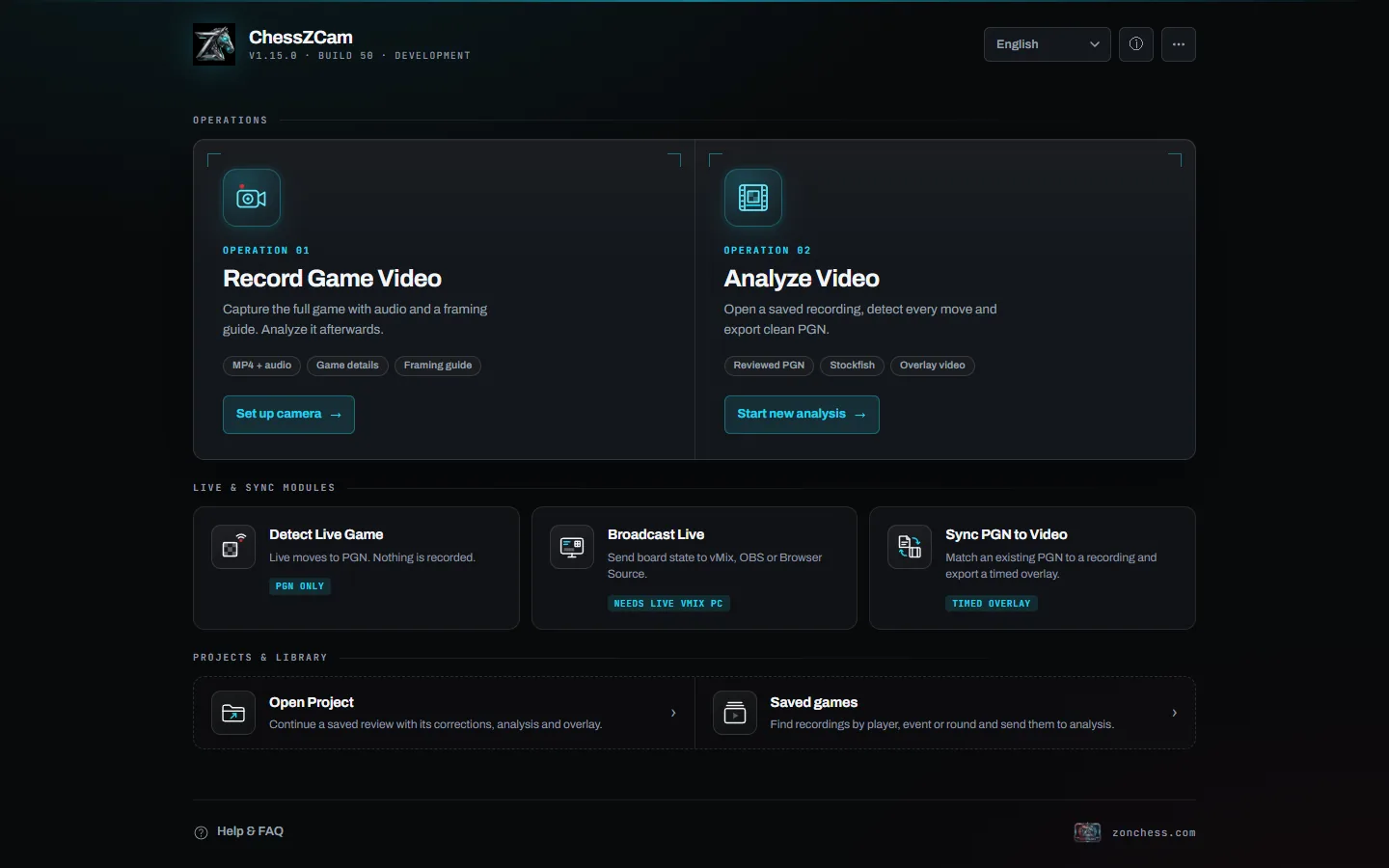
The same workflow runs on an Android phone and in ChessZCam Studio for Windows, which adds webcam, capture-card and OBS Virtual Camera input and render presets. Current builds: Studio 1.1.2 (trial candidate) · Phone app 1.22. Studio comes first.
The useful difference
The real value appears when one reviewed move record can feed more than one output.
Every move keeps its timestamp and video frame, so the digital sequence stays connected to when the physical move was seen. Small offsets may still need adjusting.
When detection is unsure, you repair the moves beside the evidence and rescan once — rather than abandoning the game or starting again.
Use the reviewed game for a PGN, Stockfish analysis, an overlay video for YouTube or Shorts, or a later edit in your own video software.
Want the moves live instead of afterwards? Detect Live Game turns the camera straight into a PGN without saving video, and Broadcast Live sends the board to ChessZCam Live for vMix & OBS. See live broadcast. New: Viewer Mode lets a parent or coach outside the hall follow the live board on the same Wi-Fi or hotspot.
Timing in practice
We would rather tell you plainly what to expect than promise a perfect result.
An honest note. A few seconds of drift may be fine for an edited recap but not for every production. Accuracy depends on your setup and the quality of the video — a steady stand, all four corners in frame and good light make the biggest difference. ChessZCam is for recording, review and broadcast; it is never a tool for settling a dispute at the board — that belongs to the arbiter. See the setup guide and the known limitations.
Made with ChessZCam Studio · real tournament games
Two real games turned into overlay videos with human intervention kept to a minimum, so they show what ChessZCam can do today — and where timing is still being refined.
Please forgive us — and tell us. We are deliberately not correcting these videos, so they stay an honest picture of ChessZCam's current abilities and limits. Constructive feedback goes straight to the developer.
Send feedback → · What failed and what changed → · An earlier beta test sample on YouTube
Questions before trying it
Every detected move is stored with its timestamp and video frame, so the timeline starts close. It is not guaranteed frame-perfect: timing can drift when the board is blocked or the camera moves, and in our own published test videos the digital board sometimes runs slightly out of step with the footage. Check the timeline and adjust uncertain moments before you export.
Yes, that is what Analyze Video is for. Open an MP4 or WebM, let ChessZCam find the board corners, lock the board and press Play & Detect. Results still depend on camera angle, visibility and recording quality.
Yes. Sync PGN to Video (Android app; not in the first Studio release) matches a PGN you already have to a recording and exports a timed overlay, so a game you typed up from a scoresheet can still become a video with a digital board.
Yes. ChessZCam flags uncertain moves instead of guessing, but it is designed to remove the repetitive reconstruction, not your responsibility for the final PGN. Review it before you publish, analyse or share it.
No. ChessZCam works with a normal chessboard and pieces seen by a camera. Electronic boards remain a separate professional option for events that need their particular reliability and scale.
No. A phone alone can record, detect, review and export. ChessZCam Studio for Windows adds a big screen, more speed and webcam or capture-card input; a PC is only required for live broadcast to vMix or OBS. More in A PC adds resources, not concepts.
No. Detection runs locally on your device, and your videos and games stay with you. No login or internet connection is needed to record, analyse and export.
Less time rebuilding. More time creating.
Join the waitlist now. Trial invitations go to the waitlist first — with a guided tour and a demo clip, so you can try Analyze Video before setting up a camera — and members get 50% off their first ChessZCam package when sales open (packages). Joining is free and is not an order.
Studio first
The Windows Studio trial comes first: 14 days from the moment you agree to the terms and start the trial in Studio (no code needed). Explore recorded-game detection, manual move and frame correction, Stockfish analysis and PGN/video export. Android and Live follow in separate phases.