
A PC adds resources, not concepts
The Studio phase gives ChessZCam an optional PC surface for review and rendering. Introducing it created an obvious risk: that ChessZCam quietly becomes a PC product with a phone accessory. One rule and three mechanisms prevent that.
How products drift
Nobody decides to abandon their original users. It happens gradually. A feature is easier to build on a desktop, so it ships there first. The next feature depends on it, so it also lands on desktop. Six months later the mobile path is a cut-down preview, the documentation says "for best results, use a PC", and the people who bought in for the phone-only promise have quietly been demoted.
ChessZCam started from a specific claim: point a phone at an ordinary board and get a real digital game. Adding a PC tier without a hard rule would have eroded that claim by accident.
The PC adds sources, not concepts. Anything possible with a phone alone must stay possible with a phone alone. The PC gives a bigger screen, a faster processor, more disk and more time — never a capability the phone-only user loses.
The three tiers
| Tier | Hardware | What you get |
|---|---|---|
| T0 — Phone only | One Android phone | Record, detect, PGN, gap repair, share. A complete product. |
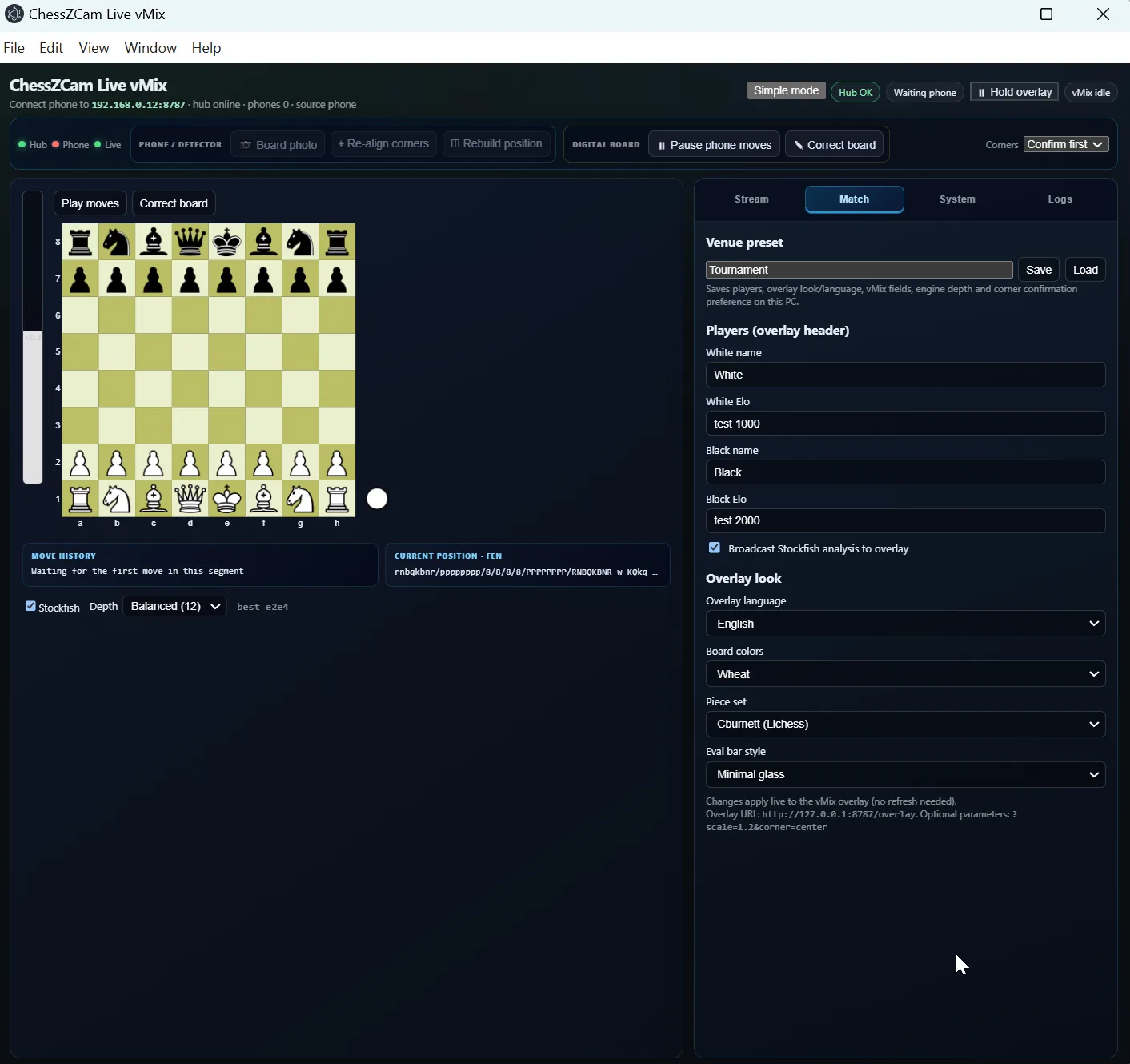
| T1 — Phone + PC console | + a PC running vMix or OBS | Live broadcast with overlay and operator correction. |
| T2 — Phone + PC Studio | + a PC running Studio | Second detection pass, big-screen review, precise timestamps, rendered overlay video. |
Each tier is a strict superset of the one before it. Nothing disappears when the PC does — only speed and precision.
Mechanism one: one data model
The game, the move ledger, the gap records and the overlay project are the same structures regardless of where they were produced. A game reviewed on a phone and a game reviewed on a PC yield equivalent artefacts.
This is the mechanism that matters most, because it removes the incentive to diverge. If PC output were richer, everything downstream would eventually assume PC output. Because it is identical, nothing can.
Mechanism two: one logic module
Square-difference computation, bridge search and candidate scoring live in a pure TypeScript module — no React, no DOM, no platform bindings — imported by both the phone UI and the PC Studio.
The practical consequence is that repair work done for the phone is not thrown away when the PC surface arrives. "Phone or PC" becomes a user-interface decision rather than an architectural one. Bug fixes land in one place and appear in both.
Mechanism three: one renderer
The same board renderer drives the broadcast overlay, the phone preview and the PC video render. Identical pixels everywhere. Nobody has to wonder whether the overlay in the recording will match what the operator saw on the console.
The fourth rule: the PC is never sole owner
If the PC vanishes mid-session — a crash, a cable, a power cut — the phone still holds a valid record and can finish the job alone. That principle shows up in several concrete behaviours:
- Hold does not discard. Moves arriving while the operator has the overlay paused are retained on the phone, which resends the latest full state only after the PC confirms Resume.
- Acknowledged queue. Moves carry an event ID and a session ID and leave the phone queue only after the PC acknowledges them, so a reconnect cannot silently duplicate them.
- Atomic resync. Several plies accumulated during a dropout arrive as one state resync rather than one misleading animated move.
- Broadcast state persists. The PC keeps current state for up to 12 hours, so restarting the console does not throw the overlay back to the starting position.
A related decision: pairing codes
Adding a PC tier also meant taking the network seriously. A tournament hall is a shared space, and the link between your phone and your console should belong to you alone.
So the phone and PC pair with a code, and the console and overlay are reachable only from the machine running them. Install the current phone and PC builds together so both speak the same pairing — that is the one thing worth checking before an event.
What Studio is, and will not be
Studio gives you video and board side by side at a readable size, frame-by-frame scrubbing, keyboard move entry, precise timestamping, and a second detection pass compared against the first so only the disagreements need your attention. It also renders overlay video — MP4 with the overlay burned in, a transparent WebM or a PNG sequence — and, true to the rule, the phone can export the same overlay video on its own.
Update — 24 September 2026. ChessZCam Studio for Windows now exists as described here: big-screen review, webcam and capture-card input, and overlay video export up to 4K. See the current screens →
What it will not be is required. If Studio ever became necessary to get a good result from ChessZCam, the rule would have been broken and the feature would be wrong.