
Normal board and pieces
Choose clear contrast between pieces and squares, and test the exact set you will use before tournament day.
For small tournaments and production teams
Use a normal chessboard, an Android phone, a Windows PC and the production software you already know. ChessZCam reads the moves from the phone camera, and ChessZCam Live puts the digital board on air in vMix or OBS — a lighter bridge for events that are not ready for an electronic-board installation.
A focused equipment chain
The goal is not to make tournament broadcasting effortless. It is to make one useful digital board possible with a smaller starting stack.
Choose clear contrast between pieces and squares, and test the exact set you will use before tournament day.
Mount it to the side of the board with all four corners in view — a boom arm keeps it out of the players' way and away from accidental bumps. Auto-detect the corners, then lock.
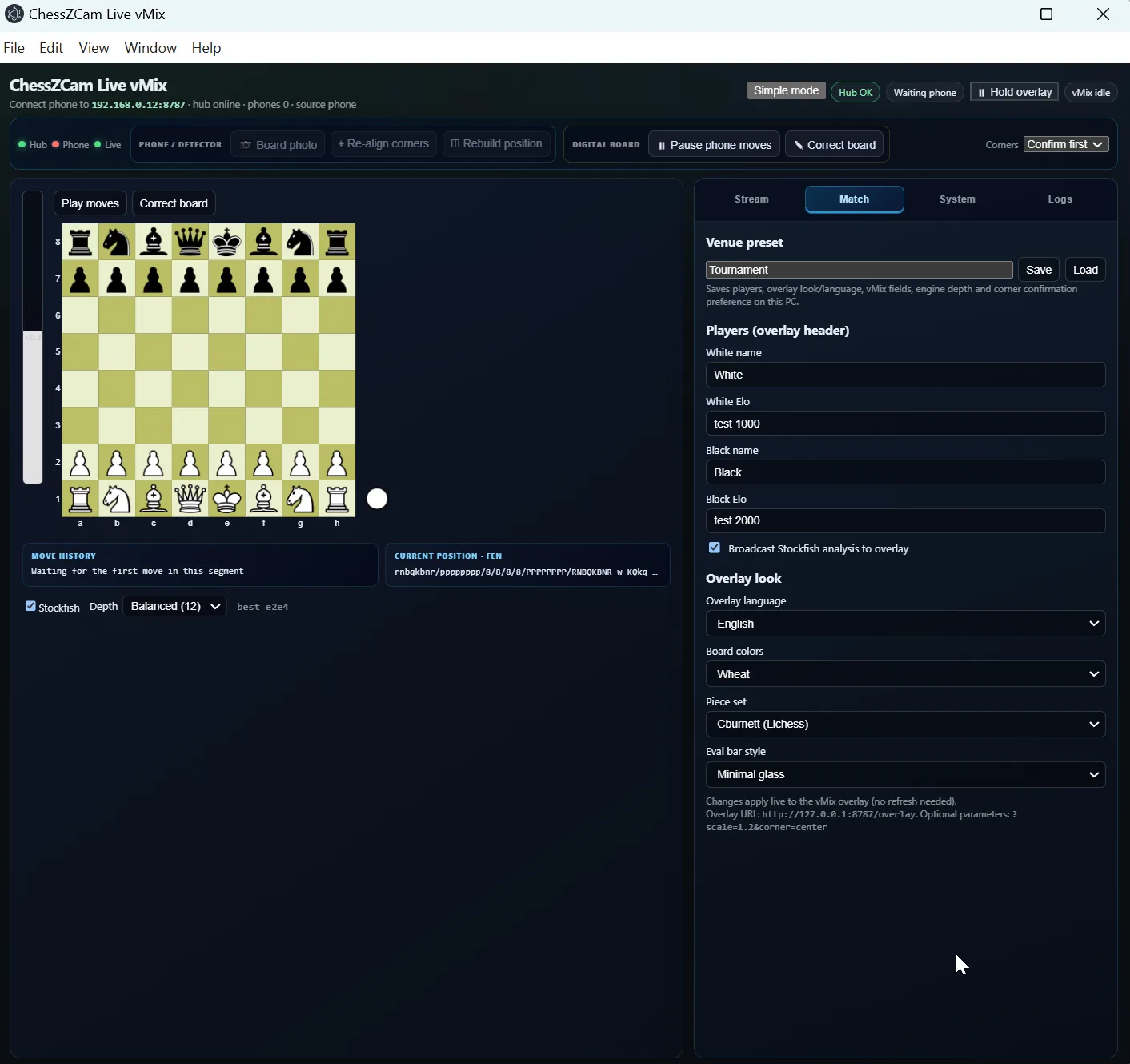
The console receives the move data, shows the state of every link at a glance, lets you correct the position and controls the overlay.
Load the ChessZCam overlay URL beside your venue camera, player names, sponsor graphics and commentary. The console and overlay are reachable only from the PC running them; spectators have a separate read-only Viewer link on the same network.
Someone who watches the position and steps in when hands, lighting or an unusual move create doubt.
Run the whole chain under venue-like lighting, on the network you will actually use, before the first round.
Plan the network early: many halls isolate guest devices, so a dedicated router or a phone hotspot is the reliable setup. Pair phone and PC with a code, and install the current phone and PC builds together so both speak the same pairing.
ChessZCam Live · for vMix & OBS · 1.8 (trial build)
New in October 2026 · Viewer QROnly small move data travels from the phone to the PC — never the video. ChessZCam Live turns it into a clean digital board for your production.
A stable stand beside the board with all four corners in view. Auto-detect the corners, then lock the board.
ChessZCam follows the moves locally with Broadcast Live; the operator corrects rather than the app guessing silently.
Only small move data travels over the network. Pair phone and console with a code; Studio on the same PC connects in one click.
Point vMix or OBS at the Browser Source URL, go on air, and keep the PGN afterwards.
A status strip for hub, phone, detector, overlay and on-air look, and one main button that never moves. When something looks wrong, the correction screen helps you fix it before viewers see it.
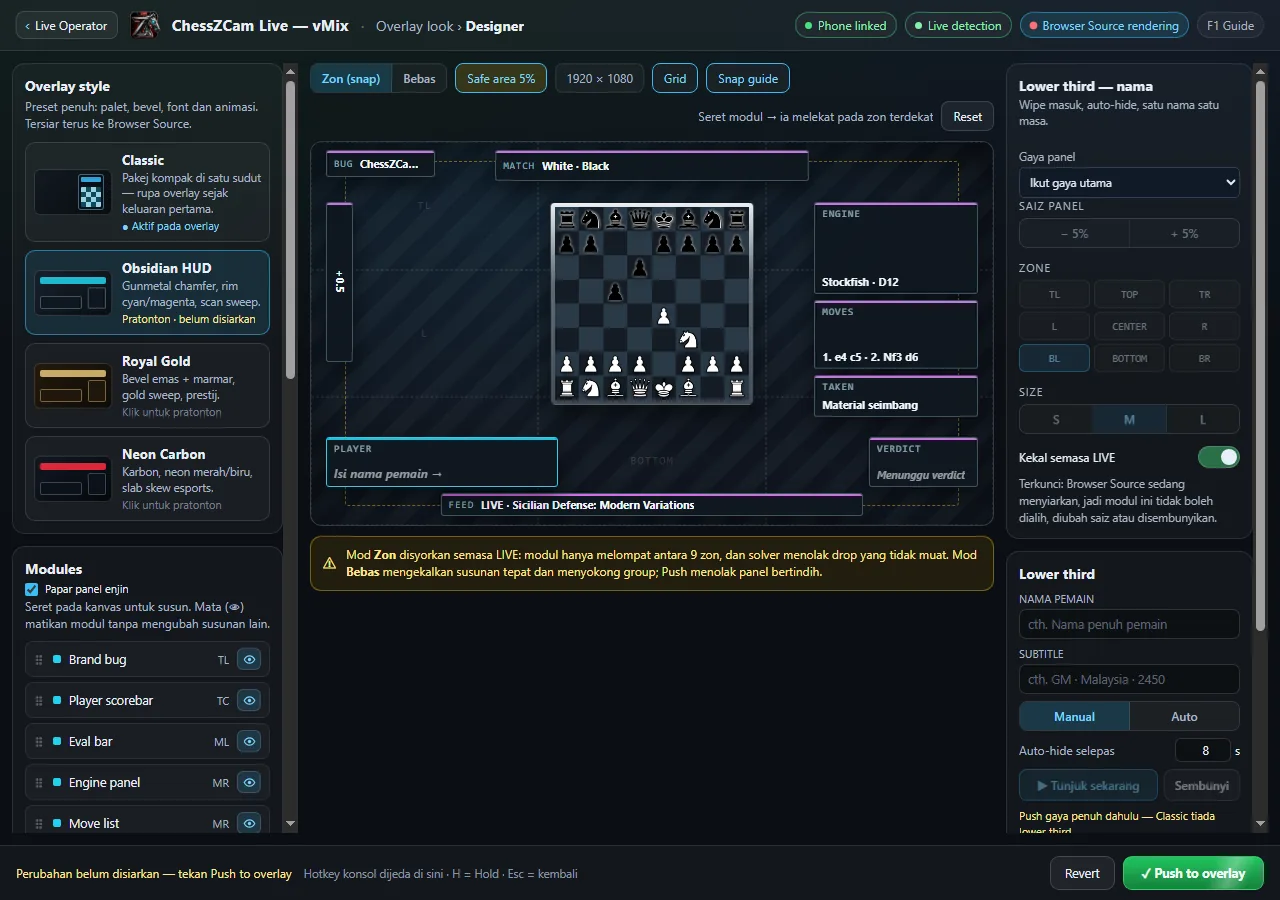
Arrange the digital board and its panels to sit comfortably beside your camera picture, names and sponsor graphics.
Phone and PC pair with a code, so only your phone can feed your detector — even on a shared hall network. It is ordinary local-network traffic, not encrypted.
Every move is acknowledged by the PC. After a Wi-Fi drop the overlay catches up in one clean resync.
Pause the overlay for a replay; the game keeps being tracked underneath and jumps to the true position on Resume.
The broadcast state is kept for up to 12 hours and validated before anything changes on screen.
The same PC can show a separate read-only QR for parents and coaches outside the hall. Switch it off or replace it at any time. Viewer Mode →
A PC adds resources, not concepts — why the phone never loses the game if the PC does.
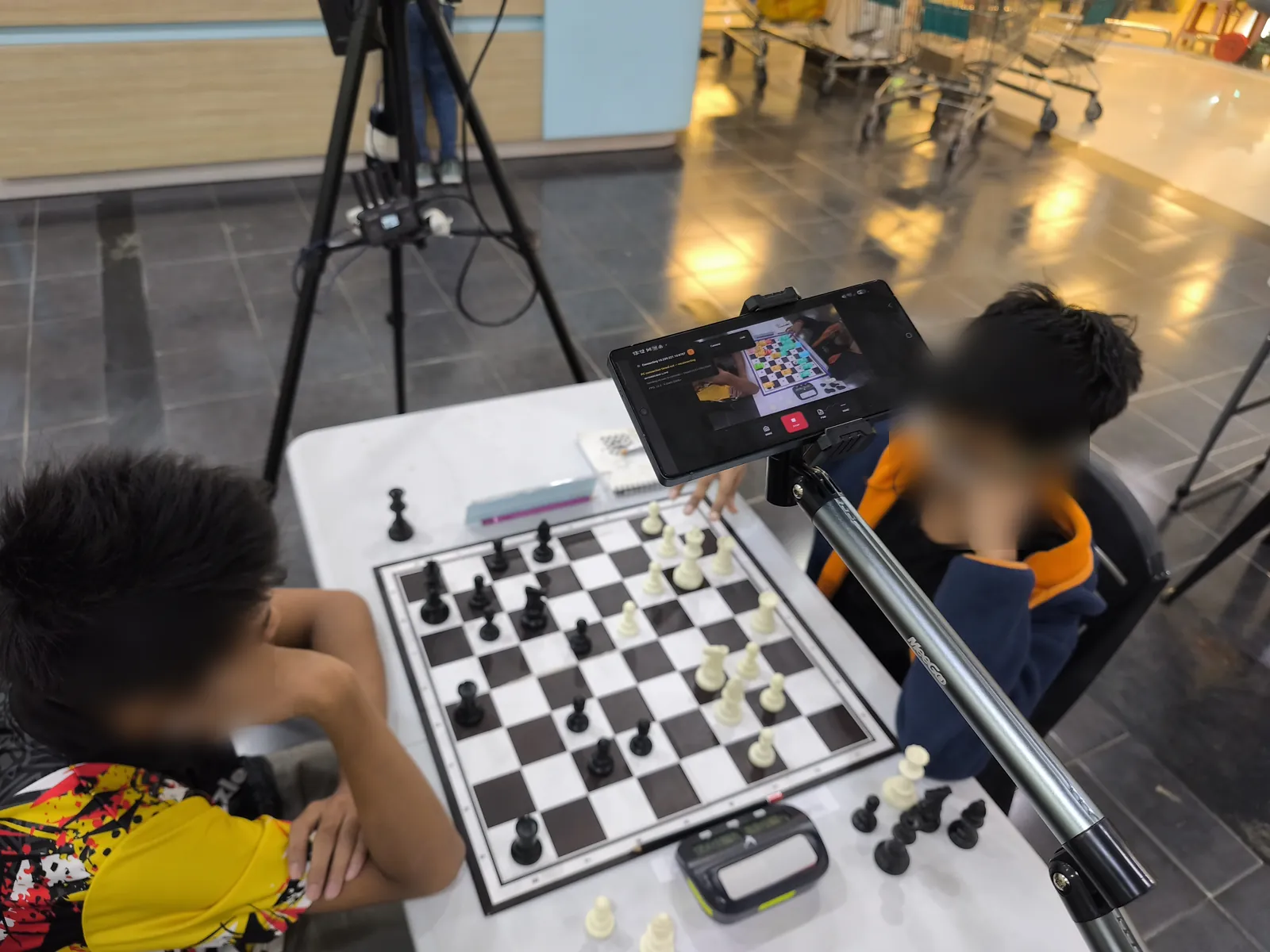
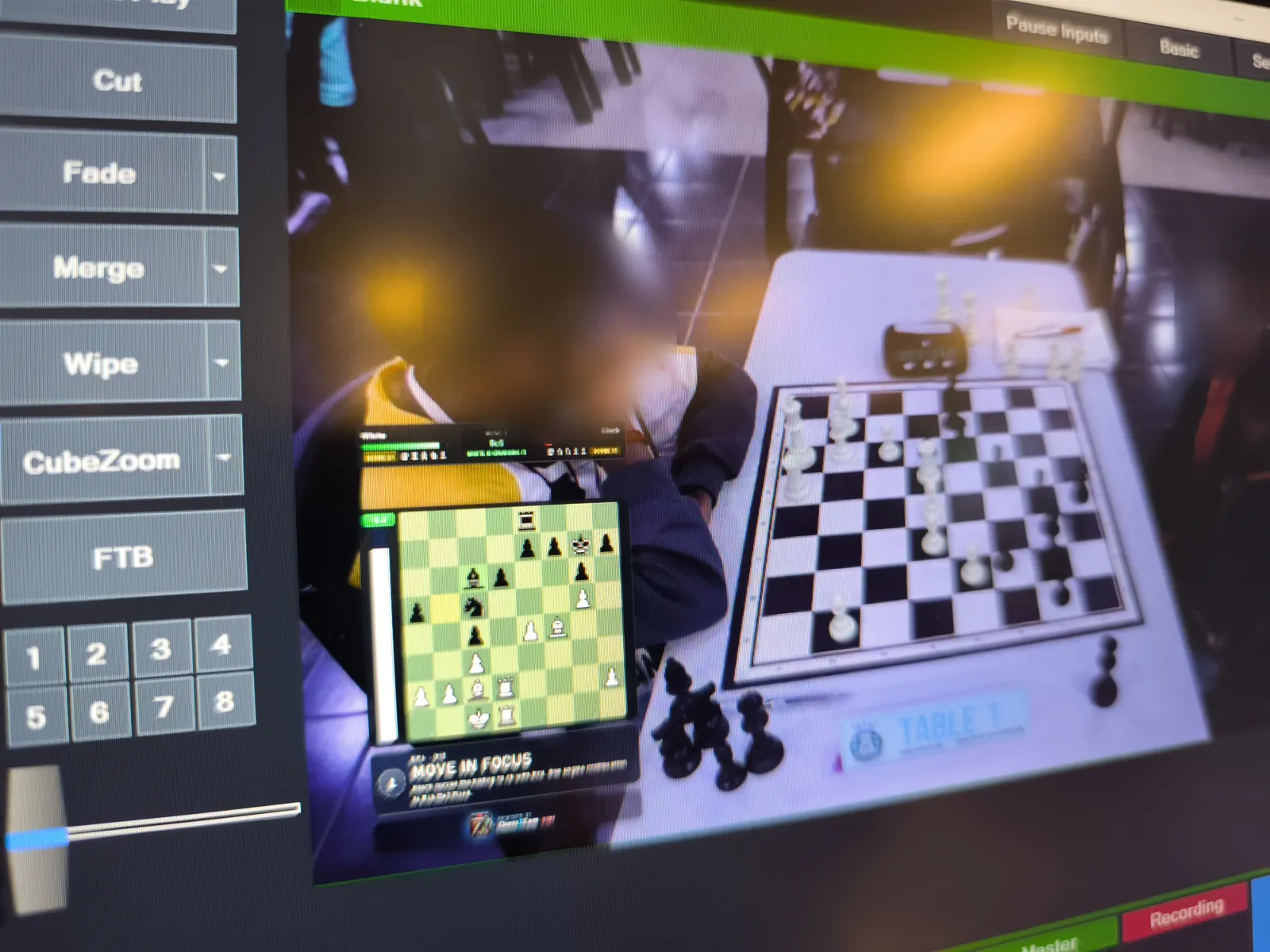
Real tournament footage · Lotus's Kulim · 19 September 2026
A phone on a boom arm watched Table 1, ChessZCam detected the moves on the spot, and the position went live into a vMix production — in a busy hall, on the venue's own network. Young players' faces are blurred on this site.
Test 4 · junior tournament · Table 1 live into vMix
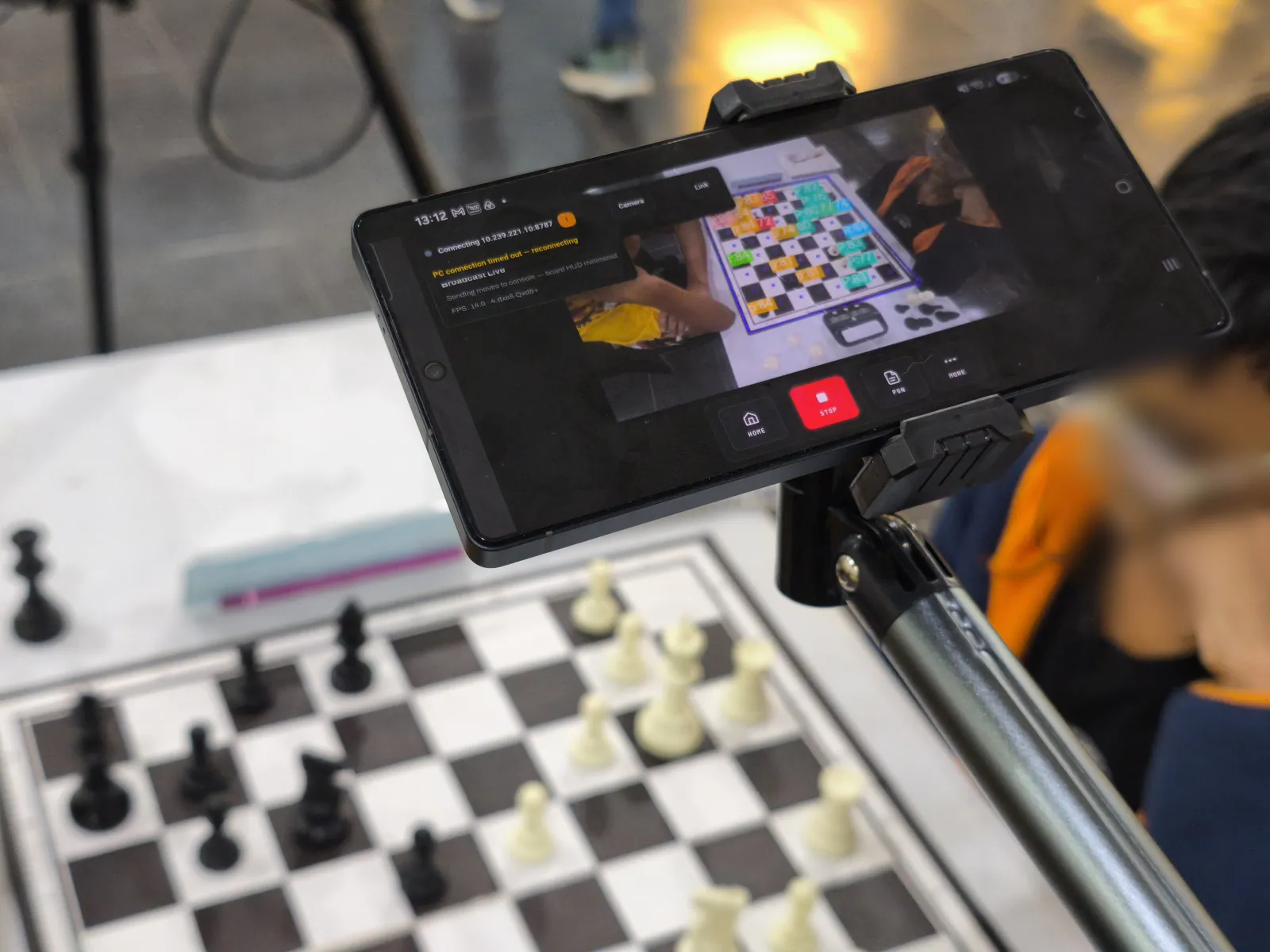
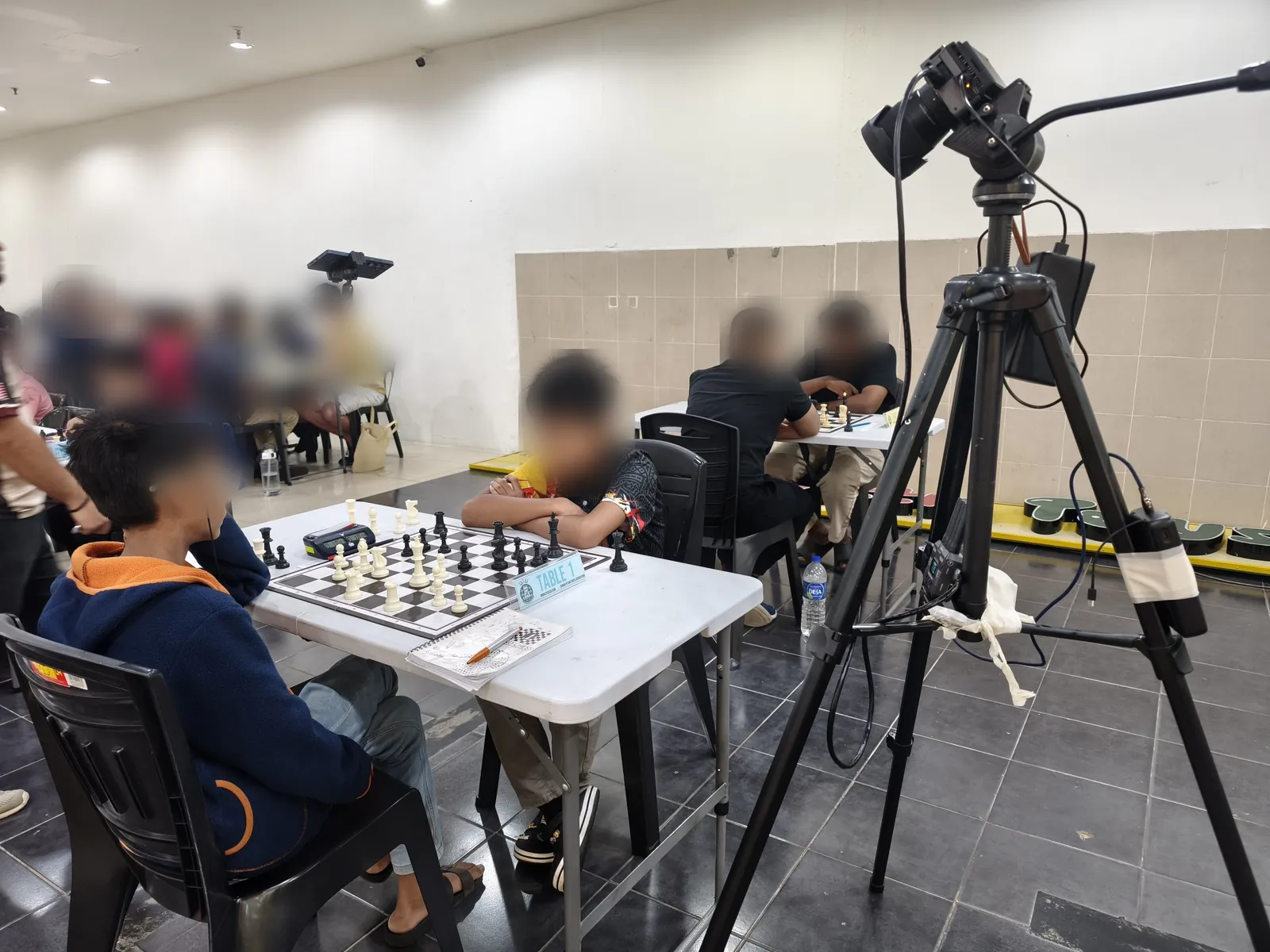
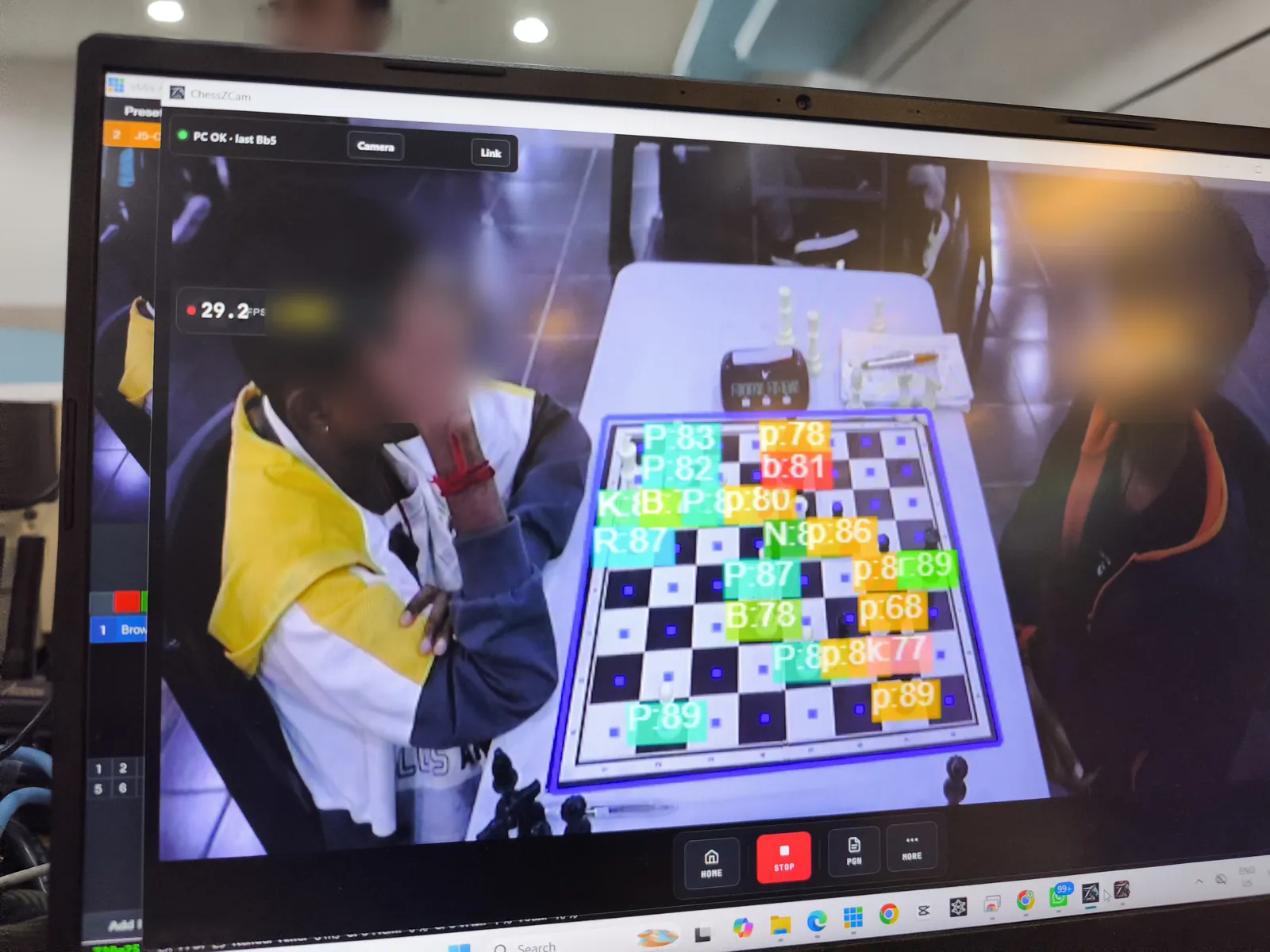
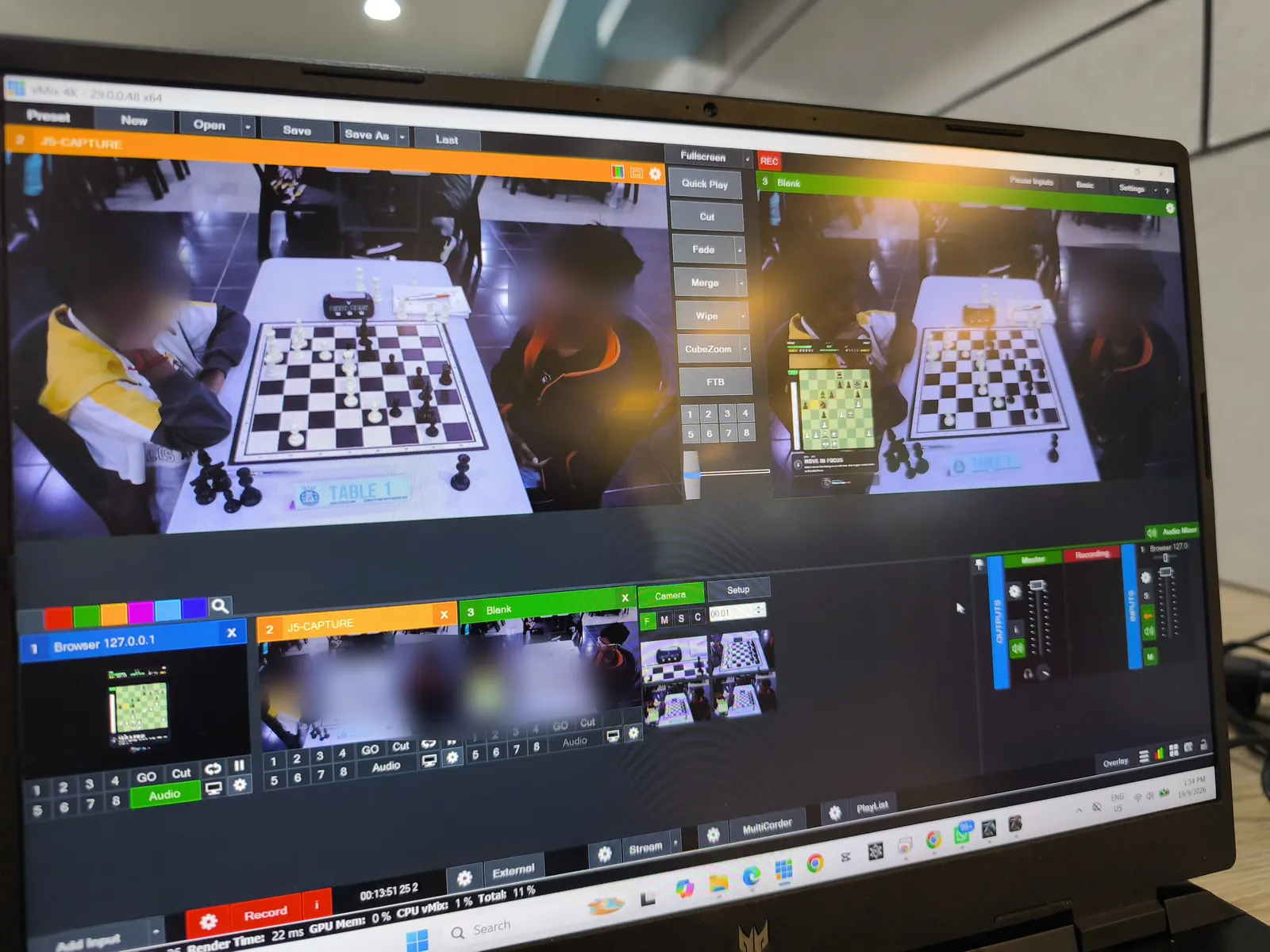
Swipe or scroll sideways for more →
That day used Phone app 1.14 · Studio 0.18 · Live 1.5. Today's builds are Studio 1.1.2 (trial candidate) · Phone app 1.22 · Live 1.12; their October features were not in use that day.
Older footage: our earlier live beta testing sample from a previous build.
Choosing the right setup
The phone-camera approach is strongest when expectations are clear and the production scope is controlled.
Results depend on the setup. Camera stability, lighting, board and piece contrast, hands blocking squares, device performance and the operator's setup all affect accuracy — the quality of what the camera sees matters most.
The operator's role. Monitor the position, correct unusual events and run the overlay alongside the rest of the broadcast. ChessZCam is for broadcast and review, never for settling a dispute at the board — that belongs to the arbiter.
Honest limits. One camera phone and one board per PC; vMix or OBS on the same PC as ChessZCam Live, on the same local network; no chess clock data. After a correction the live move list may be incomplete; the phone's own game record is the one to keep.
Questions before trying it
No. Electronic boards remain the stronger choice for official multi-board coverage and larger installations. ChessZCam is aimed at a featured board and smaller production teams. More on this in our comparison article.
One featured board. ChessZCam Live works with one active source at a time, and a single board is what we have tested at real tournaments. Stable setup, staffing and venue conditions matter more than scale.
Yes. Someone should watch the digital position, correct unusual events and manage the broadcast tools. The console is designed around that person.
No — Broadcast Live sends the board state, not video, over the local network. Your venue camera goes into vMix or OBS as usual; at Lotus's Kulim a separate camera filmed Table 1 while the phone watched the moves.
Both work. ChessZCam Live serves the overlay as a browser URL: add it as a Web Browser input in vMix or a Browser Source in OBS, on the same PC as the console, as a layer over your camera picture.
Yes, in trial builds. ChessZCam Live can show a separate read-only Viewer QR: spectators scan it in the ChessZCam Android app, on the same Wi-Fi or hotspot, and follow the digital board outside the hall. It shows engine analysis, so it is never for players, and the organiser decides whether to switch it on. How Viewer Mode works →
Moves are acknowledged by the PC, so after a dropout the overlay catches up in one clean resync. If the camera or board moves, use Hold and the correction tools to re-align the position and carry on from where you were.
Yes. Keep the PGN after the broadcast. With a recording of the game, ChessZCam can also turn it into an overlay video later — as in the 19 September video above.
ChessZCam is in pre-release development. Studio comes first, with a free 14-day trial on one PC that starts only when you agree to the terms and start it in Studio (no code needed); trial invitations go to the waitlist first. Package prices are on the ChessZCam page, and waitlist members get 50% off their first package when sales open. Joining is free and is not an order. See the launch status for where things stand.
Begin with a controlled test
Join the waitlist now. Trial invitations go to the waitlist first, and members get 50% off their first ChessZCam package when sales open (packages). Joining is free and is not an order. Then use the setup guide and compatibility notes to decide whether your venue is suitable before offering a broadcast to players or viewers. Built by one independent developer and chess parent — constructive feedback is always welcome.