
Electronic Boards and Phone-Camera Chess: Where Each Approach Fits
People searching for a “DGT board alternative” may simply need another way to record a game with the equipment available. We respect DGT and established camera tools such as idChess. ChessZCam explores an additional camera workflow for those who find it useful.
Update — 24 September 2026. This article was first published in July 2026, after ChessZCam's first two tournament tests. The comparison still stands, but the camera side has moved on, so a few details below have been brought up to date:
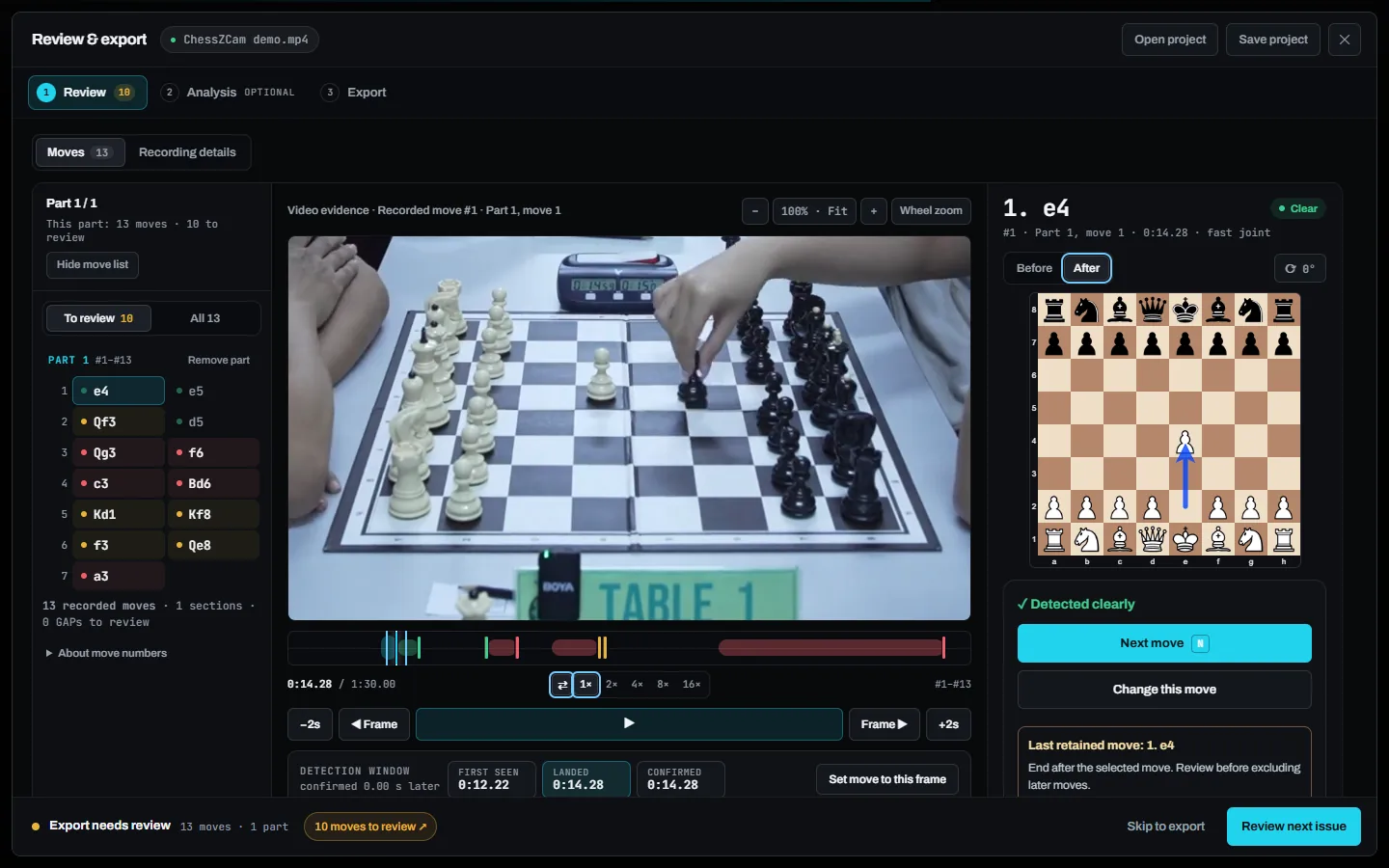
- The safety net this article asked for now exists. Uncertain moves are flagged for review instead of guessed, the review screen puts the exact video frame beside every move, and the ChessZCam Live console blocks illegal positions before they go on air.
- A PC is optional. A phone alone can record, detect, review and export a PGN or an overlay video. A Windows PC adds ChessZCam Studio and ChessZCam Live (for vMix & OBS) for live broadcast and big-screen work.
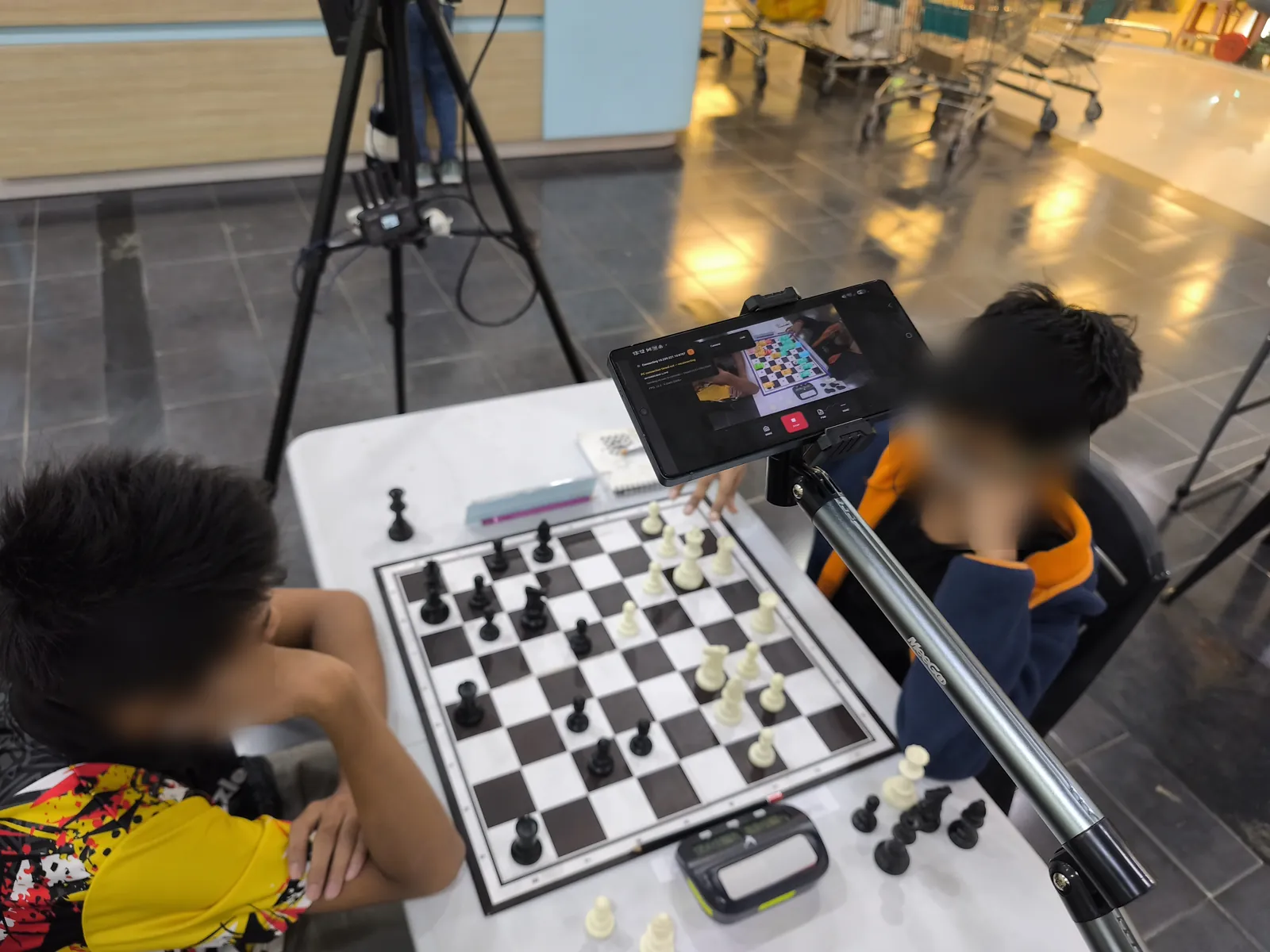
- Six field tests so far — KawanCatur 1st Edition Tournament (5 July), Saiful Arena Chess Tournament @ Taiping Mall (18 July), SJKC Keong Hoe in Penang (26 July), Lotus's Kulim (19 September), where Table 1 went live into a vMix production, Santai Catur SPS 2026 (3 October) and Tournament Cikgu Chess X Aeon Mall Taiping (10 October), with Viewer Mode for spectators.
- Still true: the camera approach suits featured boards rather than a whole hall, accuracy depends on setup and video quality, and ChessZCam is not an adjudication device — the arbiter decides.
On 24 September the builds were Phone 1.15, Studio 0.20 and Live 1.6; today Studio 1.1.4 is the trial candidate, with Phone app 1.22 and Live 1.12 behind it — all pre-release, so the old “beta” wording has been updated. Studio comes first with a free 14-day trial; package prices are on the ChessZCam page, and waitlist members get 50% off their first package. Comparing camera apps such as idChess as well? See how these approaches can complement one another.
01 · Begin with respect
Professional electronic boards earned their place
Electronic boards have supported major tournaments, live commentary and professional chess coverage for years. They are built for direct piece sensing, established event workflows and dependable multi-board deployment when installed and operated correctly.
That contribution should not be diminished simply because a different approach is becoming possible. ChessZCam is an independent project with a focus on camera footage, manual review and creator output. It can add another workflow alongside an existing setup, without asking you to replace equipment that already serves you well. zonChess is not affiliated with or endorsed by DGT or idChess.
02 · The gap we are addressing
Many chess events live between “nothing” and “professional installation”
A school may want to stream one final board. A small club may need a PGN for its weekly content. A parent may want to preserve a child’s game. An independent creator may travel with a phone and laptop but no dedicated chess hardware.
These users do not necessarily reject professional systems. They may simply need a smaller first step that uses equipment they already own.
ChessZCam’s intended role. A practical bridge from a normal physical board to a digital position — and from there to a checked PGN, an overlay video, or a live overlay in vMix or OBS.
03 · What each approach is good at
Different strengths for different environments
| Approach | How it can fit your workflow |
|---|---|
| Electronic boards | DGT e-Boards use board and piece sensing to record moves. Their established software supports recording and live broadcasts; keep the setup that already serves your event. |
| Camera tools | Apps such as idChess offer phone-camera recording and broadcasting. Explore the workflow and features that suit your games on the product's official website. |
| ChessZCam | Our independent project focuses on camera footage, move review and manual correction, PGN records and overlay videos. It may add another content workflow alongside an existing event setup. |
Official product information: idChess and DGT e-Boards. An additional workflow does not imply direct product integration, automatic PGN import or device pairing. Product names belong to their respective owners; zonChess is independent and is not affiliated with or endorsed by them.
04 · Honest trade-offs
Using a camera creates flexibility — and new responsibilities
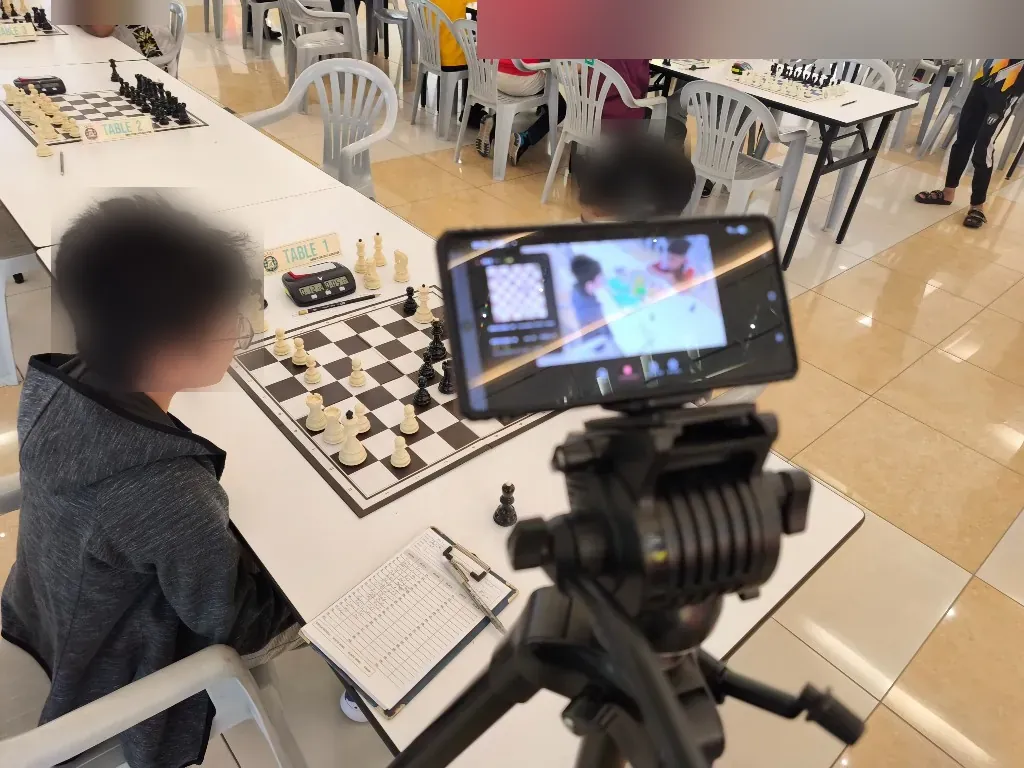
A camera-based system can travel easily and work with familiar chess sets. It can also be affected by shadows, glare, hands covering the board, displaced pieces or a tripod that moves during the game.
That last one is not hypothetical. At the Saiful Arena Chess Tournament @ Taiping Mall on 18 July 2026 — three days before this article first appeared — a player accidentally touched the tripod mid-game, the framing shifted and the digital board drifted. The recovery tools (hold, correct, sync and rebuild) were built the very next day because of it.
A responsible product should therefore include ways to detect uncertainty, review the position and correct mistakes. It should not convert an AI guess into a confident public claim.
- Use even lighting and avoid strong reflections.
- Keep all sixty-four squares — and all four corners — visible throughout the game.
- Place the tripod outside the players’ normal movement path.
- Assign someone who can verify the digital position when needed.
- For live broadcast, plan the network: many halls isolate guest devices, so a dedicated router or phone hotspot is the reliable setup.
05 · Choose by scenario
A simple decision guide
Choose a professional electronic-board setup when…
- the event is high stakes;
- many boards must be transmitted;
- the venue has trained operators and infrastructure;
- maximum reliability justifies dedicated hardware.
Consider a phone-camera bridge when…
- you want one or a few featured boards;
- you need a portable creator or club workflow;
- you already own the basic devices;
- you can accept pre-release limitations and a person verifying the moves.
Use both when…
- electronic boards cover the main event;
- a flexible camera setup supports side rooms, analysis or extra content;
- you want a fallback or experimental workflow without changing the core system.
06 · The bigger question
Does the solution help more chess happen?
The best technology choice is not always the most advanced one. It is the one that matches the consequences of failure, the skills of the operator, the available budget and the audience’s needs.
For a national final, the standard may be different from a club training night. For a permanent venue, dedicated hardware may make sense. For a creator moving between halls, portability may matter more.
The goal is not to replace every tool with one tool. The goal is to make sure there is a sensible tool at every stage of the chess journey.
07 · Community experience
Tell us what your events actually need
Have you used electronic boards, camera systems, manual PGN entry — or a mixture of all three? What worked well, and what failed under real venue pressure?
We welcome respectful comparisons, in the comments below or through the feedback page. The purpose is to understand the problem, not to turn useful technology into rival camps.
ChessZCam is built by one independent developer and chess parent at Motivace Studio in Malaysia — no company or sponsor behind it — and tested at real tournaments before it is offered to anyone. It is a tool for recording, review and broadcast, never for settling a dispute at the board; that belongs to the arbiter. See the dated project journey.
Related reading
Featured-board broadcast
The lighter workflow: one phone, one featured board, live into vMix or OBS.
See the workflow → FIELD TESTSTested at real tournaments
Four halls from July to September 2026 — photos and the lesson each one taught.
See the field tests → BLOGStaying in control of the board
What happens when the camera misses a move, and how the operator puts it right.
Read the article → BLOGA PC adds resources, not concepts
Why a PC stays optional — and the phone remains a complete tool on its own.
Read the article →Start with the event, not the rivalry
Choose the right bridge for your next event
Explore ChessZCam, read the known limitations and join the waitlist when the workflow matches your needs. Trial invitations go to the waitlist first, starting with the free 14-day Studio trial.
Join the conversation
Share the event size, current equipment and biggest obstacle in your broadcasting workflow. Respectful experience from every system is welcome.