
From OTB Video to PGN: A Faster Workflow for Chess Content Creators
The final chess video may last ten minutes. Preparing the game behind it can take much longer. This guide looks at the hidden OTB-to-PGN workflow, the mistakes that consume time, and how ChessZCam is designed to make creators more productive without removing the human review that protects accuracy.
Update — 24 September 2026. This article was written in July, when ChessZCam was mainly a live phone detector with PGN export. Since then it has grown into a complete studio, so the workflow sections below have been brought up to date:
- Analyze Video reads the moves from a recording you already have, stores every move with its timestamp and video frame, and flags uncertain moves instead of guessing.
- Review & repair, optional on-device Stockfish, and overlay video export — MP4, transparent WebM or PNG sequence, landscape or portrait, up to 4K.
- ChessZCam Studio for Windows, and ChessZCam Live for vMix & OBS when the show is live.
- Three of the six creator ideas in section 06 are now built; the other three are still ideas.
On 24 September the builds were Phone 1.15, Studio 0.20 and ChessZCam Live (vMix & OBS) 1.6; today Studio 1.1.4 is the trial candidate, with Phone app 1.22 and Live 1.12 behind it — all pre-release builds. Studio comes first with a free 14-day trial; package prices are on the ChessZCam page, and waitlist members get 50% off their first package. Trial invitations go to the waitlist first.
Creators help people fall in love with chess
My children became interested in chess after watching creators explain games, tactics and tournament moments. The videos made the board feel alive. They showed that chess was not merely sixty-four squares, but a world of ideas, personalities, pressure and possibility.
That journey eventually led them from watching to playing — and from playing online to joining real tournaments. ChessZCam therefore begins with a sincere thank-you to the creators who do the patient work of making chess understandable.
A digital board does not appear by itself
To analyse an OTB game, a creator first needs a trustworthy move list. When there is no clean PGN, the usual process may involve a scoresheet, a phone recording, repeated rewinds and manual piece movement on a digital board.
The work becomes especially difficult when:
- the scoresheet contains unclear notation or a missing move;
- a hand blocks the board at the critical moment;
- the camera angle makes similar pieces hard to distinguish;
- the video and clock are not synchronised;
- one early mistake causes the rest of the reconstructed game to become illegal.
Why a five-minute explanation can require hours of preparation
- Collect the evidence. Find the scoresheet, video and any photos of the final position.
- Reconstruct the game. Enter each move into an analysis board and stop whenever something does not match.
- Validate the PGN. Check legality, move numbers, result, names, event and board details.
- Find the story. Add engine lines, variations, timestamps and the moments worth explaining.
- Produce the video. Record narration, synchronise graphics, edit and publish.
Only steps four and five feel like the creative work the audience came for. The first three are necessary, but they are often repetitive.
Record a digital position while the physical game unfolds
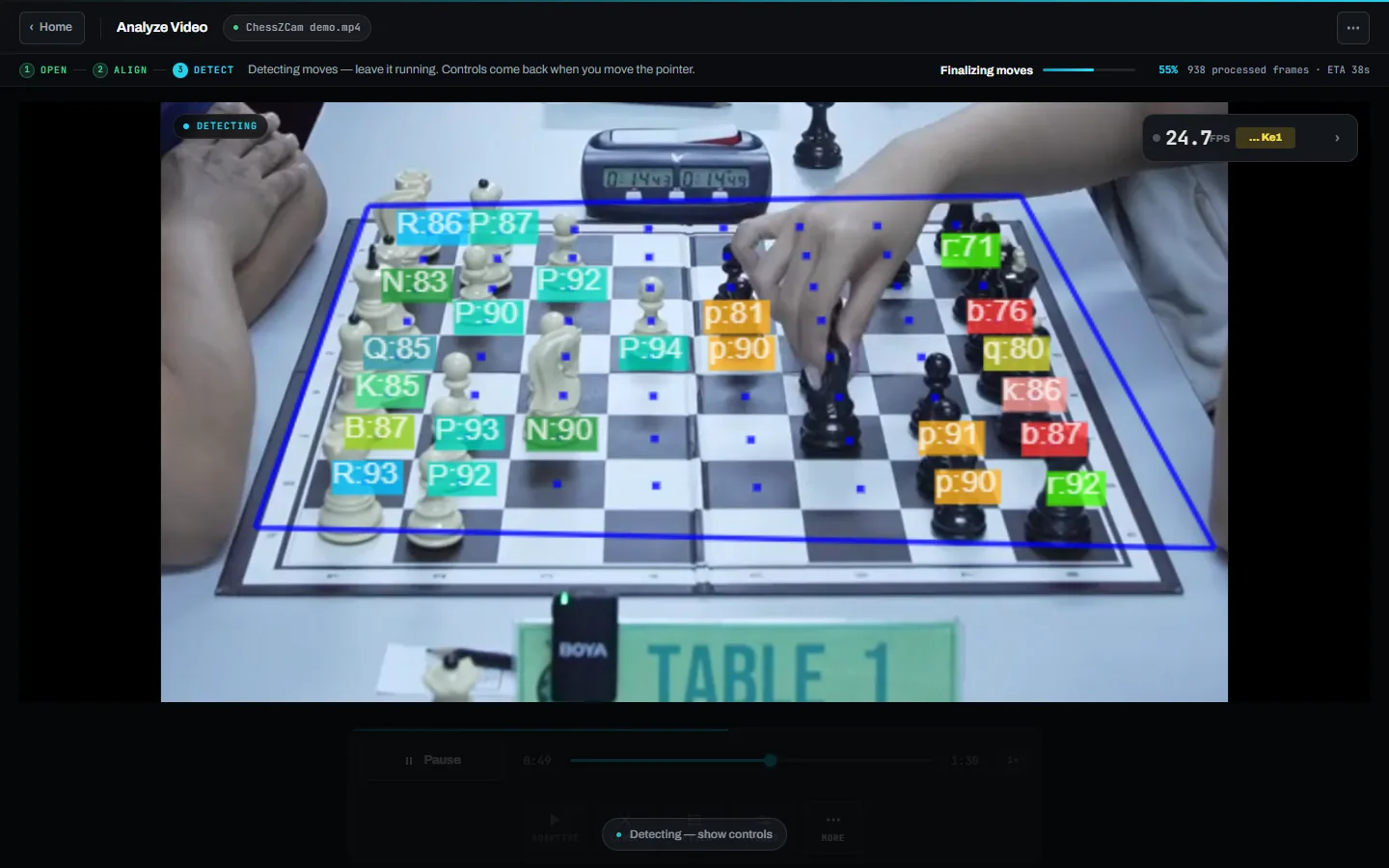
ChessZCam watches a normal board — through an Android phone, or through a webcam or capture card in ChessZCam Studio on Windows — detects each move and keeps a digital game record you can export as PGN. It now works at both ends of the game: Detect Live Game turns the camera straight into a PGN while the game is played, and Analyze Video reads the moves from a recording afterwards. The same position data can go live to vMix or OBS through ChessZCam Live, or be rendered into an overlay video.
The important phrase is still designed to. Camera-based recognition depends on stable framing, suitable lighting and a clear view of the pieces, so accuracy depends on your setup and video quality. The software should reduce manual transcription — not encourage creators to publish an unchecked record.
The intended gain. Move the creator's time away from repetitive transcription and toward explanation, storytelling, thumbnails, commentary and community engagement.
Automate the draft; keep a human in the final loop
- Capture: put the phone on a steady stand to the side of the board with all four corners in view, let ChessZCam find the corners, then lock the board before the round.
- Record: use Record Game Video to keep the whole game in 1080p with audio and analyse it later, or Detect Live Game to build the move-by-move draft during the game without saving video.
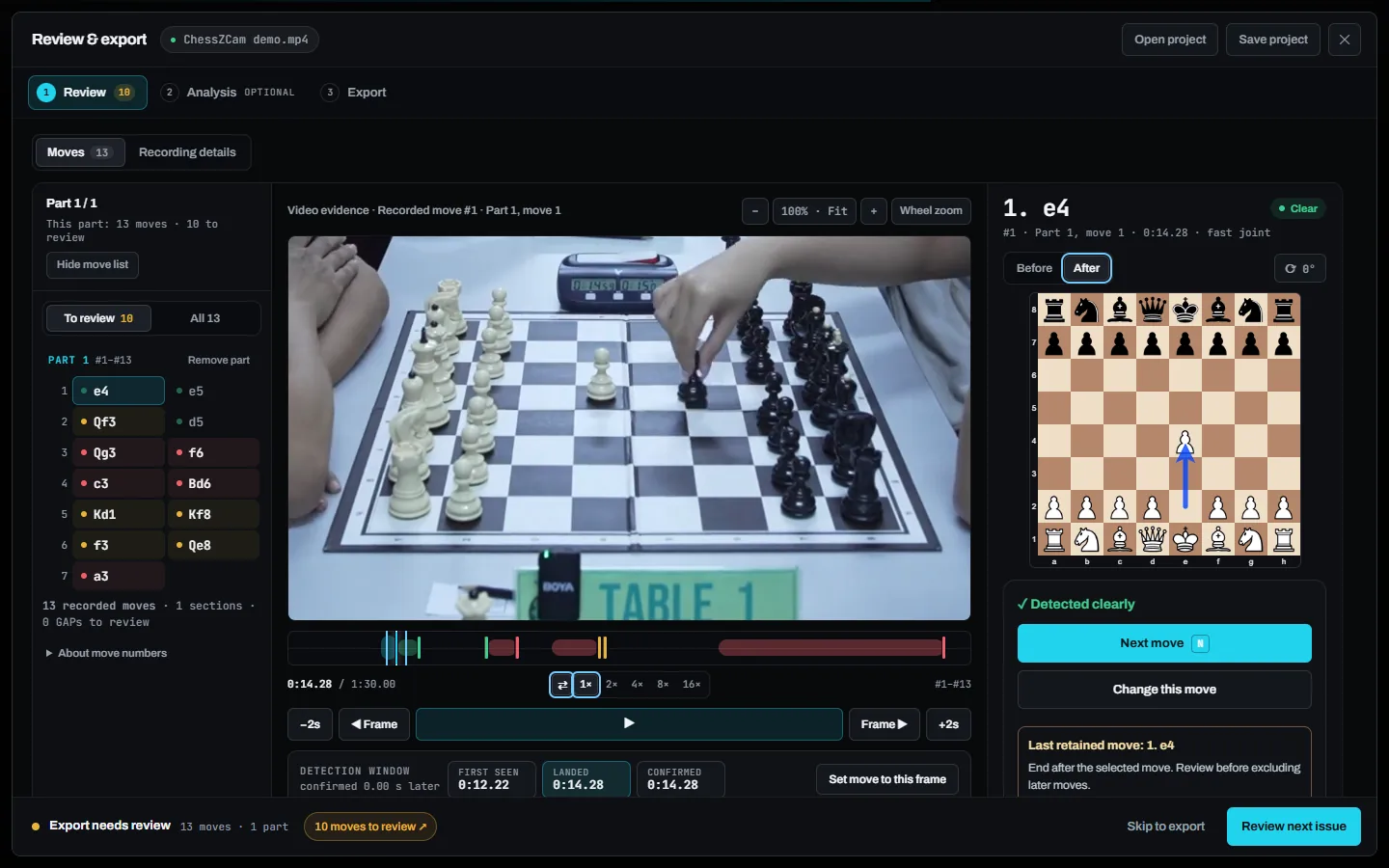
- Review: in Analyze Video, every move sits beside its video frame; uncertain moves are flagged for you to compare with the footage or scoresheet.
- Correct: add or repair moves by clicking or dragging — castling and promotion included — repair several missed moves and rescan once, and end the game at the last real move.
- Export: save the verified PGN and open it in the analysis platform or editor you already use, or render an overlay video. Already have the official PGN? Sync PGN to Video matches it to your recording.
- Enrich: add variations, evaluation, narration and context — the parts only the creator can provide. Optional on-device Stockfish gives you a starting point: move grades, accuracy per player and opening names.
The workflow can grow beyond simple PGN export
Uncertain-move markers
Flag moments that need review instead of silently guessing. Analyze Video now does exactly this.
Video timestamps
Every move is stored with its timestamp and video frame, and a corrected move can be marked at its real moment.
Overlay presets
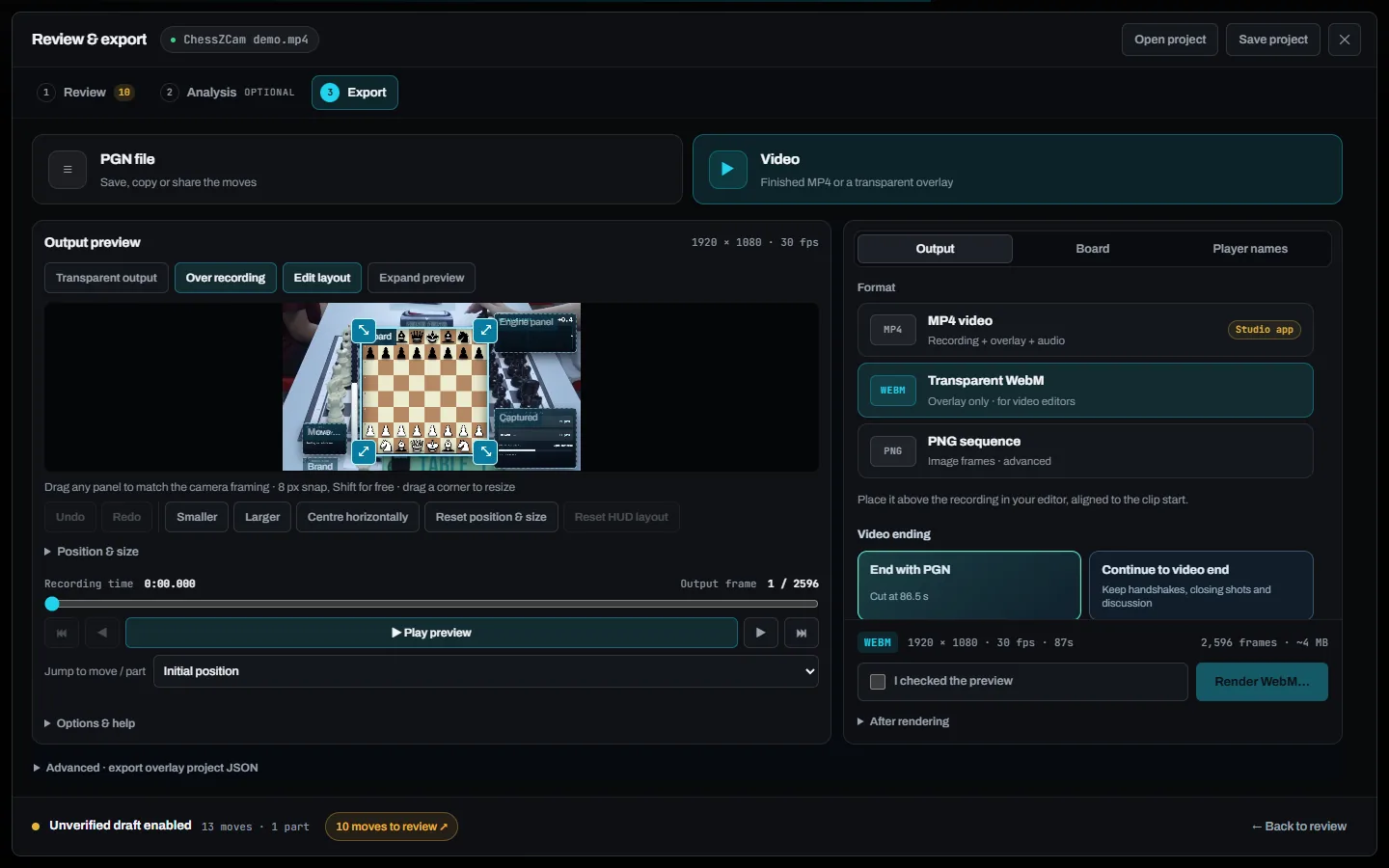
The Obsidian Glass HUD in seven finishes, landscape or portrait for Shorts and Reels, plus saved presets in the live Overlay Designer.
Clip markers
Mark blunders, tactics or emotional reactions during the round.
Batch export
Prepare several games from one event without repeating setup work.
Creator notes
Add observations while the event is still fresh.
In July these were directions for discussion, not promises. Three of them have since been built; the other three are still ideas, and nothing here is promised until it appears in a build. The creator community should help us decide which ones are worth building next.
More efficient creators can make OTB chess more visible
When production becomes less exhausting, a local game has a better chance of becoming a useful lesson. A junior tournament can reach families who were not in the hall. A club player's brave attack can be remembered. A small organiser can show sponsors and the community that something meaningful is happening.
The goal is not more content for the sake of volume. It is more room for thoughtful content about real people playing real games — and perhaps another child discovering the same doorway my children found.
Where does your time disappear?
How do you currently reconstruct OTB games? Which step causes the most frustration: reading scoresheets, identifying moves from video, synchronising graphics, or correcting metadata?
Tell us the workflow you actually use — in the comments below or through the feedback page. A detailed description of one difficult project is often more useful than a list of twenty feature requests.
ChessZCam is built by one independent developer and chess parent at Motivace Studio in Malaysia — no company or sponsor behind it — and tested at real tournaments, from KawanCatur in July to Lotus's Kulim in September 2026. It is a tool for recording, review and content, never for settling a dispute at the board; that belongs to the arbiter. See the dated project journey.
Related reading
ChessZCam for chess creators
The focused creator page: recorded and live workflows, overlay video and honest expectations.
Open the creator page → CORE WORKFLOWOTB video to PGN
The step-by-step path from a recorded board to a verified game record.
Read the workflow → BLOGStaying in control of the board
What happens when the camera misses a move, and how the operator puts it right.
Read the article → BLOGA PC adds resources, not concepts
Why ChessZCam Studio on a PC stays optional — and the phone remains a complete tool on its own.
Read the article →Create more. Spend less time retyping moves.
Join the waitlist to get the ChessZCam early trial first, then try it on your next difficult OTB project. Studio comes first with a free 14-day trial, and waitlist members get 50% off their first package when sales open (packages).
Join the conversation
Describe your current OTB-to-PGN workflow, the most time-consuming step, or a creator feature that would make a measurable difference.