
Capture a digital draft
Record Game Video saves the game in 1080p with audio; Detect Live Game turns the camera straight into a PGN. Either way you start from a move list, not an empty analysis board.
For chess creators and video teams
Your audience sees a clean digital board. Building it from raw over-the-board footage can take hours. ChessZCam reads the moves from your video into a PGN, flags anything uncertain for you to check, and renders the overlay for you — as an MP4, a transparent WebM or a PNG sequence, landscape or portrait, up to 4K.
Creator workflow
ChessZCam does not create the story for you. It gives you a cleaner starting point for telling it.
Record Game Video saves the game in 1080p with audio; Detect Live Game turns the camera straight into a PGN. Either way you start from a move list, not an empty analysis board.
Analyze Video stores every move with its timestamp and video frame, so you stop scrubbing through the recording to find a moment.
Uncertain moves are flagged instead of guessed. Check them against the frame shown beside each move, add or repair moves by click or drag, then rescan once.
Continue in the analysis platform or editor you already use. Optional on-device Stockfish adds move grades, accuracy per player and opening names.
A finished MP4, or a transparent WebM or PNG sequence to layer in your editor — landscape or portrait, up to 4K. Live shows go to vMix or OBS instead.
One verified record can feed a long video, a vertical short, diagrams, an article and coaching notes. Save it as a project and come back later.
New: the same workflow as a motion diagram with real screens and October 2026 tournament photos, plus where ChessZCam can complement tools such as idChess and DGT boards — ChessZCam for OTB creators. How to film for the best result: recording guide.
Already have the official PGN? Sync PGN to Video (Android app; not in the first Studio release) matches it to your recording and exports a timed overlay, with no detection needed. Long recordings can be analysed part by part. The six operations are explained on the ChessZCam page.
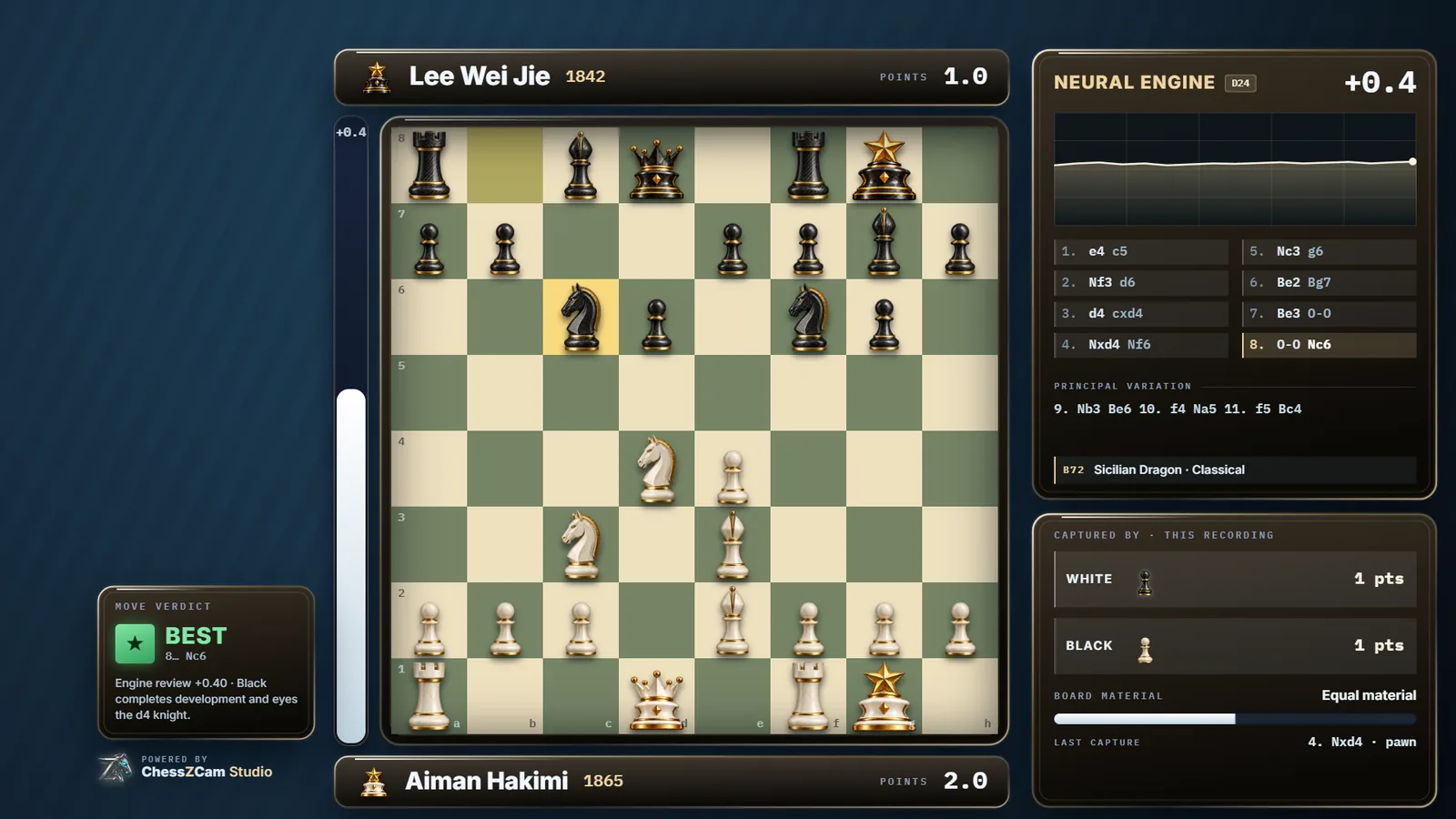
Overlay video export · Obsidian Glass HUD
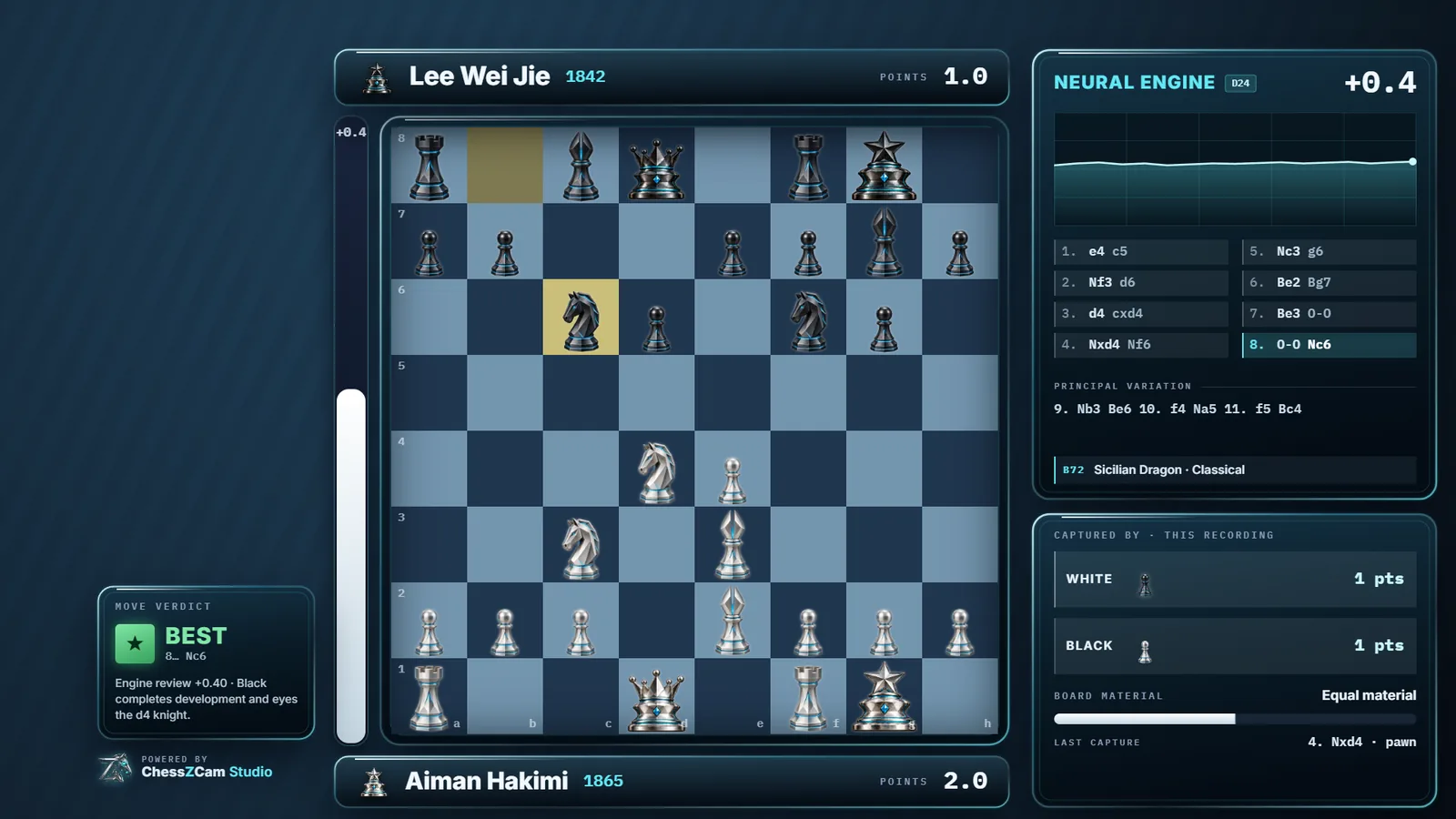
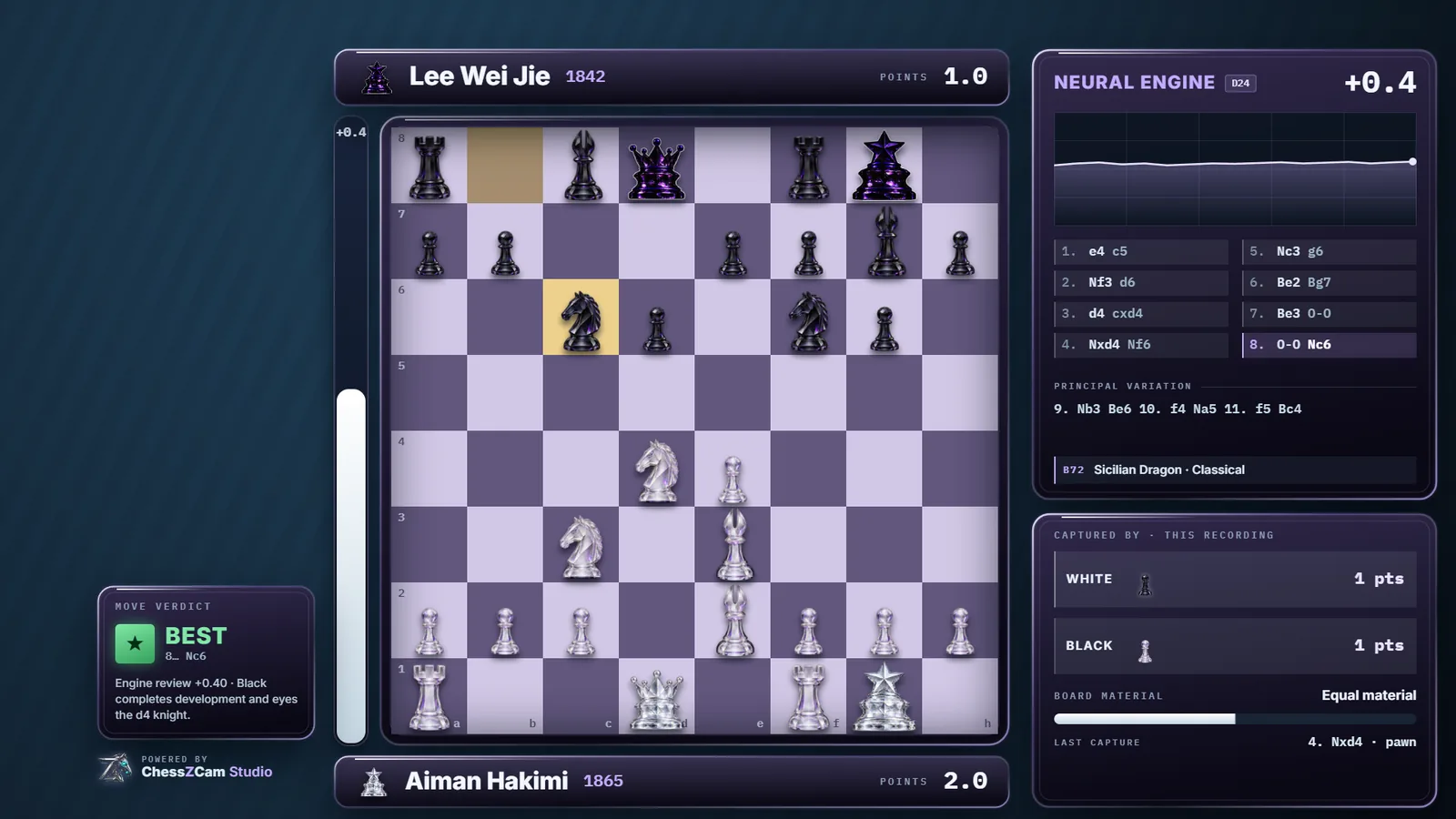
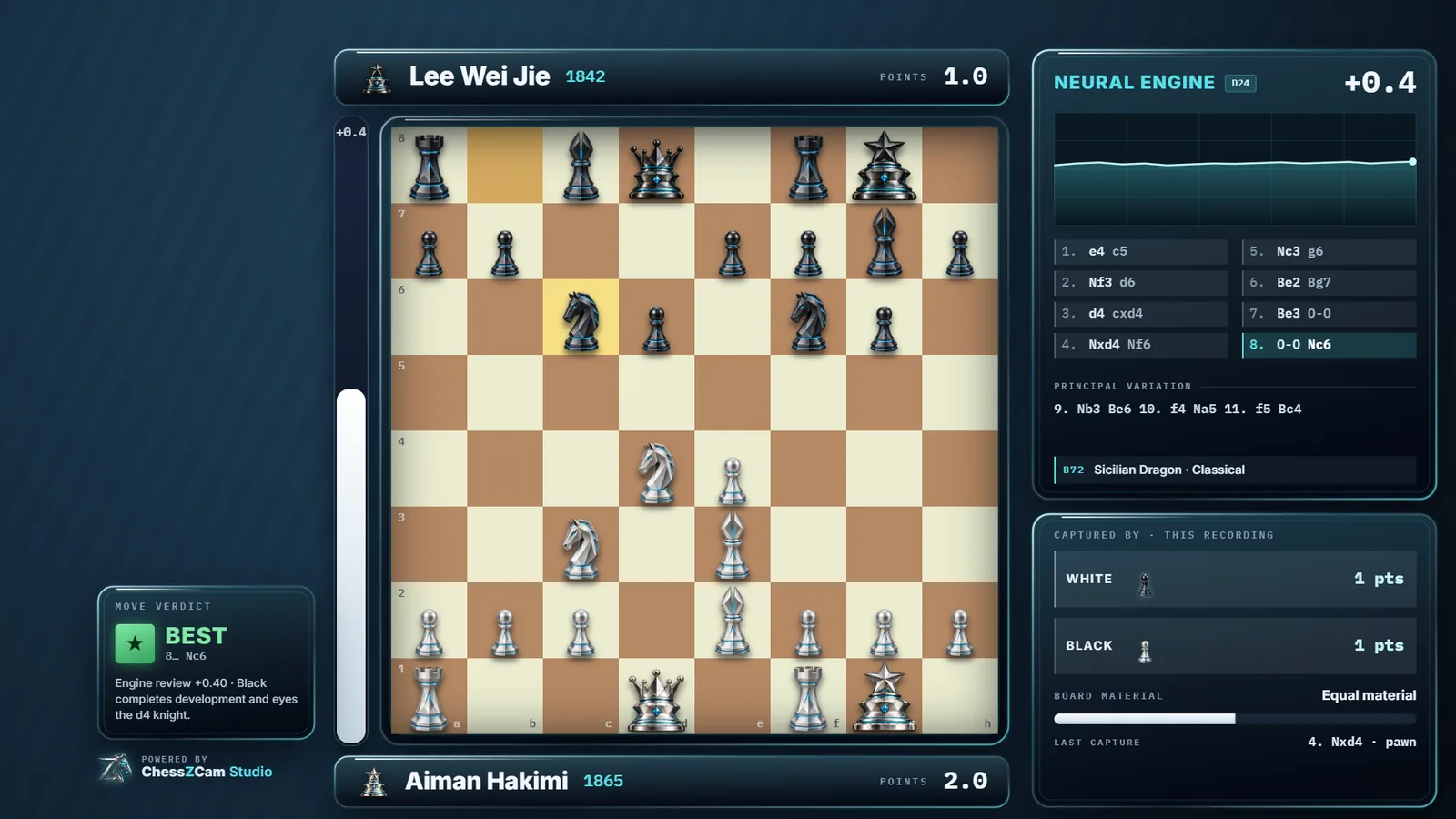
Lay out the HUD over your footage, choose where the video ends, and render. The frames below come from ChessZCam's own renderer; player names are invented for the demo. Click an image to enlarge it.
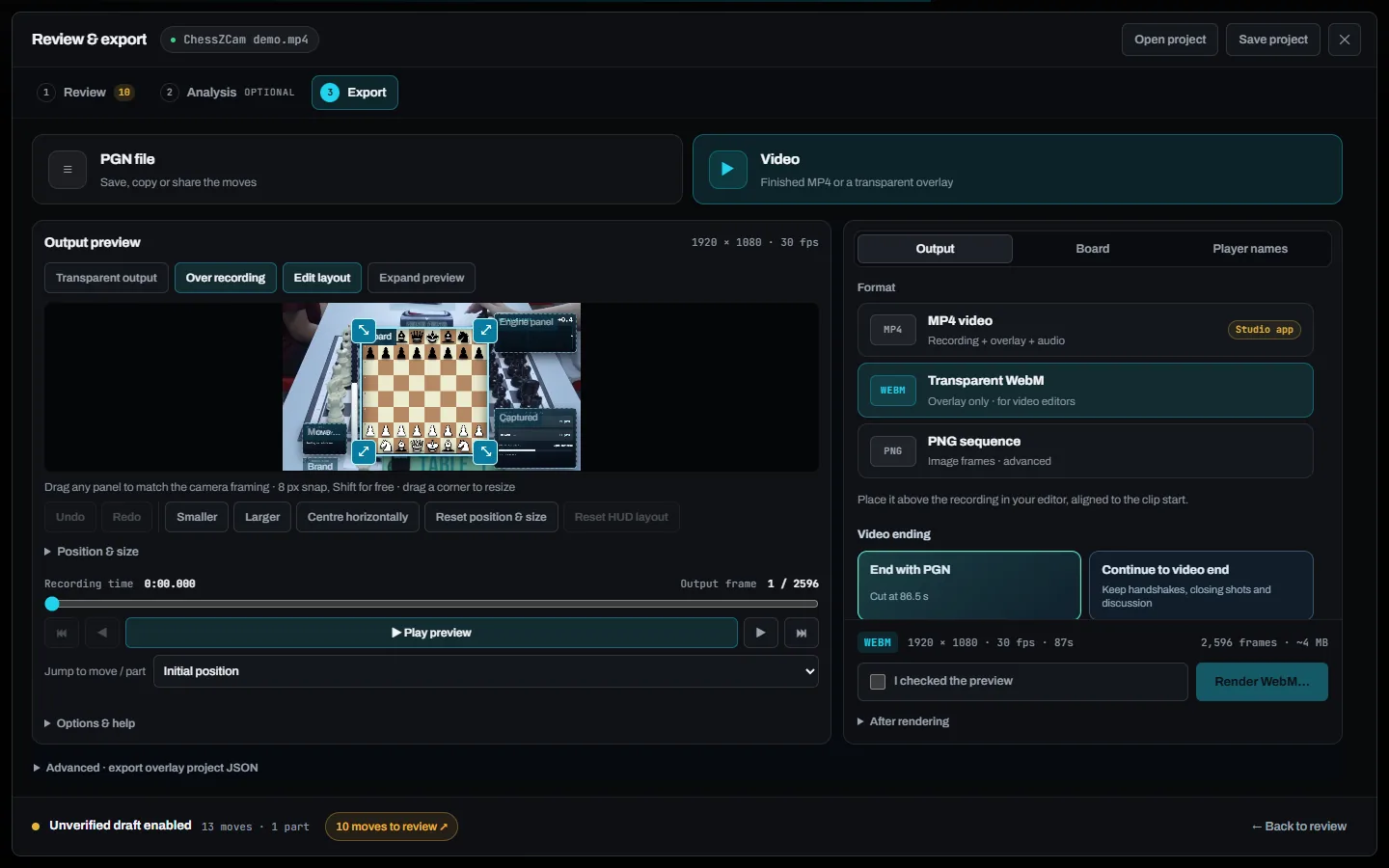
Drag and resize each HUD panel to match your camera framing, preview the result against the recording, then pick a format.
On Windows, ChessZCam Studio adds render presets, a big screen for long edits, and webcam, capture-card or OBS Virtual Camera input.
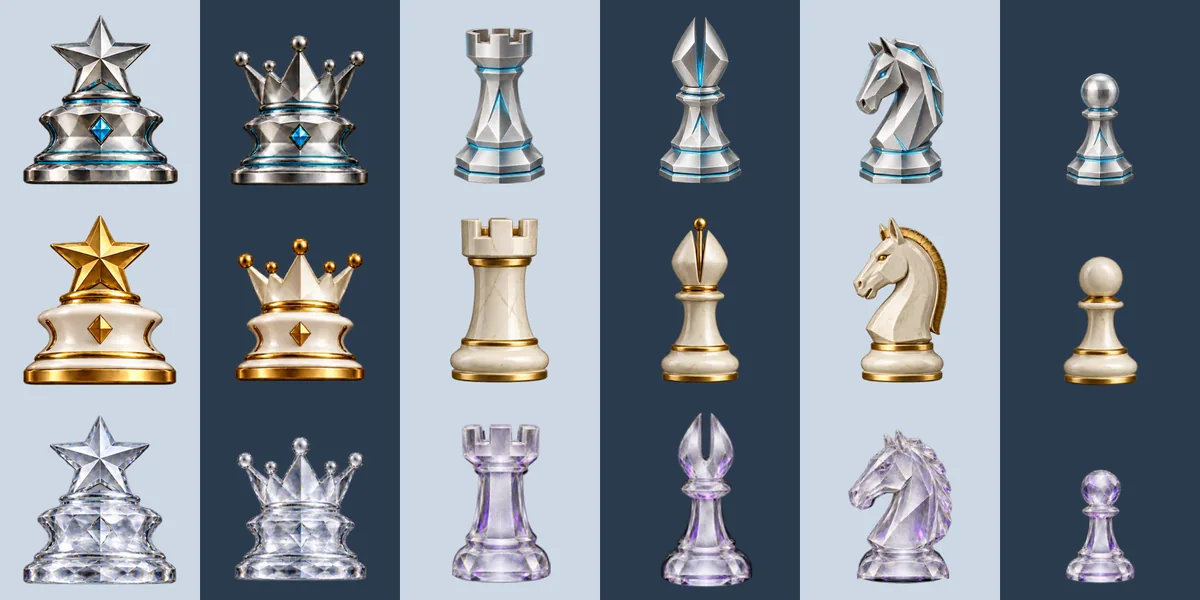
Player bars, eval bar, a verdict for each move, an engine panel with eval graph and principal variation, and captured material. The HUD comes in seven finishes; four are shown here.
Swipe or scroll sideways for more →
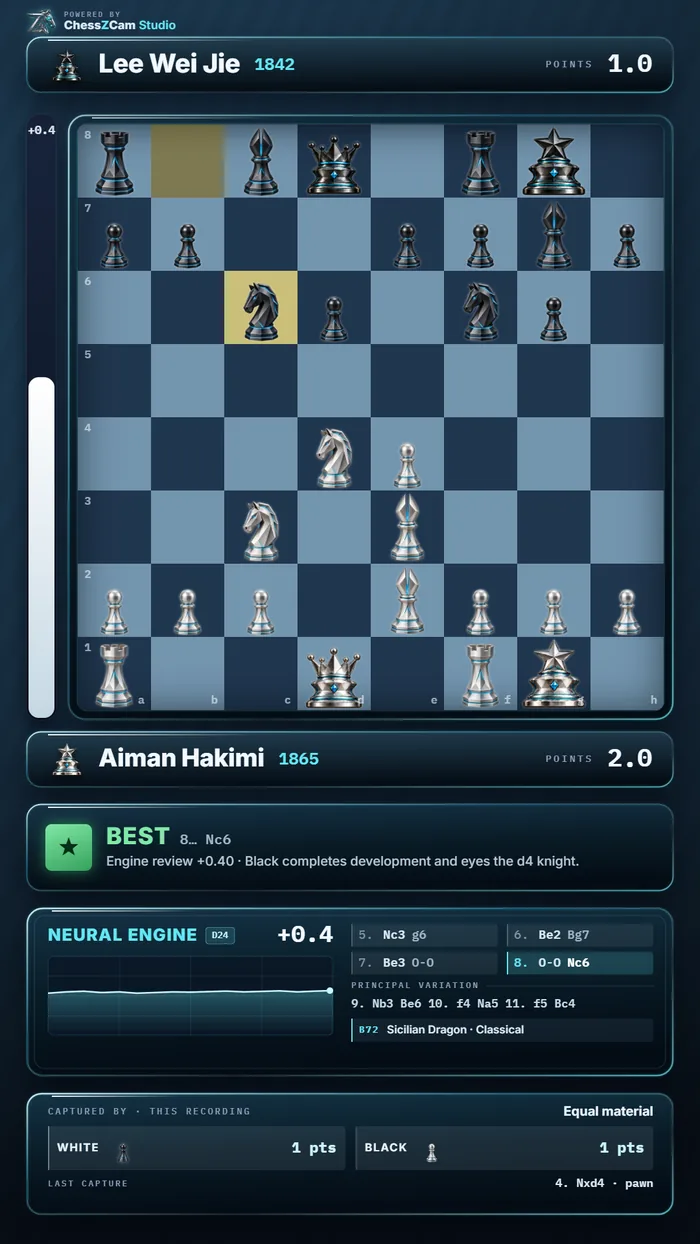
The portrait layout re-flows the HUD for Shorts, Reels and TikTok instead of shrinking the landscape version into a letterbox.
ChessZCam Live · for vMix & OBS
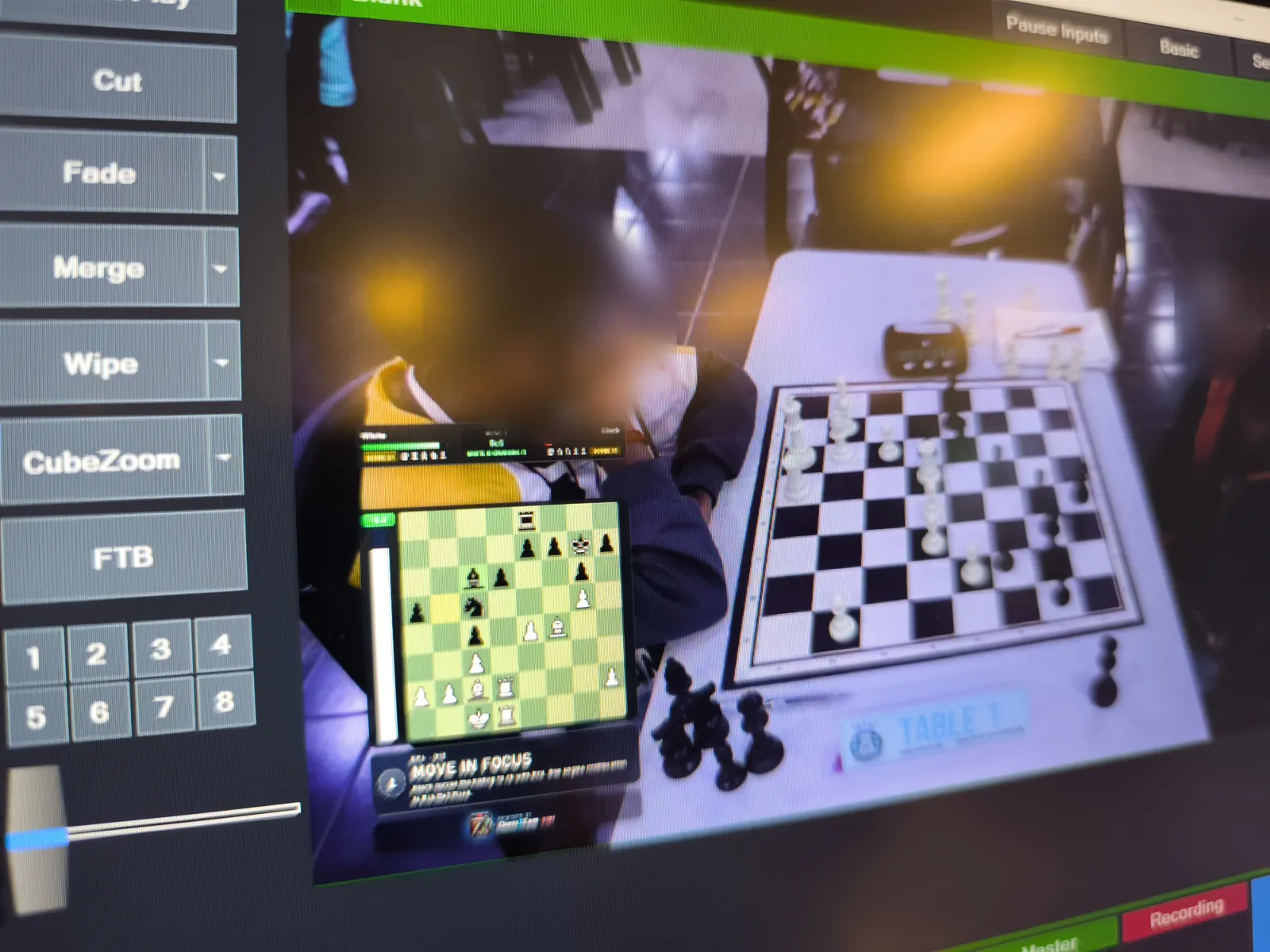
Broadcast Live sends the board state — small move data, not video — from the phone to ChessZCam Live on your Windows PC. Point vMix or OBS at its Browser Source URL and keep the PGN afterwards.
Many venues isolate guest devices, so a dedicated router or a phone hotspot is the reliable setup for live work. More on the live console, featured-board broadcasts and the new Viewer Mode for spectators.
Where it fits
The strongest fit is creators and production teams who regularly turn physical games into digital content.
Honest expectations
A draft move record with timestamps is built while the game is captured or reviewed.
Commentary, story selection, final editing and verification stay with you.
Camera stability, lighting, board and piece contrast, blocked squares, device performance and operator setup.
Review the flagged moments against the video or scoresheet and check the final PGN.
ChessZCam is for recording, review and content — never for settling a dispute at the board; that belongs to the arbiter. See the setup guide and known limitations.
Made with ChessZCam Studio · real tournament footage
Two real tournament games turned into overlay videos with minimal human intervention — the kind of output the current development builds produce. ChessZCam is still in development.
An earlier live beta sample from July, made with a previous build, is still on YouTube: watch the earlier sample. Read what failed and what changed →
A quick note on accuracy. If you catch a wrong move in these videos, please tell us. We are not correcting them, so that they show ChessZCam's current abilities and limitations honestly. Detection accuracy depends heavily on the quality of the source video.
In both games almost every move was read correctly, including checks and castling. What you may notice is that pieces on the digital board sometimes move slightly out of step with the video — timing we are still refining.
Questions before trying it
No. Most creators will start with recorded games: Analyze Video reads the moves from a recording, you review them, and then export a PGN or an overlay video. A phone alone can record, detect, review and export; live broadcast is there when you need it.
An MP4 with the overlay burned in (with audio), a transparent WebM, or a PNG sequence for video editors. Landscape 1920×1080 or portrait 1080×1920, up to 4K.
Yes. The portrait 1080×1920 layout re-flows the HUD for a vertical screen rather than shrinking the landscape version.
Yes, in two ways. For recorded content, export a transparent WebM or PNG sequence and layer it in your editor. For live shows, Broadcast Live sends the board state from the phone to ChessZCam Live on a Windows PC, and vMix or OBS on the same PC reads it as a Browser Source.
It can be. Sync PGN to Video (Android app; not in the first Studio release) matches a PGN you already have to your recording and exports a timed overlay, so you skip detection altogether.
No. It is meant to cut out repetitive board reconstruction. Commentary, story selection, verification and final editing remain creative human work.
We do not recommend it. ChessZCam is still in development and accuracy depends on your setup and video quality. Review the flagged moves against the video or scoresheet before publishing.
No. Detection runs locally on your device. Videos and games stay with you, and no login or internet connection is needed to record and export.
Studio comes first, with a free 14-day trial on one PC that starts only when you agree to the terms and start it in Studio (no code needed). Package prices are on the ChessZCam page; waitlist members get 50% off their first ChessZCam package when sales open. Joining the waitlist is free and is not an order. Trial invitations go to the waitlist first.
ChessZCam is built by one independent developer and chess parent at Motivace Studio in Malaysia — no company or sponsor behind it — and tested at real tournaments. Constructive feedback from creators is very welcome: send feedback or read who builds this.
For the next difficult OTB project
Join the waitlist now: trial invitations go to the waitlist first, and members get 50% off their first ChessZCam package when sales open. Joining is free and is not an order. Then try it on a complete over-the-board project and compare the total reconstruction time with your current workflow.
Studio first
The Windows Studio trial comes first: 14 days from the moment you agree to the terms and start the trial in Studio (no code needed). Explore recorded-game detection, manual move and frame correction, Stockfish analysis and PGN/video export. Android and Live follow in separate phases.