
Setup · Beta outline
A calmer path from board to broadcast
Prepare the phone, board, local network and production computer before the round starts—not while everyone is already waiting.
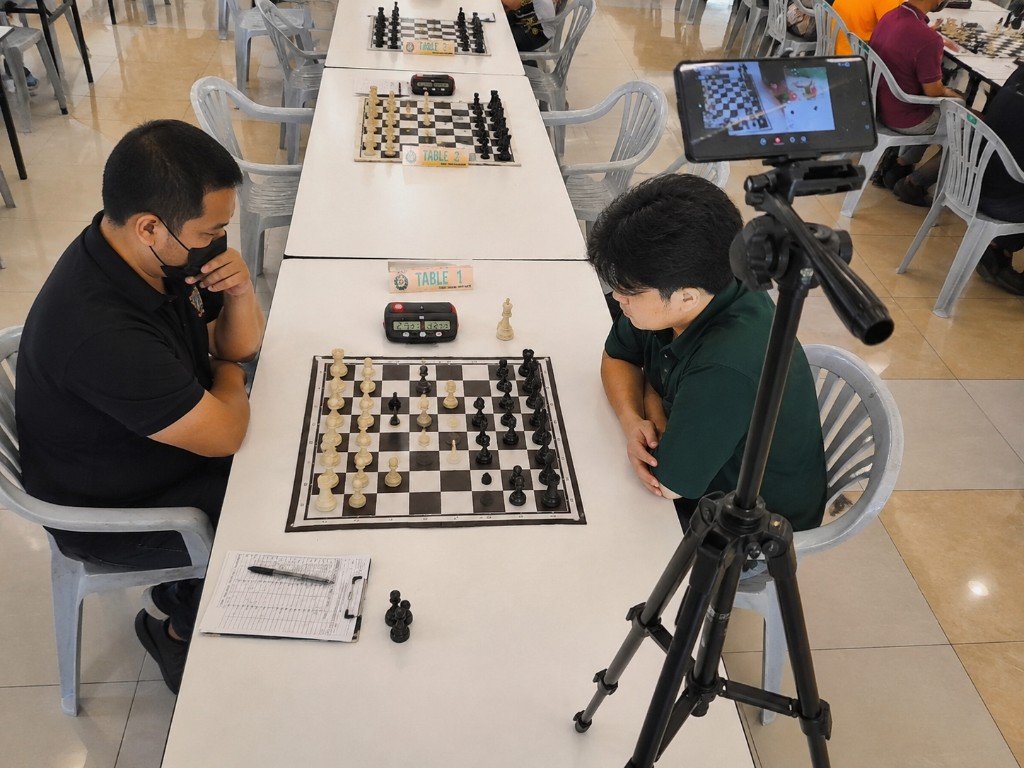
- Confirm the stack. Android detection phone, Windows hub PC, stable tripod, standard chess set with clear contrast. See Compatibility.
- Mount the phone. Frame all 64 squares. Avoid extreme angles and heavy glare. Players’ hands will cross the view — plan for operator corrections.
- Light the board evenly. Soft, even light beats dramatic shadows. Test piece color separation before round one.
- Connect phone ↔ PC on a reliable LAN. Prefer a known network or hotspot. Captive-portal venue Wi‑Fi often fails mid-round.
- Calibrate / sync the starting position. Verify the digital board matches the physical board before the first move.
- Add the browser overlay. In OBS: Browser Source. In vMix: browser input. Confirm the URL refreshes when a move is made.
- Run a rehearsal. Play a short practice game. Check heat, battery, missed moves, and how fast you can undo/resync.
- Agree human rules. Who reviews PGN? Is the board delayed? Who may watch on LAN? Organizers and arbiters decide.
Before a public stream
If something fails, note the phone model, lighting, network type, and what you expected. That report helps more than a vague complaint. Read known limitations before a public stream.