
How to Livestream a Chess Tournament on a Practical Budget
A local chess stream does not need to imitate a world championship studio. It needs a clear purpose, a stable featured board, understandable graphics and a setup that volunteers can rebuild at the next event.
Published 21 July 2026 · updated 24 September 2026. Based on real tournament development: a phone-camera chess workflow built by one independent developer and chess parent, and tested at Malaysian tournaments. See the dated project journey.
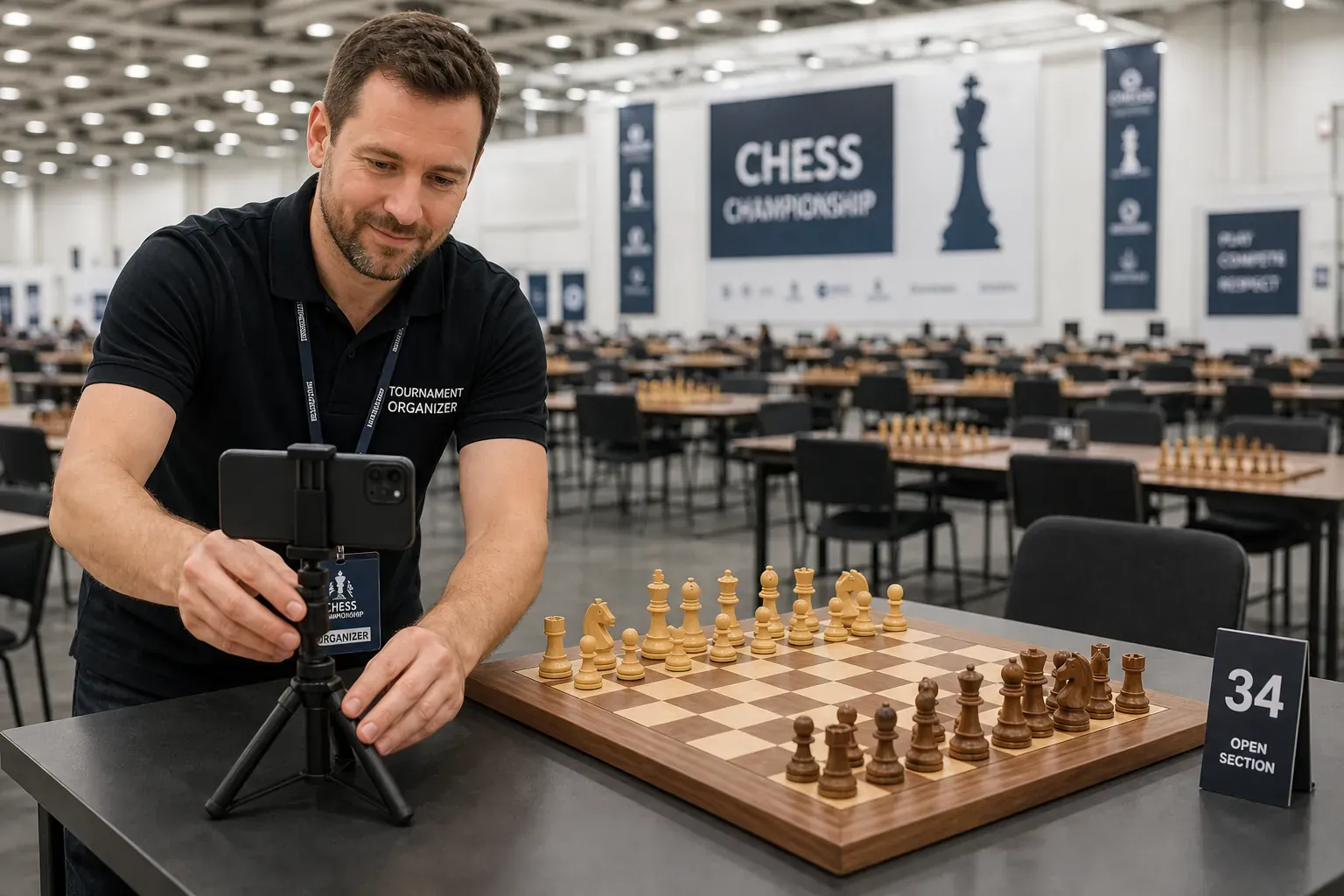
Update — 24 September 2026. We wrote this guide in July 2026, after our first two tournament tests. The planning advice still stands; the ChessZCam details have moved on, so we have brought them up to date below.
- The live path is now Broadcast Live on the phone plus ChessZCam Live (for vMix & OBS) on the PC: a Tally-style operator console with a correction screen, an Overlay Designer and a Push to overlay button, so nothing reaches air until you choose.
- If you are not streaming live, Record Game Video keeps the whole game, and Analyze Video later turns it into a reviewed PGN and an overlay video of up to 4K.
- On 19 September 2026 at Lotus's Kulim, Table 1 went live into a vMix production on the venue's own network. That was our fourth field test.
- On 24 September the builds were Phone 1.15, Studio 0.20 and Live 1.6; today Studio 1.1.4 is the trial candidate, with Phone app 1.22 and Live 1.12 behind it — all pre-release. Studio comes first with a free 14-day trial; package prices are on the ChessZCam page, and everyone on the waitlist gets the trial invitation first and 50% off their first package.
Stage 01 · Define success
Decide what the stream must achieve
Before buying anything, write one sentence describing success. For example: “Parents can follow the top board with a clear camera view and digital position,” or “Our club can publish the final as a replay with PGN after the event.”
A narrow goal prevents the setup from growing into an expensive collection of equipment that volunteers do not know how to operate.
- How many boards must be shown? Starting with one featured board is almost always the right call.
- Is the output live, recorded, or both?
- Do viewers need commentary, a clock, player names or only the position? ChessZCam reads the board, not the clock. If the clock matters, give it a camera shot.
- What happens if the internet fails?
Stage 02 · Minimum kit
Use the simplest equipment that meets the goal
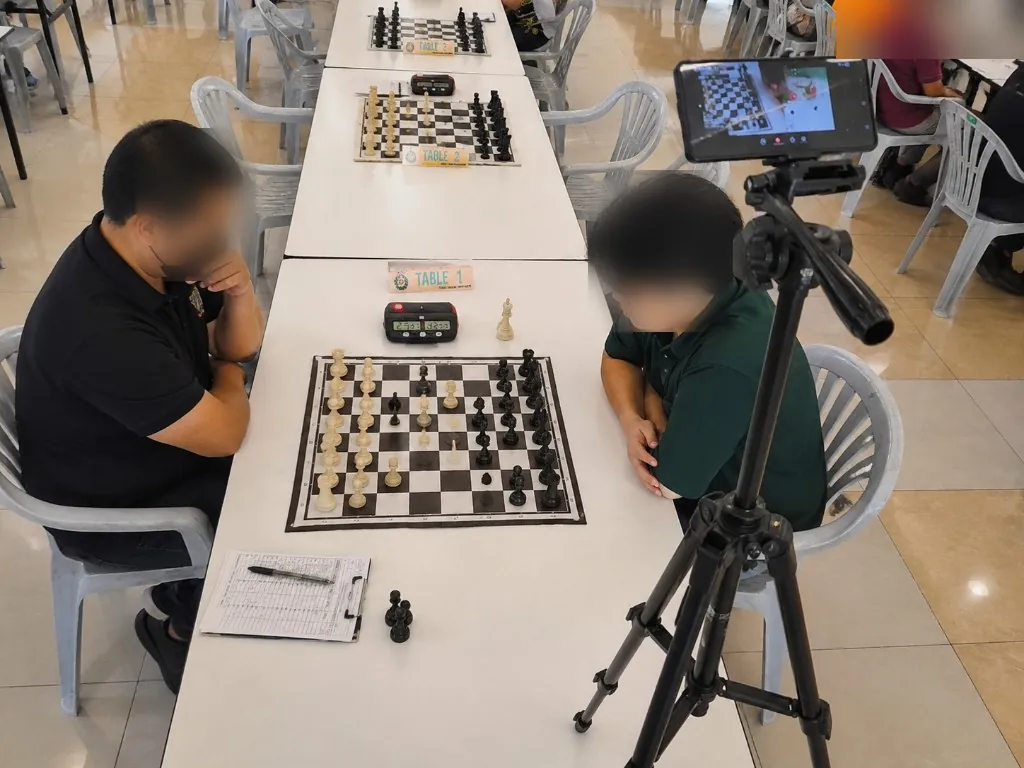
Android phone
A stable camera and enough battery, or a power connection for long rounds.
Tripod, clamp or boom arm
Rigid enough that table vibration or a passing elbow does not change the frame.
Windows PC
Runs the broadcast software, plus ChessZCam Live, which turns the phone's move data into a browser overlay.
OBS or vMix
Combines camera, digital board, names, commentary and stream output.
Network
Venue Wi-Fi, a dedicated router or a phone hotspot, with a fallback you have tested.
Simple light
Even illumination often matters more than an expensive camera.
If you use ChessZCam, it adds move detection and PGN recording to this basic workflow without an electronic board. The phone follows the game with Broadcast Live, and ChessZCam Live on the PC puts the digital board into vMix or OBS as a Browser Source. Only small move data crosses the network, never the video. Phone and PC pair with a code, so on a shared hall network your console listens only to your phone.
Stage 03 · Venue survey
Visit the problem before event day
A setup that works at home may fail in a hall with reflective lights, crowded tables, weak power access and hundreds of phones competing for Wi-Fi.
- Identify the featured table and confirm the organiser's permission.
- Check the direction and consistency of the overhead light.
- Find safe power points and tape down cables where necessary.
- Test the actual local network from the operator position. Many halls isolate guest devices from each other; a dedicated router or a phone hotspot avoids that surprise.
- Mark a tripod location that does not obstruct players, arbiters or spectators.
Stage 04 · Camera and board
Make the position easy to see, and easy to detect
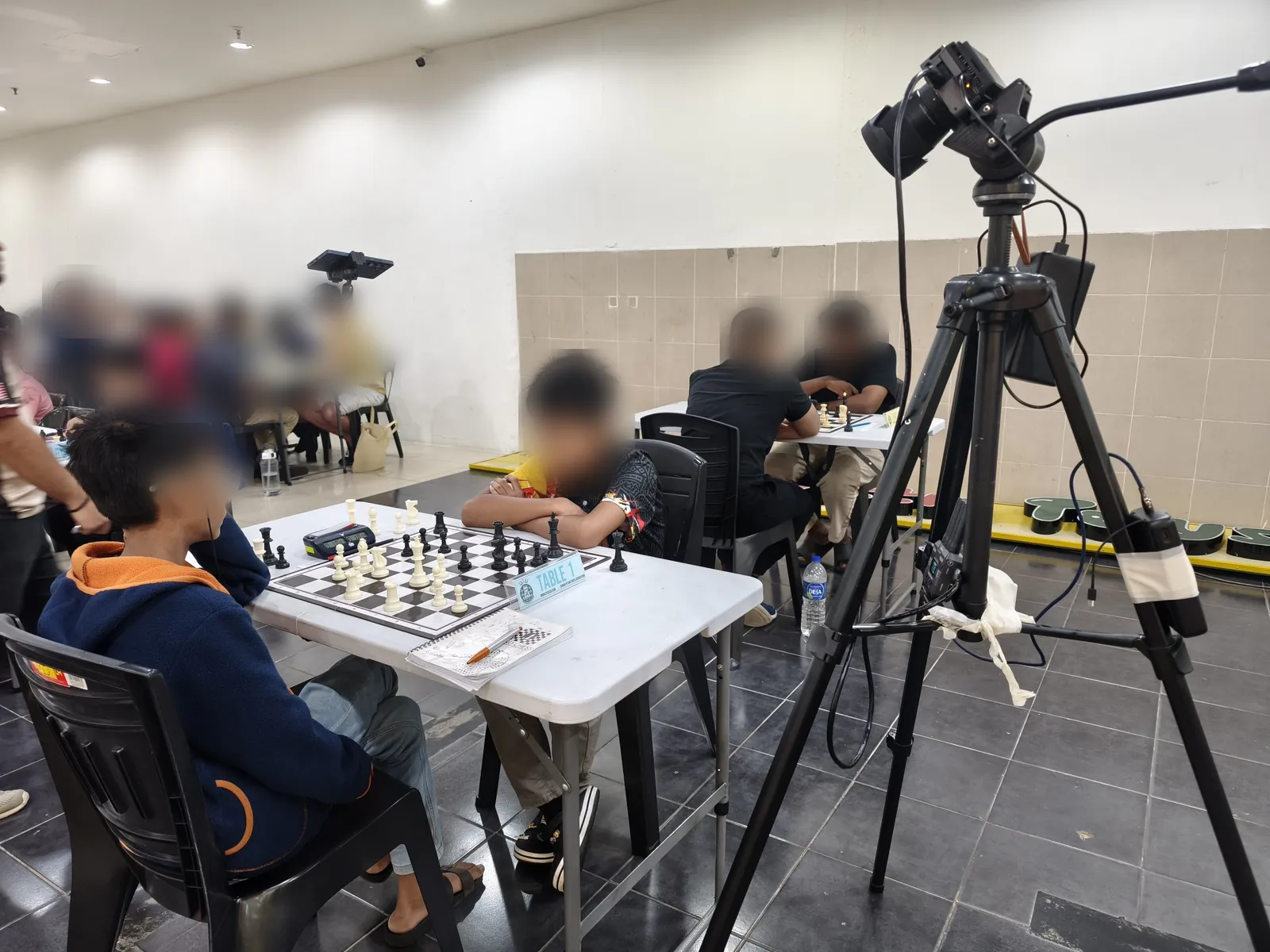
Frame the whole board with a small margin around it.
- Keep all four corners in view. Place the phone at the side of the board, not directly over a player, and use 0.5× wide zoom if your phone has it.
- Avoid extreme angles that hide the back ranks behind the pieces. Check that the tallest piece on the far square is still in shot.
- Look for glare on polished squares and deep shadows from players' hands.
Fast visual test
Can a person viewing the phone screen immediately identify every square and piece? If a human struggles, computer vision will usually struggle too.
Lock focus and exposure where the phone allows it. In ChessZCam, let it auto-detect the corners, then lock the board. After that, do not casually move the tripod.
We learned this the hard way. At the Saiful Arena Chess Tournament @ Taiping Mall on 18 July 2026, a player accidentally touched our tripod mid-game and the shifted frame caused drift. We built the recovery tools described below the very next day. A boom arm, or a stand placed well away from elbows, is worth the effort.
Stage 05 · Broadcast layout
Give viewers only the information they can use
A practical layout might contain the physical-board camera, digital board, player names, round, result status and a small event logo. Commentary and evaluation can be added when an operator is available, but they should not make the screen crowded.
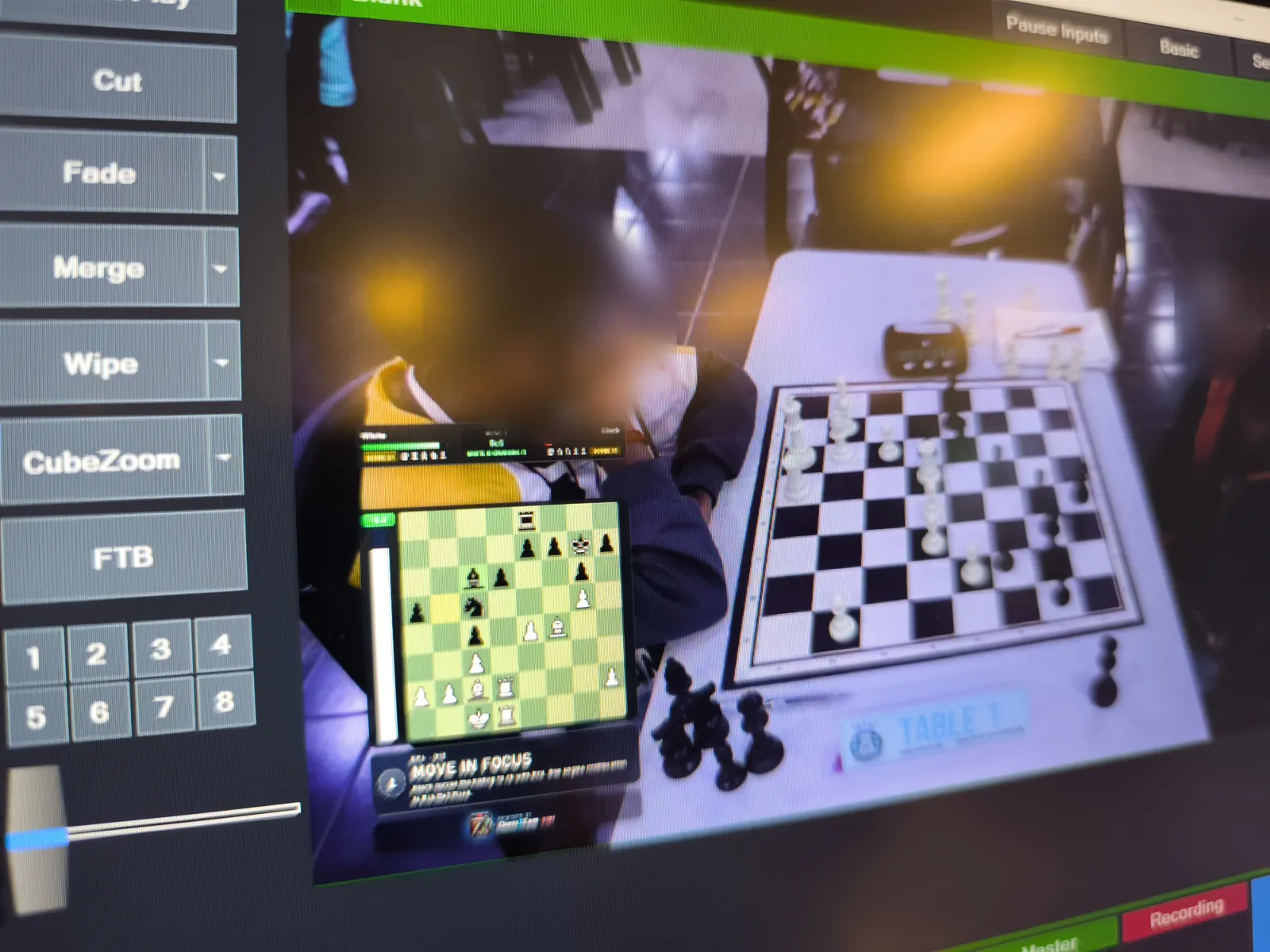
Build one reusable scene in OBS or vMix before the tournament. Save it as a template so the next event requires changing names and logos, not rebuilding the broadcast from zero.
A repeatable setup beats an impressive one-off.
ChessZCam Live's Overlay Designer helps with that template: 4 styles, 10 modules, snap or free placement and 20 presets. Nothing reaches air until you press Push to overlay. In your production software the board is simply a Browser Source that sits beside your camera, names and sponsor graphics.
Stage 06 · The human operator
Automation still needs someone responsible for the truth
Assign one person to watch the digital position, stream health and camera framing. This does not have to be a professional producer, but the role must be clear.
- Correct the position if a move is missed or a piece is bumped.
- Monitor audio levels and dropped frames.
- Keep player names, colours and results accurate.
- Know when to hide the overlay rather than display incorrect information.
We built the ChessZCam Live console for this person. A status strip shows the hub, phone, detector, overlay and on-air look at a glance. The correction screen shows exactly which squares differ. It suggests a legal sequence of moves, or says honestly that none was found, and it blocks illegal positions before they go on air. Hold pauses the overlay for a replay while the game keeps being tracked underneath. The details are in Staying in control of the board.
Stage 07 · Failure plan
A calm fallback is part of the setup
If the internet fails
Keep recording locally and publish the game later. Do not waste the round repeatedly restarting a public stream. The phone-to-PC link runs on your local network, so your production can keep recording.
If detection loses sync
Hold the overlay, correct the position, then resume when it is trustworthy. After a Wi-Fi drop, moves catch up in one clean resync.
If the phone overheats
Reduce unnecessary load, provide airflow and keep a charged backup device where possible.
If volunteers are overwhelmed
Protect the board recording first. Commentary, multiple angles and decorative graphics can be removed.
One more safety net: ChessZCam Live keeps the broadcast state for up to 12 hours, so a console restart does not throw the overlay back to the starting position. For the reasoning behind that, read A PC adds resources, not concepts.
Stage 08 · Permissions and fair play
A successful stream also respects people
Confirm the organiser's rules before filming. Be especially careful with junior events, player privacy and delayed broadcasts. Camera placement must never distract players or give anyone in the waiting area a route to provide assistance.
Technology should make the event visible without weakening the integrity of the game. ChessZCam is for recording, review and broadcast. Never use it to settle a dispute at the board: the arbiter decides.
Stage 09 · A simple run sheet
The 48-hour checklist
48 hours before
Confirm permission, featured board, internet, power, names and stream destination.
The night before
Charge devices, update nothing unnecessary, test the full scene and pack cables. If you do update ChessZCam, install the phone and PC builds together so both speak the same pairing.
60 minutes before
Mount the phone, check light, lock the board, pair phone and console, verify colours and run a private test.
10 minutes before
Start local recording, silence notifications and confirm the operator's fallback plan.
After the round
Verify PGN and result, save a backup, note failures while fresh, then publish highlights.
Stage 10 · Organiser roundtable
What fails most often at your venue?
Is your biggest obstacle budget, lighting, connectivity, volunteer training, camera placement or getting a reliable digital position?
Tell us the size of your event and the equipment you already own. Leave a comment below or use the feedback page. Honest, practical feedback helps one independent developer improve ChessZCam, and it may help another organiser avoid the same mistake.
Related reading
Featured-board broadcast
The current setup for putting one board live into vMix or OBS, with the 19 September test.
Open the solution →Electronic boards and phone-camera chess
Where each broadcast approach fits, and when an electronic board is the better choice.
Compare approaches →What ChessZCam can do, and where setup matters
An honest look at what depends on camera, light and video quality.
Understand the limits →Four tournament field tests
KawanCatur, Taiping Mall, SJKC Keong Hoe and Lotus's Kulim: what we tried and what changed.
See the field tests →Staying in control of the board
The correction tools that let an operator put the position right in seconds, without restarting the game.
Read the article →A PC adds resources, not concepts
The rule that keeps ChessZCam phone-first as it gains a PC console, including why a console restart keeps the broadcast state.
Read the article →
Join the conversation
Tell us about your venue, event size and current equipment. Which part of the stream is hardest to make reliable?