
ChessZCam Beta: What It Can Do and Where Setup Conditions Matter
Computer vision can look magical in a controlled demonstration. A tournament hall is not controlled. Hands cross the board, light changes, pieces are bumped and phones heat up. This page explains the standard we want ChessZCam to meet — and the claims we will not make before the evidence is ready.
Based on real tournament development: ChessZCam is built by one independent developer and chess parent in Malaysia and tested at real tournaments. See the dated project journey.
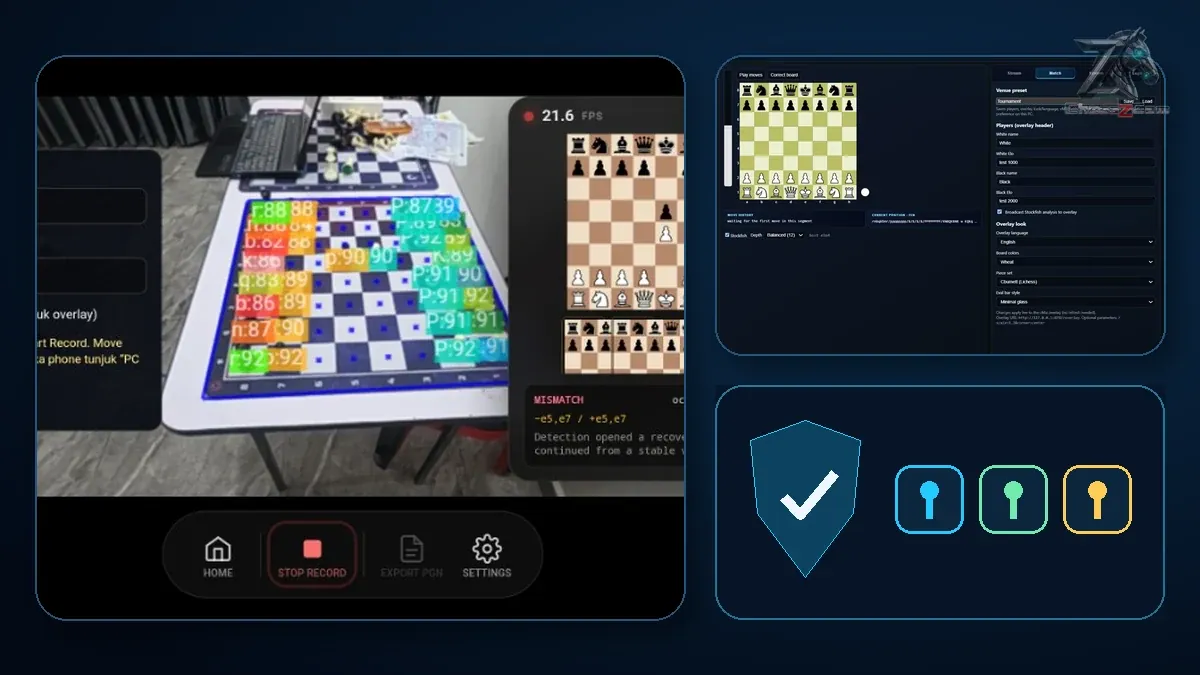
Update — 2 October 2026. Promise 05 below uses an audience or viewer mode as its example of an idea kept under Later. Viewer Mode has since reached trial builds, so the roadmap now lists it under Now. It works on the same Wi-Fi or hotspot with the ChessZCam Android app, for spectators outside the playing hall. It has been tested on real phones in both set-ups, and it runs smoothly. It has not yet been used through a full tournament day. Watching from further away is still only an idea. See how it works.
Update — 24 September 2026. This article was written on 22 July 2026, early in the ChessZCam beta. The eight promises below still stand and keep their original headings; a few outdated details have been corrected, and short notes show what has been built since. What has changed is how much of the “design direction” now exists:
- New names. ChessZCam is now organised into six operations — Record Game Video, Analyze Video, Detect Live Game, Broadcast Live, Sync PGN to Video and Open Project — on Android and, through ChessZCam Studio, on Windows. Live broadcasts run through ChessZCam Live, the PC console for vMix & OBS.
- Recovery tools are built. Review & repair with the video frame beside every move, suggested legal move sequences, a board you can tap, Hold, and one clean resync after a Wi-Fi drop.
- More field tests. After KawanCatur (5 July) and Taiping Mall (18 July), ChessZCam followed two games to checkmate at SJKC Keong Hoe, Penang (26 July), and put Table 1 live into vMix at Lotus's Kulim (19 September).
- Still pre-release. As of 16 October 2026, Studio 1.1 is the trial candidate, with Phone app 1.22 and Live 1.12 behind it, after two more tournaments in October. Studio comes first with a free 14-day trial; package prices are on the ChessZCam page, and waitlist members get 50% off their first package.
Promise 01 · Describe the product accurately
ChessZCam is an assistive workflow, not an infallible witness
ChessZCam is designed to detect moves on a physical chessboard through an ordinary Android phone camera, maintain a digital position and record PGN. Since this was first written it has grown from a detector into a complete studio: review and repair of recorded games, optional on-device Stockfish analysis and overlay-video export — and, through ChessZCam Live on a Windows PC, a live overlay for vMix or OBS.
It should help reduce manual work. It should not be treated as the sole authority for an official result, an arbiter decision or a fair-play accusation.
Human responsibility remains. Every important game record should be reviewed before publication or official use — during the beta and after it. Accuracy depends on the setup and the quality of the video, which is exactly why the review screen now marks uncertain moves for a person to check.
Promise 02 · Show the conditions
Good detection depends on a good view
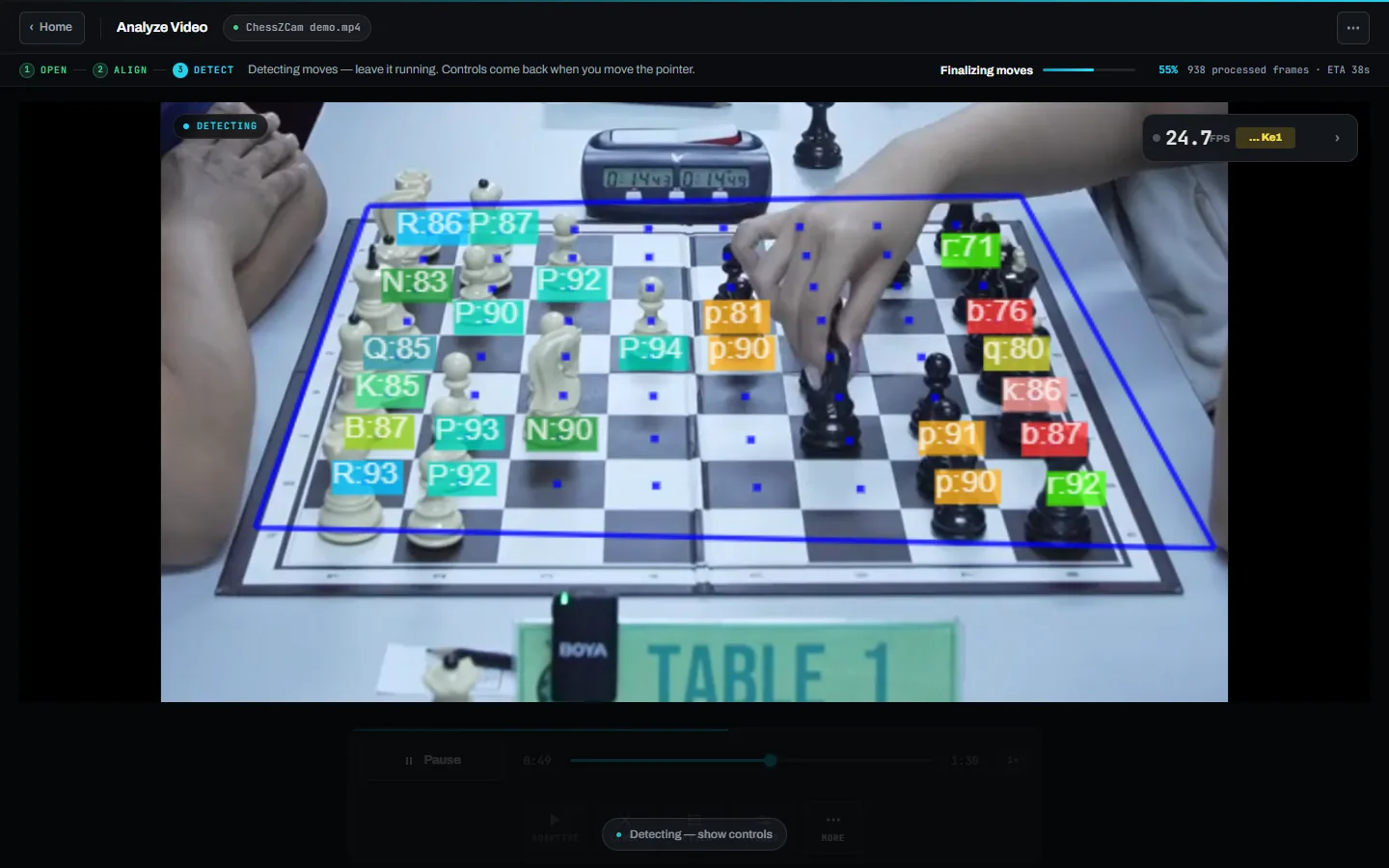
Camera-based recognition is affected by the environment. We will document the setup conditions instead of hiding them outside the promotional video.
- All squares must remain visible and the phone must stay stable.
- Lighting should be even enough to distinguish pieces and square boundaries.
- Hands, scoresheets, cups and other objects should not cover the board for long periods.
- The device must have enough performance, battery and thermal headroom for the session.
- Unusual sets, severe glare and visually similar pieces may require more testing.
Those conditions are now part of the setup guidance: a stable stand at the side of the board with all four corners in view, 0.5× wide zoom if the phone has it, and a check that the tallest piece on the far square is still in shot. ChessZCam works best at 4 FPS or higher, which most modern phones handle comfortably. See the setup guide and the compatibility notes.
Promise 03 · Make uncertainty visible
The software should ask for help instead of pretending
When several board changes are possible, the responsible behaviour is to flag uncertainty, preserve the previous trusted position and let the operator review the moment.
Our design direction included correction, undo, re-synchronisation and operator notes, because automation without recovery tools is not practical automation.
A system that admits “I am not sure” can be more trustworthy than one that is confidently wrong.
Much of that direction has since been built and used at real events:
- Uncertain moves are flagged for review instead of guessed, and every move keeps its timestamp and video frame as evidence.
- The review shows exactly which squares differ and suggests a legal sequence that connects two positions — or says plainly that none was found.
- In ChessZCam Live, a correction screen blocks illegal positions before they go on air, and nothing reaches the overlay until the operator presses Push to overlay.
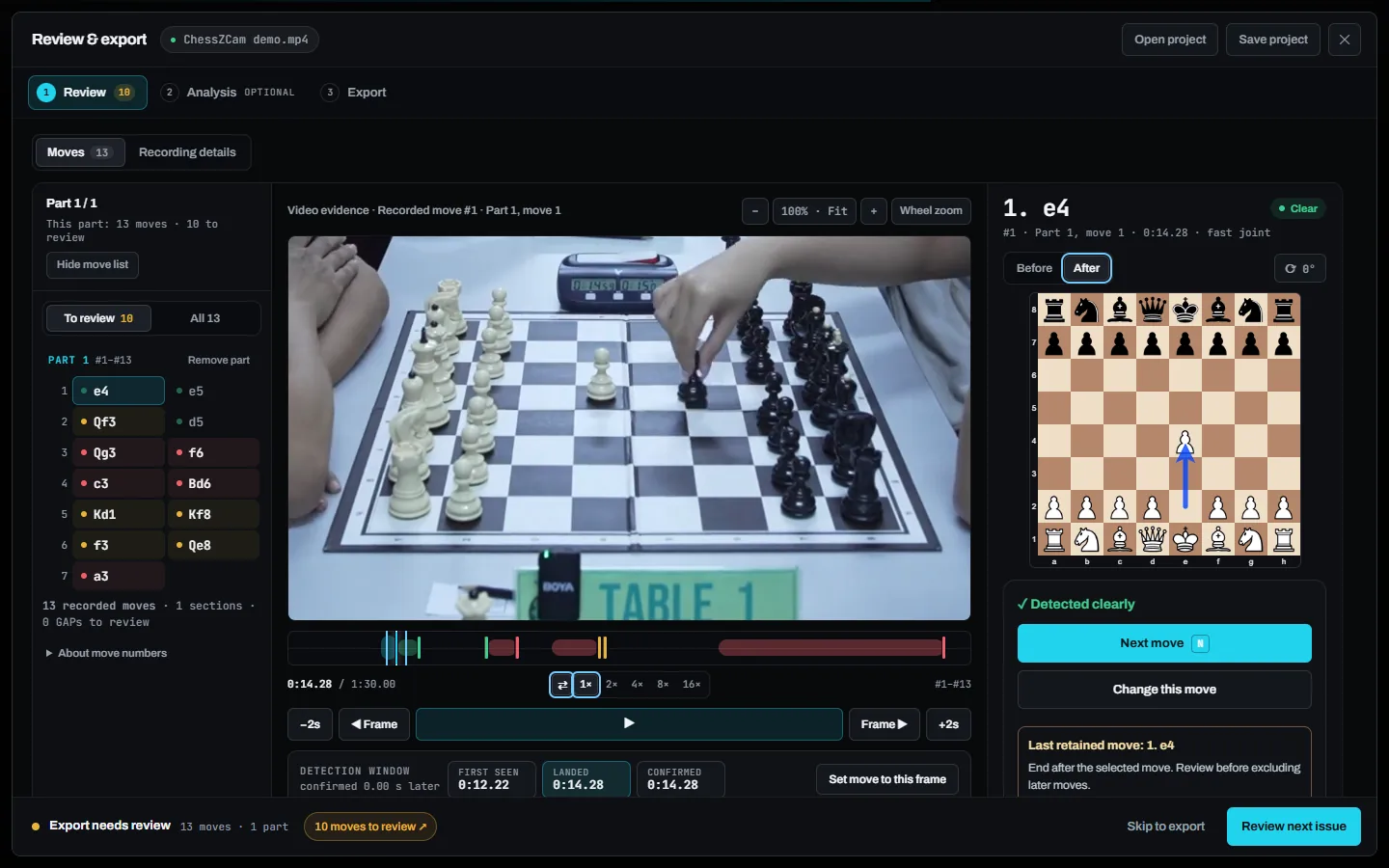
The full story of those tools is in Staying in control of the board.
Promise 04 · Test outside the laboratory
Real venues will shape the product
Clean demo footage is useful for explaining an idea, but it is not enough to prove reliability. We need tests in different halls, lighting conditions, board styles, phone models, network setups and operator skill levels.
We will treat failures as product information: What blocked the board? How long did recovery take? Did the operator understand the warning? Was the saved PGN correct after review?
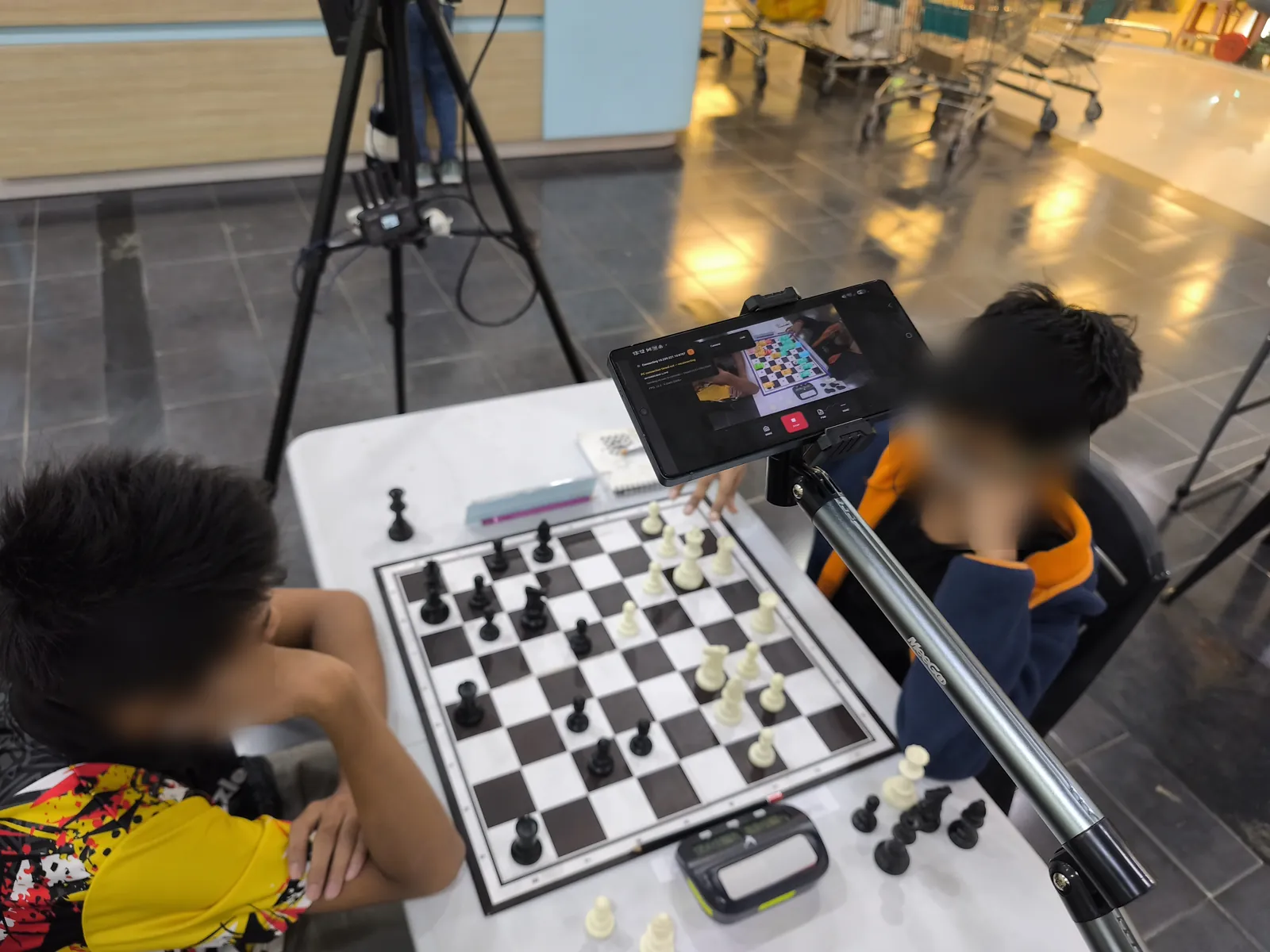
Every test so far has worked that way. At the Saiful Arena Chess Tournament @ Taiping Mall on 18 July, a player accidentally touched the tripod mid-game; the framing shift caused drift, and the recovery tools — hold, correct, sync, rebuild — were built the next day because of it. At SJKC Keong Hoe on 26 July, two monitored games were followed to checkmate, and the main lesson — camera position, a steady stand, good light and focus matter most — went straight into the in-app setup guidance. The field test log has all four tests with photos.
Promise 05 · Separate current capability from roadmap
A future idea is not a present feature
Features that exist in a build and can be demonstrated under stated conditions.
Features being actively built but not yet reliable enough for normal use.
Ideas that need research, design or user validation before commitment.
Requests we may understand but cannot responsibly schedule or guarantee.
Product pages and release notes should use these labels consistently. Today the public roadmap does it in three columns — Done, Now, and Next & later — and the changelog records what each build actually shipped. An idea such as an audience or viewer mode sits under Later on the roadmap, not in the product description.
Promise 06 · Protect tournament integrity
ChessZCam does not replace the arbiter or event rules
Organisers decide where cameras may be placed, who can access a live position, whether a broadcast is delayed, and how player data is handled. ChessZCam must fit those rules.
The system should never be marketed as a shortcut around permission, privacy, fair play or official tournament procedures.
In practice, ChessZCam is for recording, review and broadcast — never for settling a dispute at the board. That belongs to the arbiter. Detection runs locally on the device, video and games stay there, and no login or internet connection is needed to record and export.
Promise 07 · Measure what matters
Accuracy alone is not the whole product
A useful beta should also measure:
- how quickly a new user can calibrate the board;
- how often the operator must intervene;
- how long it takes to recover from an error;
- whether the final PGN matches the verified game;
- whether the setup survives a full round without overheating or disconnecting;
- whether volunteers understand the warnings without developer assistance.
After the first tournament test, camera position, operator workflow and recovery steps were turned into a structured checklist that every later field test has followed.
Promise 08 · Invite difficult feedback
The beta is for learning, not collecting compliments
We need testers who will describe the confusing setup step, the missed move, the phone that overheated and the warning they did not understand.
Positive feedback is encouraging. Specific failure reports are what help the product mature. Tell us what happened, what equipment you used and what you expected the app to do — through the feedback page or the comments below. There is no company or sponsor behind ChessZCam: one independent developer reads every report.
Continue exploring
Related reading
Staying in control of the board: the correction tools that grew out of Promise 03.
Read the article → CHESSZCAM · ARCHITECTUREA PC adds resources, not concepts: why a phone alone stays a complete product.
Read the article → FIELD TEST · 26 JULY 2026ChessZCam at Keong Hoe: two complete games and the next problems to solve.
Read the report → THE BACKSTORYWhy we are building ChessZCam: from chess videos to the tournament hall.
Read the story → CHOOSING AN APPROACHElectronic boards and phone-camera chess: where each approach fits.
Compare → KNOWN LIMITATIONSWhat the current build does not do yet, stated plainly.
See the list →Previous article: Watching without hovering: a parent's guide to following OTB chess · All articles
Join the conversation
What evidence would you need before trusting a camera-based chess record? Tell us the failure conditions and safeguards you believe matter most.