Features · Current beta

Tools that help turn a real board into a usable digital game.

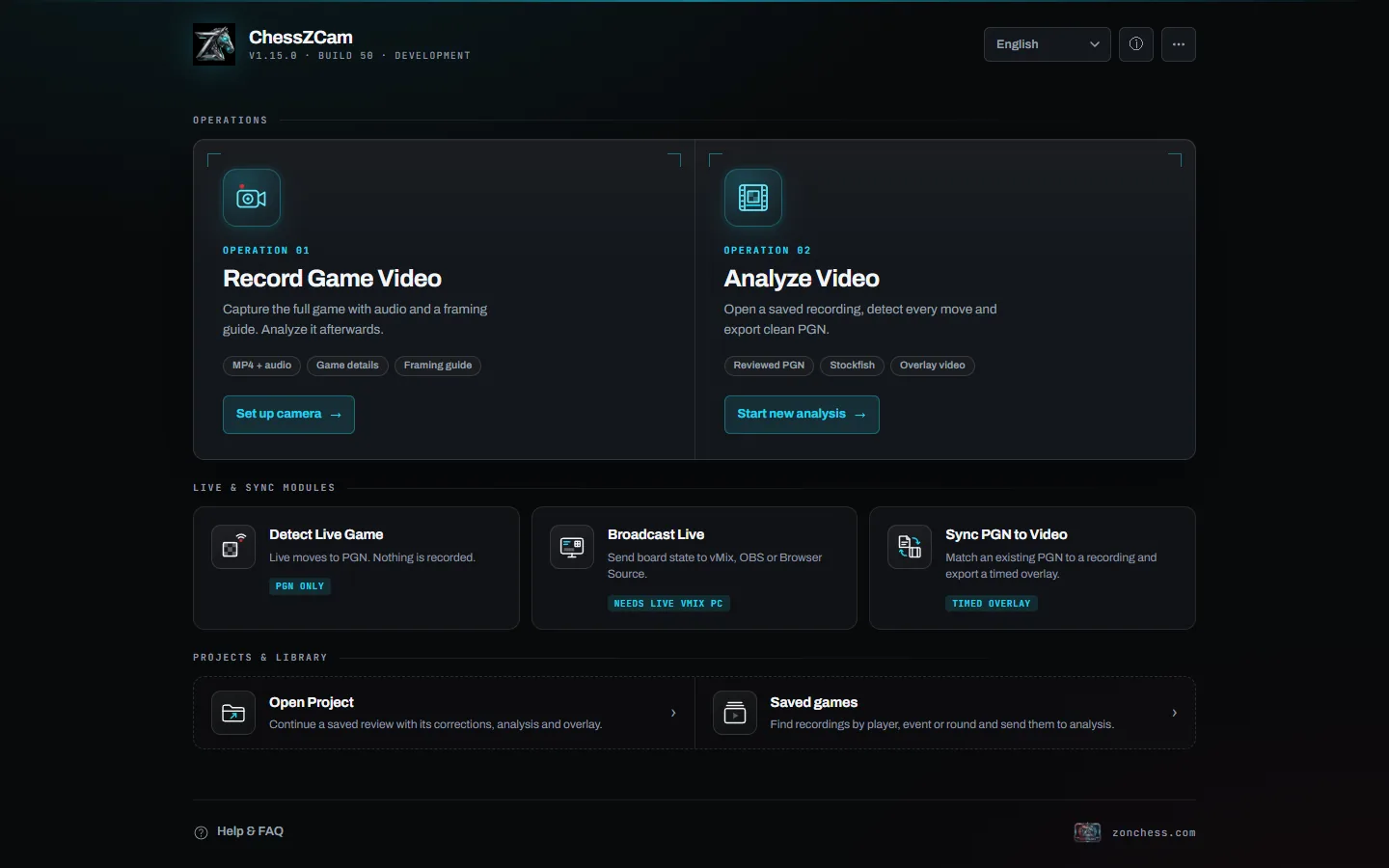
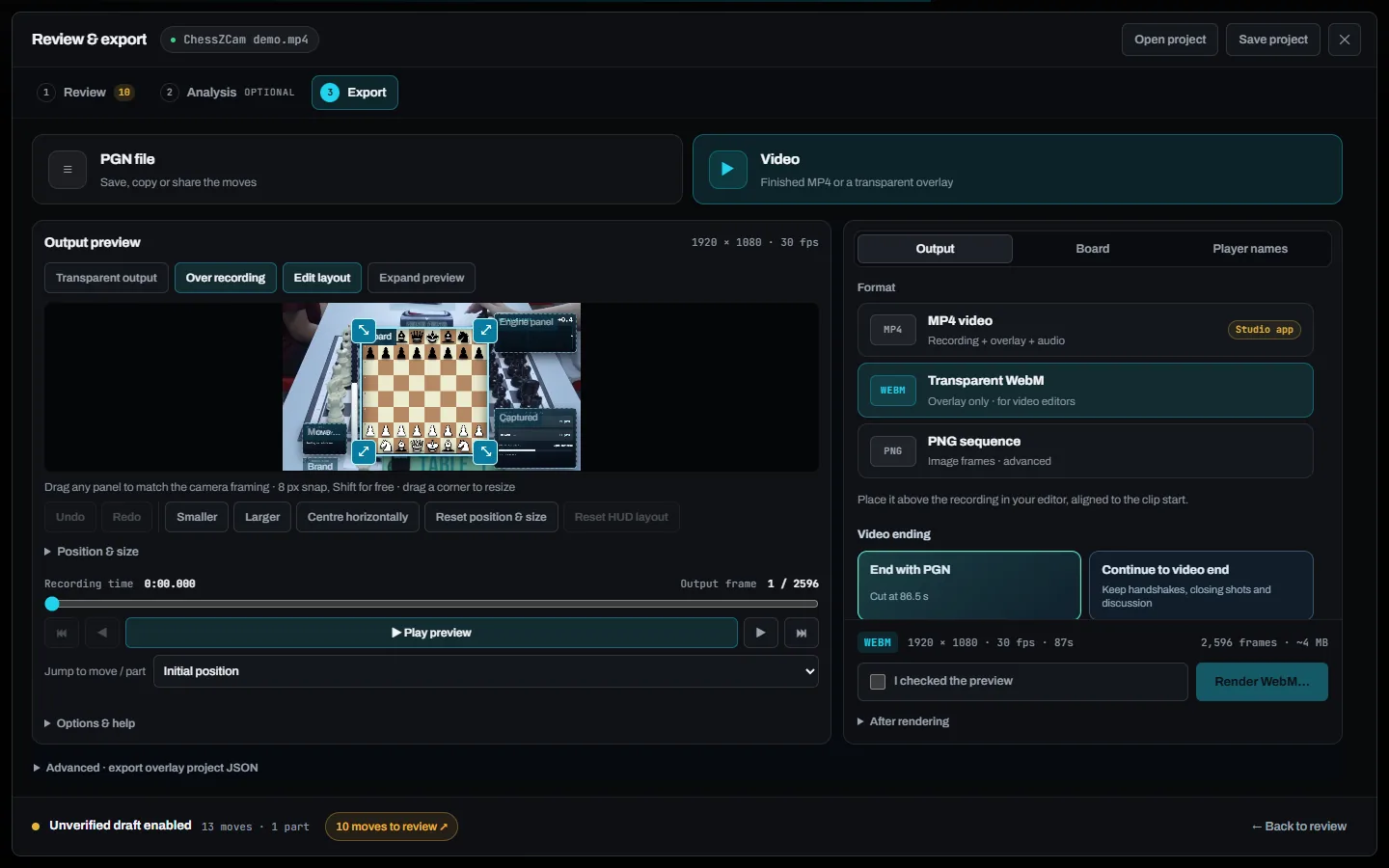
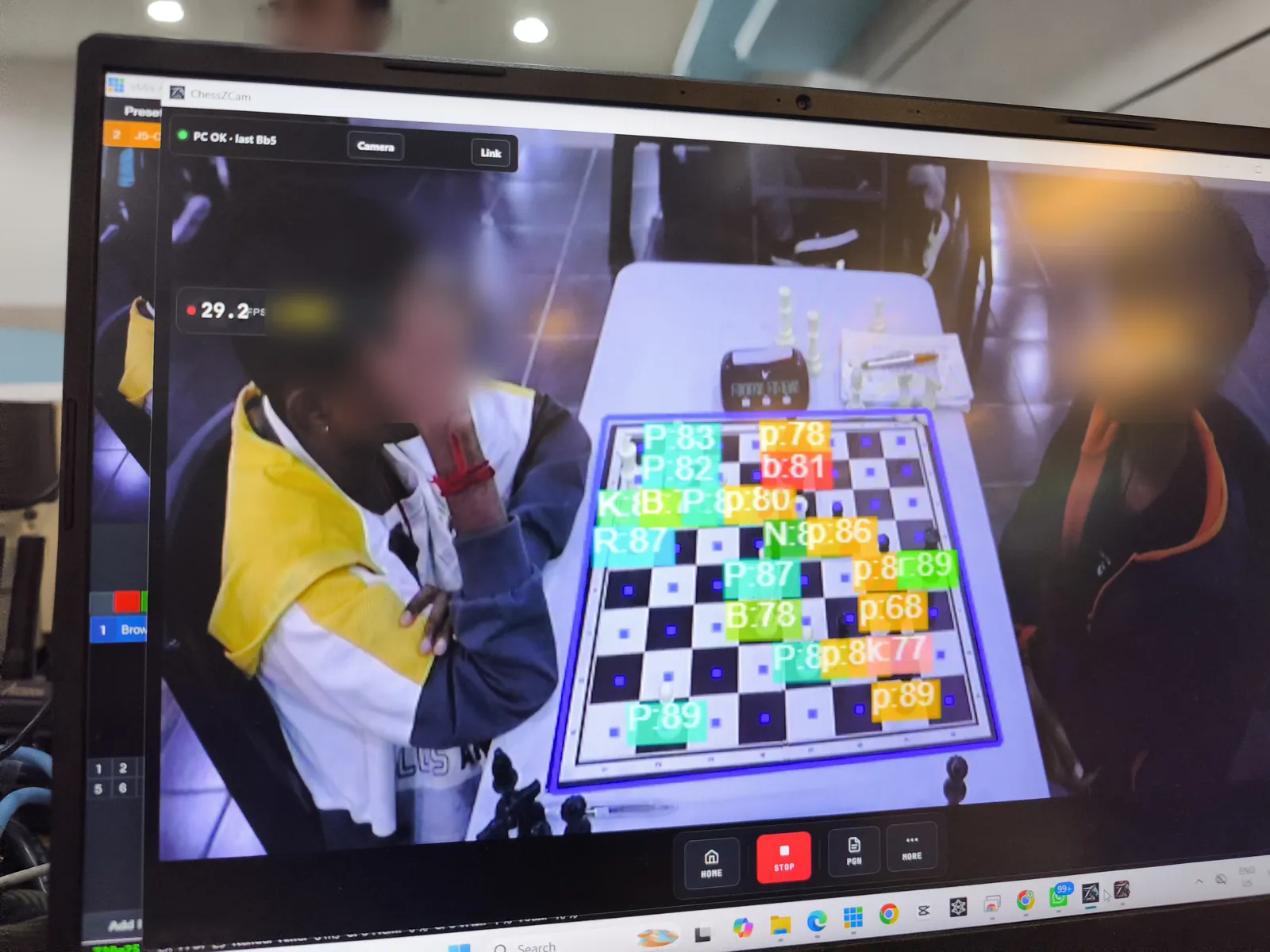
ChessZCam combines an Android phone at the board with a Windows controller for broadcast and review. It is designed to reduce repetitive work, with operator review and correction when venue conditions create uncertainty.

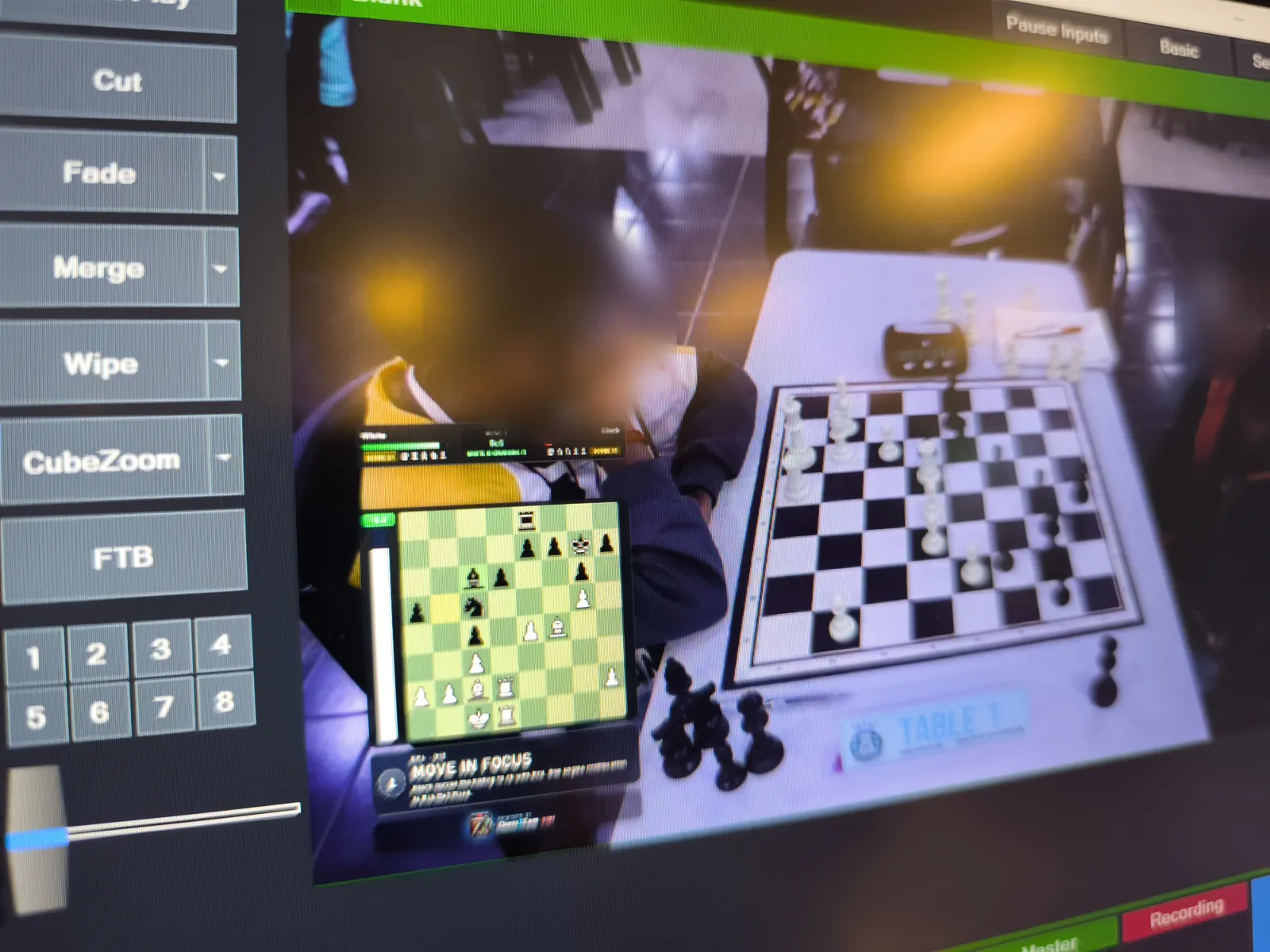
ChessZCam live detection interface during beta testing

Who benefits

Built for people who already work around real boards.

Three common problems. Three practical ways ChessZCam tries to help—when conditions allow.

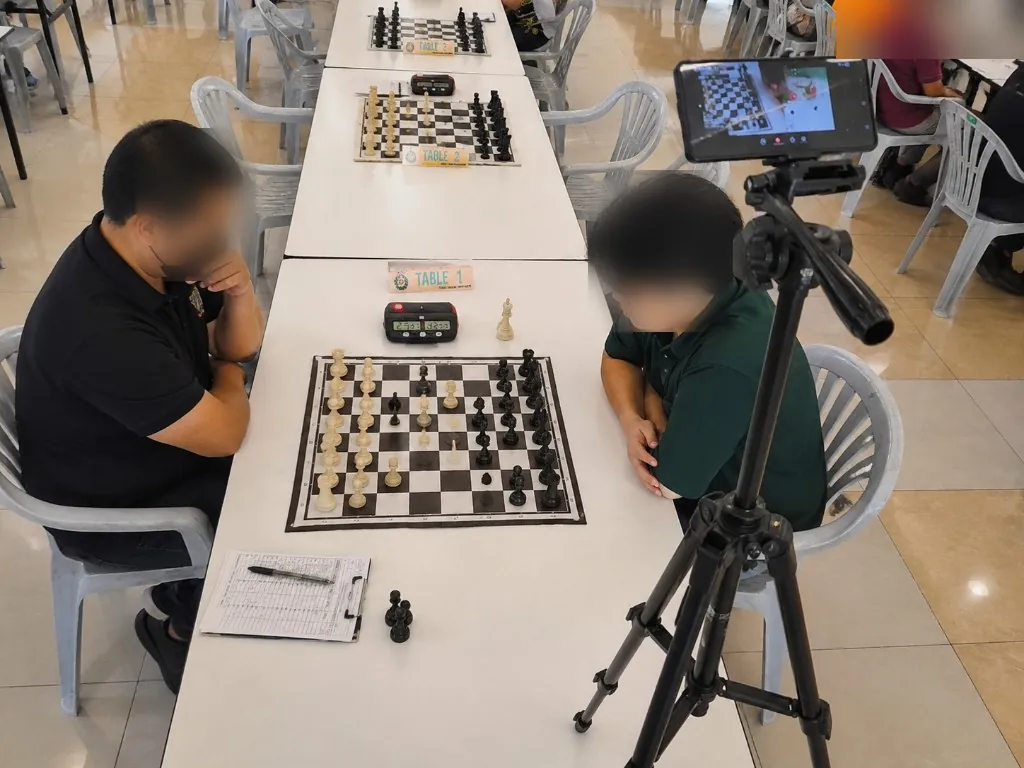
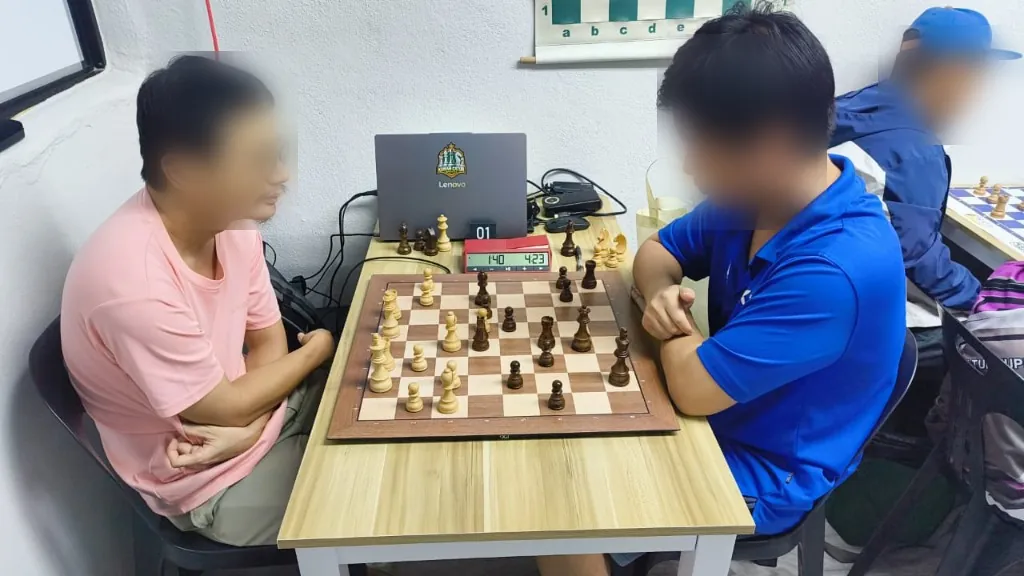
OTB chess match with laptop for digital workflow
Creators

Less time rebuilding PGN by hand

Problem: Viewers want a clean digital board. Creators often rewind video move by move overnight.

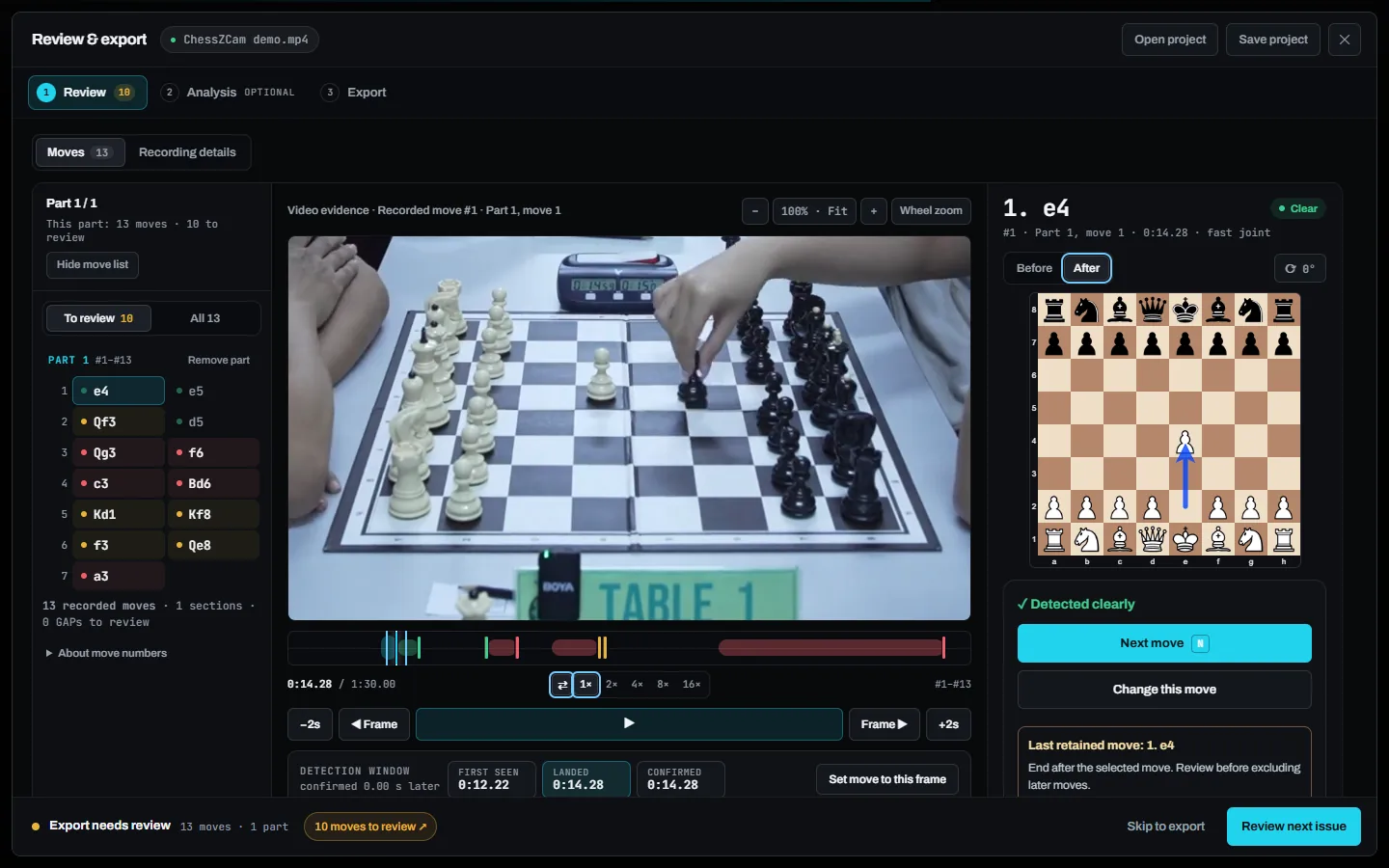
How ChessZCam helps: Record or Upload modes aim to produce a digital move list while you keep control to review unclear moments before publishing.

Creator workflow notes →
Phone on a tripod at a tournament board
Organizers

A careful stream without a full e-board fleet

Problem: Many club and school events cannot afford electronic boards for every table—so featured boards often go unbroadcast.

How ChessZCam helps: Live mode sends the phone’s digital board to a Windows hub overlay for OBS or vMix, with operator tools when something goes wrong mid-round.

Budget livestream checklist →

Junior player concentrating at an OTB game
Parents & coaches

Follow the game without crowding the hall

Problem: Parents and coaches often cannot stand over boards. Waiting areas leave them guessing.

How ChessZCam helps: When organizers allow it, a device on the same reliable network can open the hub overlay URL and follow the digital position.

Parent viewing guide →

Android app

Four modes. One phone at the board.

Choose the mode that matches the job—live recording, archived footage, offline upload analysis, or live broadcast to a PC.

In beta

Record

Live camera detection into a digital position and PGN. Designed for games you want digitised as they are played—without saving a video file.

  • Digital board beside the camera view
  • Export a PGN for analysis or content
  • Review unclear moments before you publish
In beta

Archive

Capture video with chess metadata (event, round, players and related notes) so later review stays organised.

  • 1080p capture with practical quality presets
  • Keeps footage + chess context together
  • Feeds into Upload for offline digitising
Beta · still improving

Upload

Analyse a pre-recorded board video offline on the phone. Useful when you filmed first and digitise later. Further polish continues during beta.

  • Board lock and guided review of uncertain spots
  • Build toward a PGN from existing footage
  • Human checks remain part of a careful workflow
In beta

Live vMix

Live detection linked to the Windows hub on the same Wi‑Fi. The phone stays at the board; the PC handles the broadcast overlay.

  • Local-network link to the controller
  • Digital board for OBS / vMix browser sources
  • Operator recovery when framing or detection drifts

Windows hub

Broadcast control without turning every volunteer into an engineer.

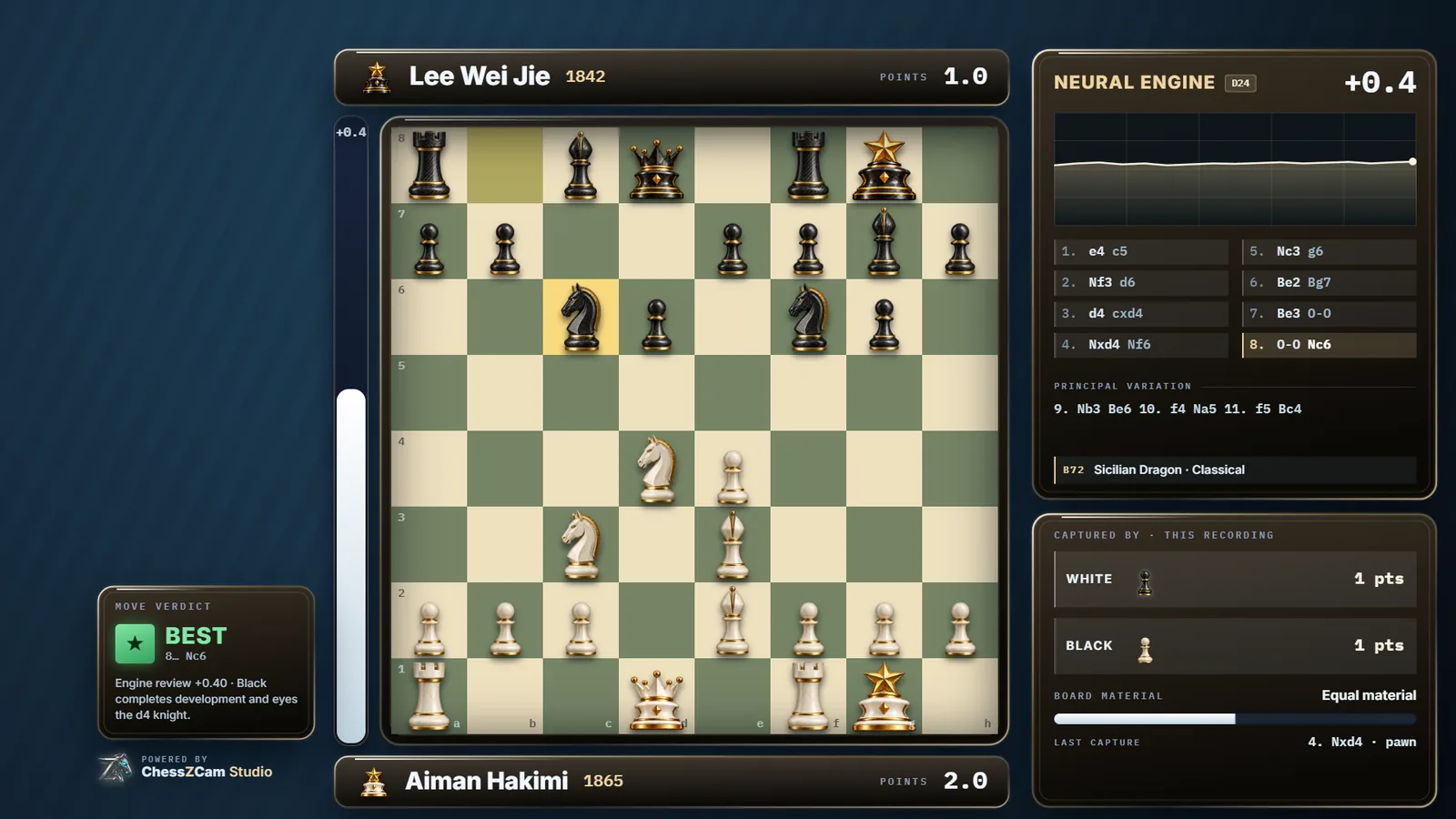
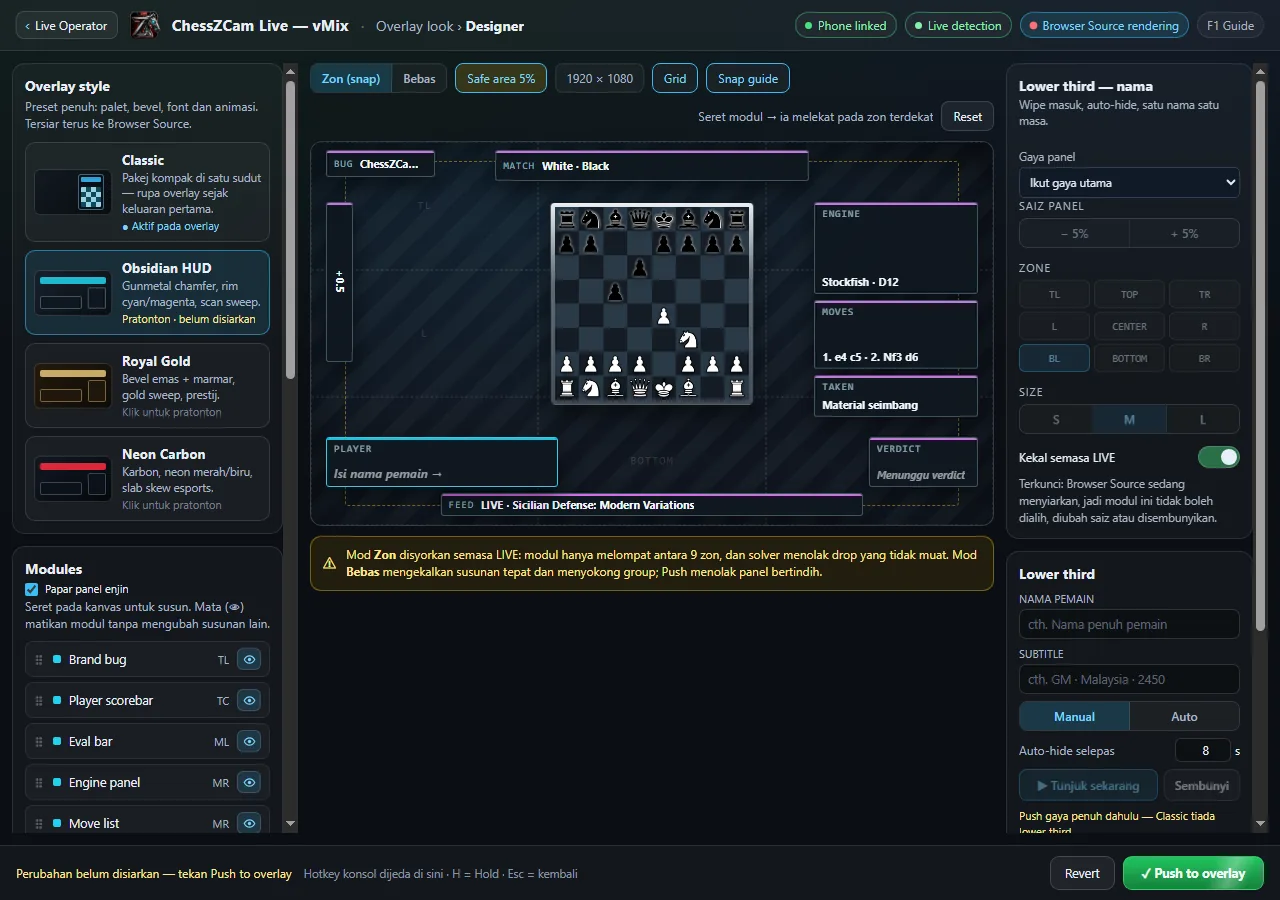
The hub is the calm centre of a live production: receive the phone’s digital board, correct when needed, and feed a browser overlay into OBS or vMix.

ChessZCam Live Windows controller during beta
Controller beta — interface details may still change.
01

Browser overlay for OBS & vMix

Open a local overlay URL as a Browser Source. Viewers see a readable digital board beside (or with) your camera programme.

02

Operator tools when reality intervenes

Hands over the board, a bumped tripod, or an uncertain detection should not end the stream. Hold, correct, sync and undo tools are designed for recovery under pressure.

03

Optional on-air analysis graphics

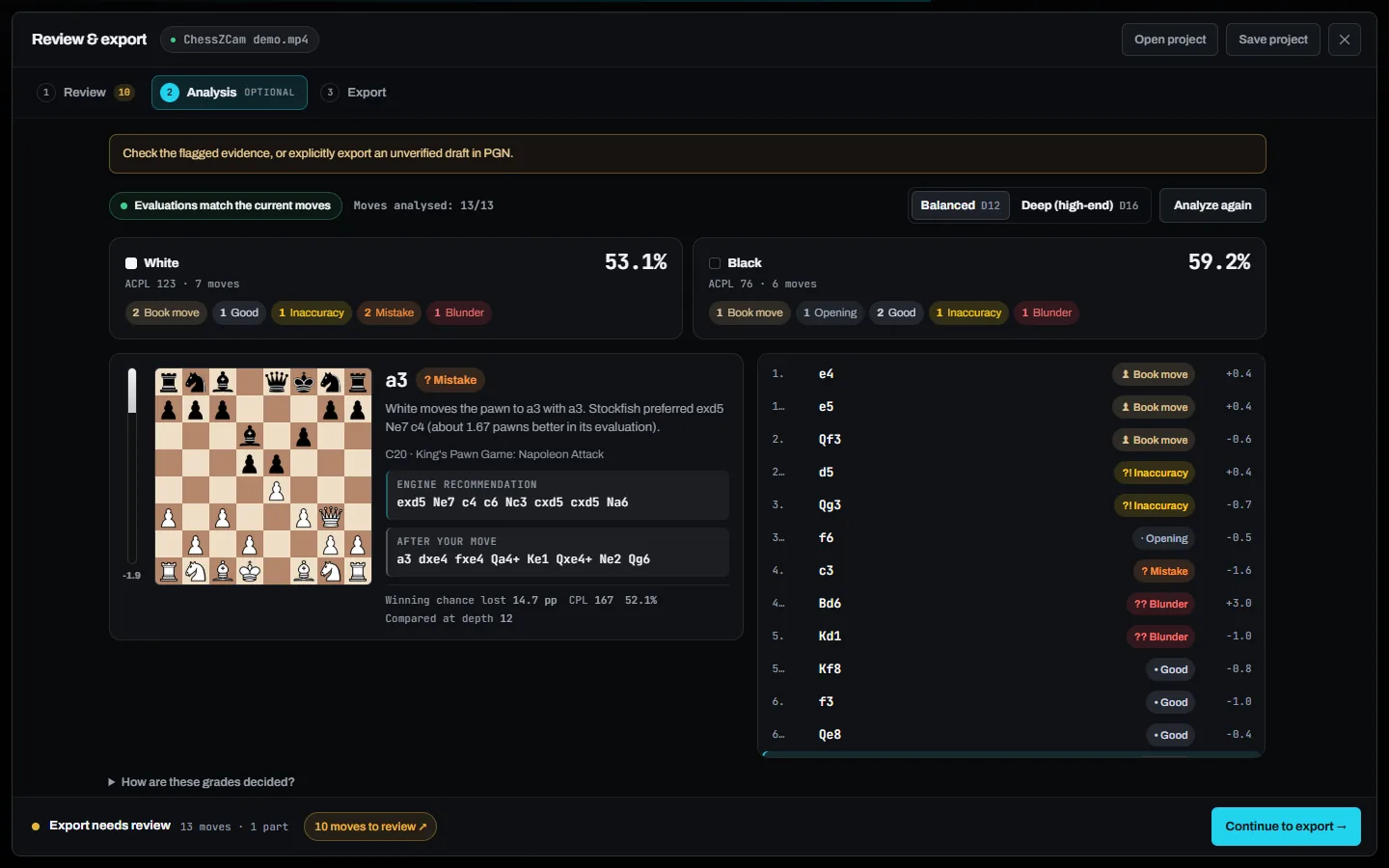
When enabled, the hub can show evaluation-style graphics on the overlay for commentary—not as an official game result.

04

LAN viewing for the waiting area

Other devices on the same reliable network can follow the overlay URL when organizers allow it—without crowding the playing hall.

Read the setup outline → · Compatibility notes →

Why this matters

Impact features the chess community actually asks for.

See what each mode does, what the operator controls and which conditions affect the result.

PGN

Digital move lists from OTB play

Help reduce the grind of rebuilding games from video—so more time goes to teaching, storytelling and coaching.

LIVE

Featured-board streaming on a budget

Phone + Windows hub + OBS/vMix can cover one important board when a full electronic-board install is not realistic.

OPS

Human-in-the-loop control

An operator can pause, correct and resume when the detected position needs attention.

LAN

Respectful hall viewing

Give parents and coaches a digital board on the same network when venue rules allow—without hovering over children.

ARC

Archive now, digitise later

Keep organised footage with chess metadata, then use Upload when you have quieter time to review.

β

Current beta boundaries

Results vary with lighting, framing, board contrast and device performance. Important games should still be checked by a person.

Current operating conditions

Built for practical use under controlled conditions.

Lighting, framing, board contrast, hands over pieces, phone heat and venue Wi‑Fi can all affect results. ChessZCam is an assistive beta workflow. It is not an arbiter, not a fair-play system, and not a drop-in replacement for every professional electronic-board installation.

  • Android detection + Windows hub first
  • OBS / vMix browser overlay
  • Operator correction tools
  • Accuracy varies with setup and venue conditions
  • Release timing follows product stability and testing

Beta waitlist

Follow the build before checkout opens.

Get setup notes, testing invitations and launch updates.